It is 9:47 PM on a Monday and you are checking your rings before bed. The move ring closed hours ago. You trained legs at lunch, walked the dog after work, and hit 14,000 steps. The watch says you burned 2,800 calories today. You ate 2,200 because that is the number a TDEE calculator gave you in January. You are 600 calories under on the day your body needed fuel the most, the day you squatted heavy and your quads are already stiffening. On Sunday you barely moved, ate the same 2,200, and ended the day in a slight surplus. The watch knew the difference between those two days. Your calorie target did not.
That pattern repeats every week for men who train. The fixed number under-fuels training days and over-fuels rest days. The weekly average might land somewhere reasonable, but the daily distribution is backwards, pulling recovery support away from the sessions that need it and parking unused calories on the couch days that did not earn them.
The watch already has the data to fix this. It streams active energy, resting energy, and workout context to Apple Health in real time. What most people lack is the system that turns that data stream into an adaptive calorie target that moves with the day, a weekly audit that catches drift before it compounds, and an automation layer that makes the whole thing run without willpower. That is what this article builds. If you want the narrower workflow for finding the exact two day types that keep breaking the same week, use Timeline Audits for Lifters: Finding the 2 Days That Break Your Cut. If you are also on a GLP-1 medication where appetite suppression makes the execution problem harder and more invisible, there is a dedicated protocol layer for that too.
Where to start based on where you are
If you already have a general sense of how Apple Watch tracks energy and you want to jump to the actionable system, use this guide to find your entry point.
| Your situation | Start here |
|---|---|
| New to Apple Watch calorie tracking, need the foundation | What Apple Watch measures vs estimates |
| Watch is set up, need to build a real calorie target | Turn Watch burn data into a weekly calorie target |
| Already tracking, need the weekly audit and decision framework | The Weekly Audit System |
| On a GLP-1 medication and need the medication-specific overlay | GLP-1 meds change how Watch calorie targets behave |
| Ready to set up the full automation stack today | Automate logging targets and weekly review in Fuel |
| Want the complete phase-by-phase protocol from day one | Phase-Specific Protocols |
01What Apple Watch measures vs estimates
The accuracy question that stops people before they start
The first objection is always the same. "Apple Watch calorie estimates are inaccurate, so why would I build a system on them?" Layne Norton put it directly on Peter Attia's Drive: it is "unlikely that you're able to accurately track energy expenditure with smart devices and wearables."1 He is right about the absolute numbers. He is wrong about the implication that the data is therefore useless. The watch does not need to be right on any given day. It needs to be wrong the same way every day so the trend tells you something real.
The Stanford wearable accuracy study led by Shcherbina et al. tested seven devices on 60 volunteers and found that no device achieved less than 20 percent error for energy expenditure, with some exceeding 90 percent.2 A 2025 meta-analysis by Choe and Kang, covering 82 Apple Watch studies and over 430,000 participants, confirmed that heart rate accuracy is strong but energy expenditure remains a weakness across all generations of the hardware.3 That sounds like a dealbreaker until you understand the structure of the error. The error is mostly consistent directional bias. If your watch overestimates your Tuesday lifting session by 25 percent, it will overestimate next Tuesday's session by roughly the same amount. A consistent 20 percent overestimate across four weeks is a fixed offset you can calibrate around. A random 20 percent error that swings unpredictably in both directions would be genuinely useless. The watch produces the former far more often than the latter.
This means daily numbers are directional, weekly averages are usable, and multi-week trends are reliable. That is enough to build a calorie target system on, because the decisions that matter (adjusting deficit size, identifying stalled progress, catching under-fueling) are all weekly and multi-week decisions. And the self-monitoring research adds a second layer: the act of tracking itself changes behavior independent of measurement precision. A systematic review by Burke et al. found that consistent self-monitoring of dietary intake is one of the strongest predictors of successful weight management.4 A 2021 meta-analysis by Berry et al. showed that digital self-monitoring through apps and wearables produced an average additional weight loss of 2.87 kg compared to controls.5 The watch does not need to be a perfect calorimeter. It needs to keep you inside a system that surfaces data, prompts decisions, and creates feedback loops. That is what this article builds.
The three energy numbers on your wrist
Apple Watch tracks two energy streams and sums them into a third.
Active energy is the calorie cost of movement above your resting baseline, estimated from accelerometer data, heart rate, GPS when available, and your personal profile (age, sex, height, weight). Resting energy is the baseline metabolic cost of keeping you alive, estimated from profile data and resting heart rate trends. Total energy is the sum. Total energy is the number that matters for calorie targets because it represents the expenditure your intake needs to be measured against.
| Energy type | What it represents | Primary data sources | Typical range for men 25-55 (180 lb) |
|---|---|---|---|
| Resting energy | Baseline metabolic cost of being alive | Profile data, resting heart rate, historical fit | 1,600-1,900 kcal/day |
| Active energy | Movement and exercise above baseline | Accelerometer, heart rate, GPS, workout type | 300-900 kcal/day |
| Total energy | Complete daily expenditure (resting + active) | Sum of above | 2,100-2,800 kcal/day |
Apple Health stores all three. Fuel reads them through Apple Health permissions and uses them to build your energy balance view, where intake from food logging sits next to expenditure from the watch, and the gap between them tells you whether the day is tracking toward your goal.
Where the estimates are strongest and weakest
NEAT
NEAT (non-exercise activity thermogenesis) is the most valuable category the watch tracks, precisely because you cannot estimate it yourself. James Levine's foundational research at Mayo Clinic showed that NEAT is the primary variable explaining why some people resist fat gain during overfeeding and others do not, with NEAT changes alone predicting a 10-fold variation in fat storage across individuals.6 Andrew Huberman covered the same data on the Huberman Lab Essentials episode on fat loss, noting that non-exercise movement accounts for 800 to 2,500 kcal per day depending on the person.7 The difference between a day when you paced during phone calls and walked to lunch versus a day when you sat in meetings from 9 to 6 can be 200 to 400 kcal. The watch captures this automatically because it is always on your wrist. No other tool in your system provides this signal.
Steady-state cardio
Walking, running, and cycling are the best-estimated categories for tracked workouts because the accelerometer-to-movement relationship is linear and the heart rate-to-energy relationship is well characterized.
Strength training
Strength training is the worst-estimated activity type. The accelerometer signal during a barbell squat is low relative to the metabolic cost, and the heart rate-to-calorie relationship during resistance exercise differs from steady-state cardio. Most studies show Apple Watch underestimates resistance training expenditure by 20 to 40 percent. For a man who trains four days per week, this creates a systematic under-count of 400 to 800 kcal across the week. The section on fixing common Watch calorie mismatches covers how to handle this.
The calibration protocol most people skip
Apple Watch accuracy improves with better calibration data, and most people never do the work to provide it.
Verify your personal data
Open the Watch app on your iPhone, go to My Watch, then Health. Confirm that your height, weight, date of birth, and biological sex are current. If your weight has changed by more than 5 pounds since you last updated it, the resting energy estimate is working from stale data. Update it now and update it every time you see a meaningful change on the scale.
Run a calibration workout
Take your watch outdoors and do a 20-minute brisk walk or easy run in an open area with good GPS reception. This lets the watch calibrate your stride length and heart rate response to a known activity intensity. Apple uses this data to refine motion estimates for all subsequent activities.
Wear the watch consistently
Resting energy estimates improve with continuous heart rate data, including overnight data. Active energy estimates improve when the watch has a full day of context. Wearing the watch only during workouts and removing it the rest of the day means the watch is missing the NEAT signal that accounts for the largest source of day-to-day energy variation.
Recalibrate after significant body composition changes
If you lose or gain 10 or more pounds, the calibration data from your previous weight is less applicable. Update your weight in the Health profile, then repeat the outdoor calibration workout.
For detailed setup instructions, start with Apple Watch setup and confirm your Apple Health permissions are granting Fuel access to the data streams it needs.
02Turn Watch burn data into a weekly calorie target
Why fixed calorie targets fail for men who train
The standard approach to calorie targets goes like this: enter your stats into a TDEE calculator, subtract 500 kcal for fat loss, eat that number every day. This approach has a structural problem that gets worse the more variable your training schedule is.
A rest day and a heavy training day do not cost the same amount of energy. For a 180 lb man who lifts and does some walking, the difference between a sedentary office day and a day with an hour of squats plus a 30-minute walk can be 400 to 800 kcal in total expenditure. If you eat the same 2,200 kcal on both days, you are in a 600 kcal deficit on the training day and a 200 kcal surplus on the rest day. Over a week with four training days and three rest days, the math might average out to a reasonable deficit, but the daily distribution is backwards. You are under-fueling on the days your body needs the most support for recovery and muscle protein synthesis, and over-fueling on the days it needs the least.
This is the opposite of what recomposition needs. Recomposition works best when protein and energy are available around training, and when the deficit accumulates on the days where the metabolic cost was lower and the recovery demand was lighter.
A fixed calorie target cannot solve this problem because it does not know what kind of day you are having. The Apple Watch does. The mismatch is sharpest for athletes whose week mixes heavy lifting with running or riding, where the gap between a long endurance day and a Zone 2 day can exceed 1,000 kcal of expenditure. The day-type fueling logic for that schedule sits in Hybrid Athlete Nutrition for Lifting, Running, and Riding in the Same Week.
The adaptive target model
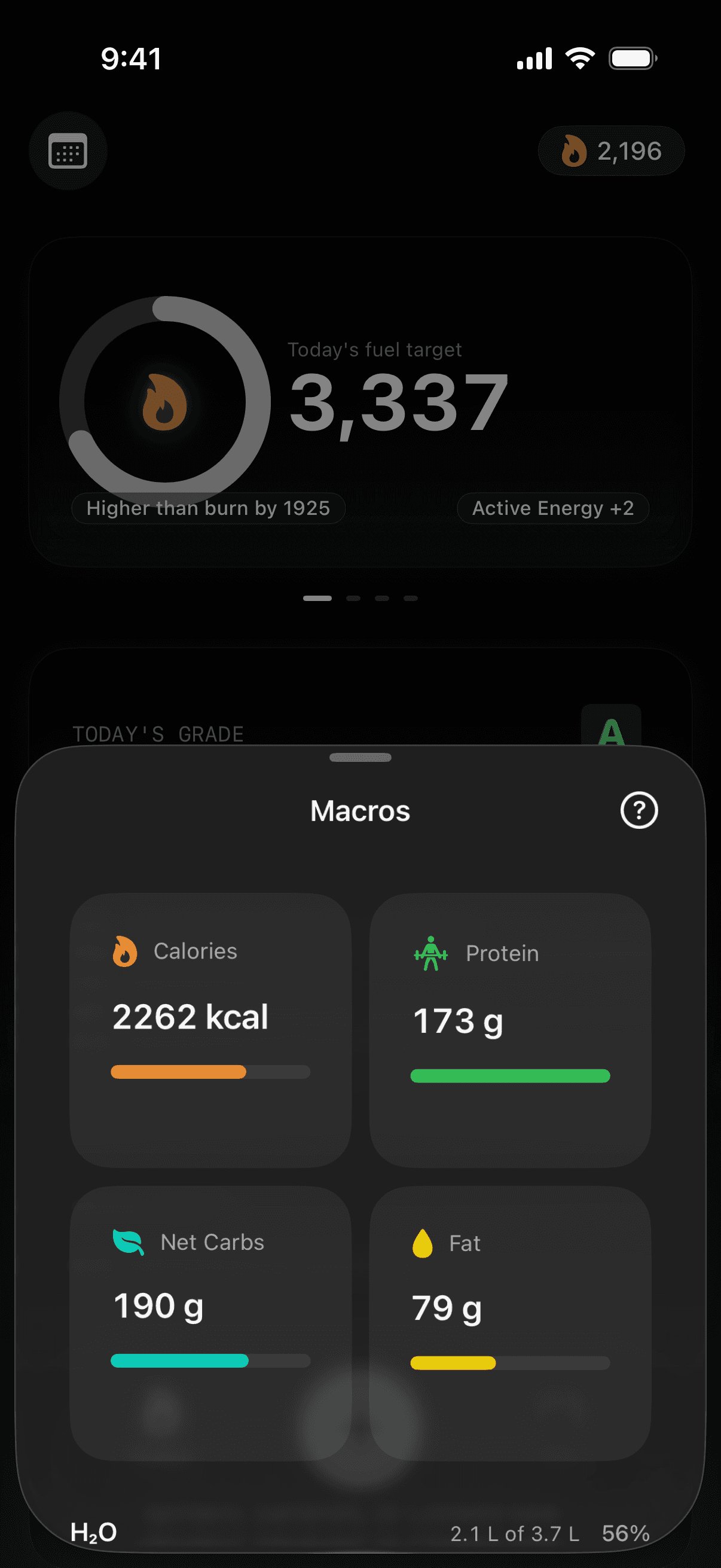
Dynamic Calories is Fuel's solution to the fixed-target problem. When enabled, your daily calorie target recalculates as Apple Watch reports activity through the day. Instead of one number set once in your plan, the target reflects what you are actually burning today.
The math is straightforward. Fuel starts with your resting energy baseline, adds the active energy your watch has reported so far, applies your goal modifier (the deficit, maintenance, or surplus setting from your plan), and produces a target that represents the right intake for the day you are having. On a heavy training day, the target rises. On a rest day, it stays lower. The direction of your plan stays intact. If your goal is a deficit, you stay in a deficit every day. The size of the daily target adapts so the deficit stays the same size every day, whatever the day's actual expenditure.
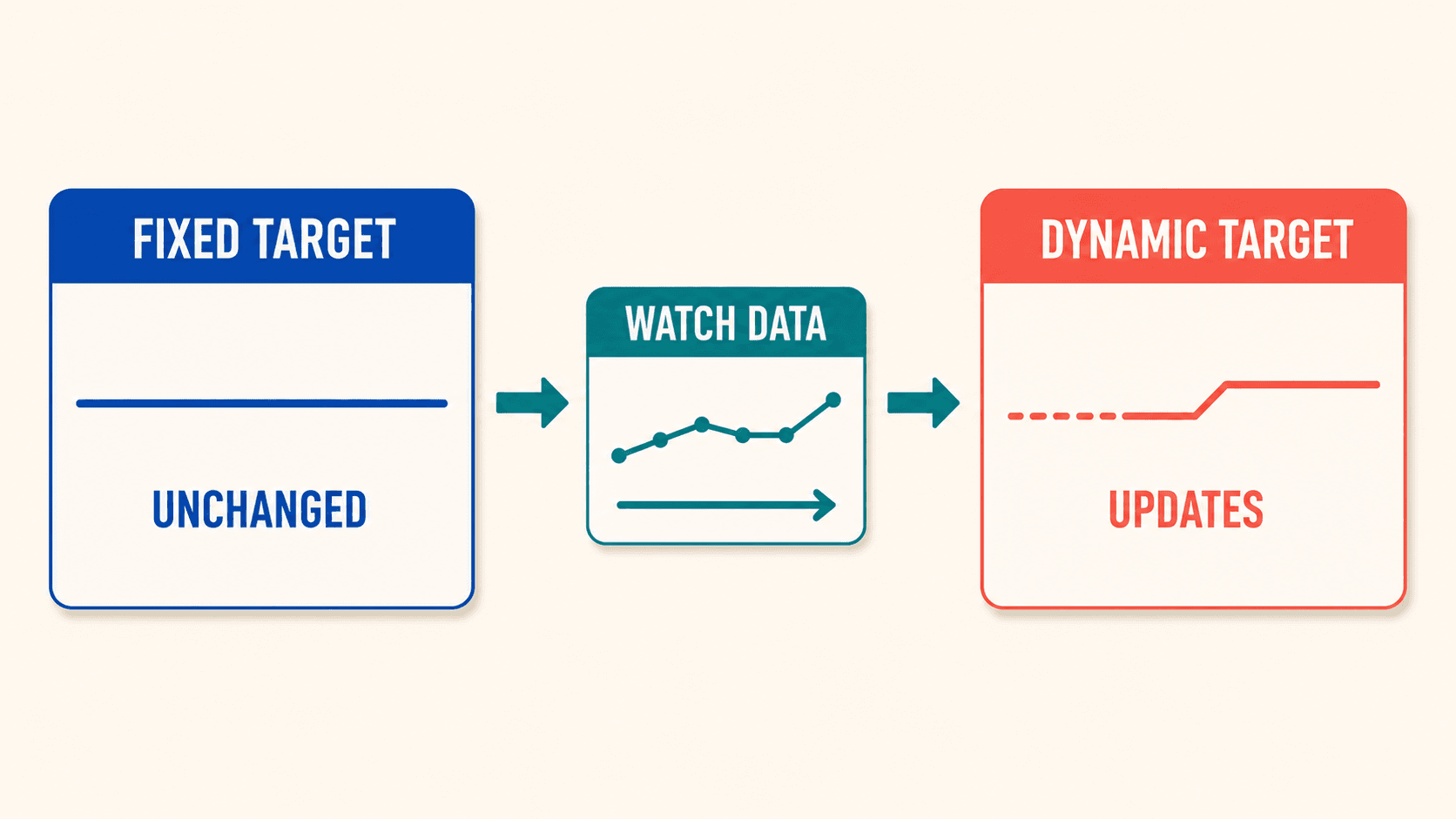
Here is what this looks like across a real week for a 180 lb man targeting a 300 kcal daily deficit for recomposition:
| Day | Total expenditure (watch) | Fixed target (2,200) | Dynamic target (expenditure - 300) | Fixed deficit | Dynamic deficit |
|---|---|---|---|---|---|
| Monday | 2,800 (legs + walking) | 2,200 | 2,500 | -600 | -300 |
| Tuesday | 2,300 (rest day) | 2,200 | 2,000 | -100 | -300 |
| Wednesday | 2,600 (upper body) | 2,200 | 2,300 | -400 | -300 |
| Thursday | 2,200 (rest day) | 2,200 | 1,900 | 0 | -300 |
| Friday | 2,700 (deadlifts + walk) | 2,200 | 2,400 | -500 | -300 |
| Saturday | 2,500 (active day) | 2,200 | 2,200 | -300 | -300 |
| Sunday | 2,100 (full rest) | 2,200 | 1,800 | +100 | -300 |
| Weekly total | 17,200 | 15,400 | 15,100 | -1,800 | -2,100 |
The fixed target produces a similar weekly deficit by accident, but distributes it poorly. Monday's 600 kcal deficit undermines recovery from a hard leg session. Sunday's surplus erases the day that should have contributed the most to fat loss. The dynamic target keeps the deficit consistent at 300 kcal per day, placing more food on training days and less food on rest days. The weekly deficit is slightly larger because no single day accidentally tips into surplus.
Dynamic Calories also supports rolling over up to 200 kcal to the next day, so a small shortfall on Tuesday can carry forward to Wednesday when training makes the extra fuel useful. This prevents small daily under-eating from compounding into the kind of chronic under-fueling that degrades training quality and increases lean mass loss.
Your energy balance view reflects the dynamic target in real time. Daily Review and Weekly Review grade you against the adjusted target rather than a static one, so your adherence data actually means something.
Setting your first target: the 2-week calibration phase
Before you can set a deficit, you need to know where maintenance actually is. The 2-week calibration phase is the most important step most people skip.
Week 1: Eat to your best estimate of maintenance
Use any reasonable TDEE calculator as a starting point. Log everything you eat in Fuel. Wear the watch all day, including sleep if possible. Weigh yourself every morning after waking and using the bathroom but before eating or drinking. Do not change your training or activity patterns. The goal is to observe, not intervene.
Week 2: Continue the same protocol
A single week of data is too noisy to draw conclusions. Two weeks smooths out the day-to-day variation in water, sodium, glycogen, and gut contents that make daily weight readings unreliable.
End-of-phase analysis
Compare three numbers.
- Your average daily intake across 14 days (from food logs).
- Your average daily total energy expenditure across 14 days (from Apple Watch via Fuel's energy balance).
- Your weight trend across 14 days (from morning weigh-ins).
If intake and expenditure are roughly equal and the weight trend is flat, you have found your maintenance. If the watch says you are in a deficit but the scale is flat, the watch is likely overestimating expenditure (common) or your logging is missing some intake (also common). If the watch says surplus but the scale is dropping, the watch is underestimating. Either way, the weight trend is the arbiter. The watch provides the directional signal. The scale provides the outcome check.
| Watch says | Scale says | Most likely explanation | What to do |
|---|---|---|---|
| Deficit | Weight stable | Watch overestimates, or logging misses some intake | Trust the scale. Your true maintenance is closer to what you ate |
| Surplus | Weight stable | Watch underestimates expenditure | Trust the scale. Maintenance is at your current intake |
| Deficit | Weight drops | Agreement. You are in a real deficit | Note the magnitude. This is your actual deficit size |
| Surplus | Weight rises | Agreement. You are in a real surplus | Note the magnitude. Adjust down if surplus is unintended |
| Deficit | Weight rises | Logging is significantly incomplete | Audit food logs for missed items, oils, drinks, sauces |
| Surplus | Weight drops | Unusual. Possible water or glycogen shift | Continue tracking. Reassess after a third week |
Once you have a calibrated maintenance number, you can set the deficit with confidence. Without this step, every number you pick is a guess wearing a lab coat.
Deficit sizing for body recomposition vs. fat loss
The size of your deficit determines what kind of weight you lose, how fast you lose it, and how much training quality you can preserve along the way. These are different goals with different numbers.
Recomposition
Recomposition means losing fat while maintaining or building lean tissue. This requires a small deficit of 100 to 300 kcal below your dynamic maintenance. The scale moves slowly, sometimes less than 0.25 kg per week. Training quality stays high because the energy shortfall is small enough that recovery is not compromised. This approach favors men who are relatively lean already (15 to 22 percent body fat), men who are early in their training career and can still build muscle in a mild deficit, and men who prioritize how they look and perform over how fast the scale moves.
Fat loss
Fat loss means prioritizing scale weight reduction at a faster rate. This requires a moderate deficit of 300 to 600 kcal below dynamic maintenance. The scale moves at 0.3 to 0.7 kg per week. Training quality will degrade somewhat, and the protein floor becomes a harder constraint because fewer total calories are available. This approach favors men who carry more body fat (above 22 percent), men with a medical reason to lose weight faster, and men who are willing to accept some training regression in exchange for faster visible progress.
Beyond 600 kcal deficit
Going beyond a 600 kcal deficit is rarely justified for men who want to keep lifting. The lean mass loss rate accelerates, training performance drops measurably, recovery times extend, and hormonal disruption (including suppressed testosterone and elevated cortisol) becomes more likely. The math might look tempting on paper, but the outcome three months later is usually a smaller version of yourself that is also weaker. That is weight loss, and weight loss is not the goal here.
The rate-of-loss guardrail: aim for 0.5 to 1.0 percent of body weight per week as the upper bound during a fat loss phase. For a 180 lb man, that is 0.9 to 1.8 lbs per week. Anything faster than that, sustained over multiple weeks, is statistically likely to include meaningful lean mass loss regardless of protein intake and training quality. During a recomposition phase, the rate is slower by design, often 0.25 to 0.5 percent per week.
If you are aiming for body recomposition specifically, the get leaner and stronger goal page walks through the priority stack. If your primary need is faster scale loss, lose weight is the cleaner starting point.
03Set protein before you set calories
Your calorie target is a protein target in disguise
Every conversation about calorie targets for men who lift is really a conversation about protein, because the protein floor is the binding constraint that determines how low the calorie target can go before the plan starts damaging lean tissue.
For men 25 to 55 doing resistance training at least three days per week, the evidence-based protein target for muscle retention during a deficit is 1.6 to 2.2 g per kg of body weight per day. The ISSN position stand on protein and exercise recommends 1.4 to 2.0 g/kg for most exercising individuals and up to 2.3 to 3.1 g/kg for resistance-trained subjects during hypocaloric periods.15 Eric Helms' systematic review of dietary protein during caloric restriction in lean athletes supports the higher end for anyone in a meaningful deficit, particularly as body fat decreases.16 A 2025 updated meta-regression by Refalo, Trexler, and Helms confirmed a linear dose-response relationship between daily protein and lean mass retention, with the effect being stronger in men, in leaner individuals, and in interventions lasting longer than four weeks.17 Brad Schoenfeld, a co-author on the Morton et al. meta-analysis and a guest on FoundMyFitness discussing body recomposition, has made the practical point that the protein requirement during a deficit is higher than during a surplus because the body oxidizes more amino acids for energy when total calories are restricted.18 Higher within the range is generally better during a deficit, because the metabolic demand for amino acids increases when energy availability drops.
At a body weight of 82 kg (180 lbs), that is 131 to 180 g of protein per day. At 4 kcal per gram, the protein floor alone accounts for 524 to 720 kcal before any other macronutrient enters the picture. Add the minimum fat intake needed for hormonal health (roughly 0.8 to 1.0 g per kg, so 66 to 82 g of fat at 9 kcal/g, which is 590 to 738 kcal) and the carbohydrate needed to fuel training (variable, but 150 to 250 g is a reasonable range for moderate training volume at 4 kcal/g, which is 600 to 1,000 kcal). The sum of these minimums defines a floor below which the calorie target cannot go without sacrificing something essential.
For our 180 lb example, the floor is roughly 1,700 to 2,450 kcal depending on where within the ranges you land. If your dynamic maintenance target on a rest day is 2,200 kcal and you apply a 300 kcal deficit, the resulting 1,900 kcal target clears the low end of the floor range and fits if you land in the lower part of each range. If you are on a rest day with 2,100 kcal expenditure and you try to apply a 600 kcal deficit, the resulting 1,500 kcal target is below the floor and something breaks. Usually protein breaks first, because it is the macronutrient that requires the most deliberate effort to hit.
This is why calorie targets cannot be set in isolation from protein targets. The two are linked, and the protein floor is the constraint that should be set first. The calorie target is what remains after protein and minimum fat are locked in. Protein distribution across meals matters too. Hitting 160 g of protein in a single meal and zero in the other three is metabolically different from spreading it across four meals of 40 g each. The leucine threshold article covers the per-meal minimum in detail.
How GLP-1 medications change the protein math
GLP-1 receptor agonist medications like semaglutide (Ozempic, Wegovy) and tirzepatide (Mounjaro, Zepbound) suppress appetite by activating receptors that signal satiety, slowing gastric emptying, and reducing the "food noise" that makes overeating feel automatic. For men with overweight or obesity, these medications can produce weight loss of 15 to 21 percent of body weight over 68 to 72 weeks, as demonstrated in the STEP (semaglutide) and SURMOUNT (tirzepatide) clinical trial programs.
The problem for lifters is that appetite suppression does not distinguish between the calories you should eat less of and the calories you cannot afford to lose. When a man's appetite drops from "I could eat 3,000 kcal without trying" to "I feel full after 1,400 kcal," the first macronutrient that falls is almost always protein. Protein-rich foods are satiating, bulky, and take effort to prepare. When appetite is pharmacologically suppressed, they are the hardest foods to force down. The result is that many men on GLP-1 medications end up in a calorie deficit that is working (the scale is moving) but a protein deficit that is also working, just in the wrong direction (lean mass is going with the fat).
Apple Watch data does not solve this problem directly because the watch tracks expenditure, not intake composition. But the watch-based system creates the framework in which the protein problem becomes visible. When Fuel shows your dynamic calorie target for the day, the protein floor within that target is explicit. When the AI coaching reviews your food log, protein shortfall is one of the first things it flags. When the Weekly Review assesses your adherence, it checks protein consistency alongside calorie adherence. The watch provides the expenditure side, Fuel provides the intake side, and the intersection is where the protein floor either holds or breaks.
For men on GLP-1 medications, the practical adjustment is protein density. When total food volume is limited by suppressed appetite, every meal needs to deliver more protein per bite. This means prioritizing lean meats, egg whites, Greek yogurt, whey protein, and casein over foods that are nutritious but protein-sparse. It also means accepting that some meals will require eating past the point of comfortable satiety, specifically to hit the protein target. The GLP-1 diet guide covers meal architecture in detail, and protein targets and training strategy on semaglutide or retatrutide addresses the medication-specific adjustments.
The watch-based calorie target system remains valid during GLP-1 therapy. The medication changes how many calories you want to eat but does not change how many you burn. The expenditure estimate from the watch is unaffected. What changes is the relationship between the calorie target and the protein floor. During GLP-1 therapy, the protein floor is more likely to be the binding constraint than the calorie target, which means protein monitoring should be daily, not weekly.
Collagen does not count toward the protein floor
This is the mistake that quietly undermines recomposition plans for men who think they are hitting their protein target but are actually short.
Collagen peptides are chains of amino acids derived from connective tissue. They are rich in glycine, proline, and hydroxyproline, and they are almost completely devoid of leucine. Leucine is the amino acid that triggers the mTOR signaling pathway responsible for initiating muscle protein synthesis. Without adequate leucine at the per-meal level, the muscle-building signal is not fired, regardless of total protein intake.
A man who logs 180 g of protein per day but gets 40 g of that from collagen powder is, for muscle-retention purposes, a man eating 140 g of complete protein and 40 g of a connective-tissue supplement. The tracker shows 180 g. The physiology sees 140 g. If his actual requirement for lean mass preservation is 160 g, he is short by 20 g per day and does not know it.
This does not mean collagen is worthless. Emerging evidence supports a role for collagen peptides in tendon and ligament health, particularly when taken with vitamin C before physical activity involving connective tissue loading. For men who train hard and want to support joint health during a recomposition phase, collagen has a place. That place is separate from the protein floor. Log collagen as collagen. Count complete protein sources, meaning sources with a full essential amino acid profile and adequate leucine, toward the muscle-retention target. Keep the two categories distinct in your tracking.
For the broader context on how collagen fits into the peptide landscape, see the peptides for body recomposition decision framework.
04The Weekly Audit System
Why daily data is noise and weekly data is signal
Your body weight on any single morning is a function of at least six variables that have nothing to do with fat loss or muscle gain: water retention from sodium intake, glycogen storage from carbohydrate intake, gut contents from meal timing and fiber intake, hormonal fluctuations, sleep quality, and stress. These variables can swing body weight by 1 to 2 kg in either direction within a 24-hour period.
A man who weighed 82.0 kg on Monday morning, ate salty restaurant food on Monday night, and weighed 83.2 kg on Tuesday morning did not gain 1.2 kg of fat overnight. He retained water. A man who weighed 83.0 kg on Friday, did a long training session on Saturday, ate low-carb by coincidence, and weighed 81.5 kg on Sunday did not lose 1.5 kg of fat in two days. He depleted glycogen and shed the water bound to it.
If you make calorie target decisions based on daily weight readings, you will spend your entire recomposition phase chasing noise. You will cut calories after a water retention spike and add calories after a dehydration dip, producing oscillations that cancel each other out while creating unnecessary stress and inconsistency.
The 7-day rolling average eliminates most of this noise. When you plot the average of each rolling 7-day window, the daily fluctuations compress into a smooth line that reveals the actual trend underneath. A man whose daily weights swing between 81.0 and 83.0 kg but whose 7-day average drops from 82.3 to 82.0 over two weeks is losing fat at a measurable rate. The daily data obscures this. The weekly average reveals it.
| Day | Daily weight (kg) | 7-day average (kg) |
|---|---|---|
| Mon W1 | 82.0 | -- |
| Tue W1 | 82.4 | -- |
| Wed W1 | 81.8 | -- |
| Thu W1 | 82.1 | -- |
| Fri W1 | 82.5 | -- |
| Sat W1 | 81.6 | -- |
| Sun W1 | 82.2 | 82.1 |
| Mon W2 | 82.3 | 82.1 |
| Tue W2 | 81.9 | 82.1 |
| Wed W2 | 81.5 | 82.0 |
| Thu W2 | 82.0 | 82.0 |
| Fri W2 | 81.8 | 81.9 |
| Sat W2 | 81.2 | 81.8 |
| Sun W2 | 81.7 | 81.8 |
The daily column looks chaotic. The 7-day average column tells a clean story: this man lost 0.3 kg per week, which is consistent with a mild deficit. That is usable data. Make decisions from the average, not the daily number.
The three metrics that actually predict recomposition progress
No single metric can tell you whether body recomposition is working. You need three, and you need to read them together.
Weight trend (7-day average)
The weight trend tells you the direction and rate of total body mass change. During recomposition, you expect this to be flat to slowly declining (0.1 to 0.3 kg per week). During fat loss, you expect a faster decline (0.3 to 0.7 kg per week). If the trend is flat for three or more weeks during a fat loss phase, something needs to change. If the trend is dropping faster than 1 percent of body weight per week, the deficit is likely too aggressive.
Training performance
Training performance tells you whether the deficit is costing you muscle function. Track your key compound lifts (squat, bench, deadlift, overhead press, row) and look for one of three patterns. Stable or improving means the deficit is well-tolerated and lean mass is likely preserved. Slowly declining (5 to 10 percent strength loss over several weeks) means the deficit is starting to cost you and may need to be reduced. Rapidly declining (more than 10 percent in two weeks) means something is wrong, and the most common causes are protein shortfall, sleep deprivation, or an excessively aggressive deficit.
Waist measurement or visual progress
This is the body composition signal that the scale misses. A man who loses fat and gains a small amount of muscle might see no change on the scale while his waist measurement drops by a centimeter and his training photos show more definition. Measure your waist at the navel every week under consistent conditions (morning, standing, relaxed). If the waist is shrinking and training performance is stable, recomposition is working even if the scale is flat.
| Scenario | Weight trend | Training performance | Waist | Interpretation |
|---|---|---|---|---|
| Recomposition working | Flat to -0.3/wk | Stable or up | Shrinking | Fat loss with muscle maintenance. Hold plan |
| Deficit working but too aggressive | -0.5+/wk | Declining | Shrinking | Fat loss at the cost of lean mass. Reduce deficit |
| Deficit not working | Flat | Stable | Flat | Intake too close to maintenance. Increase deficit |
| Under-fueling | Dropping fast | Dropping fast | Flat | Calorie or protein intake is too low. Add food |
| Surplus without training stimulus | Rising | Stable | Expanding | Eating above maintenance without enough training |
If any single metric could tell the whole story, you would not need the other two. The power is in reading them together. Weigh-ins and trend in Fuel handles the weight side. Your training log handles the performance side. A tape measure or weekly photos handle the composition side. The combination is what lets you make confident decisions instead of reactive guesses.
The weekly review in Fuel
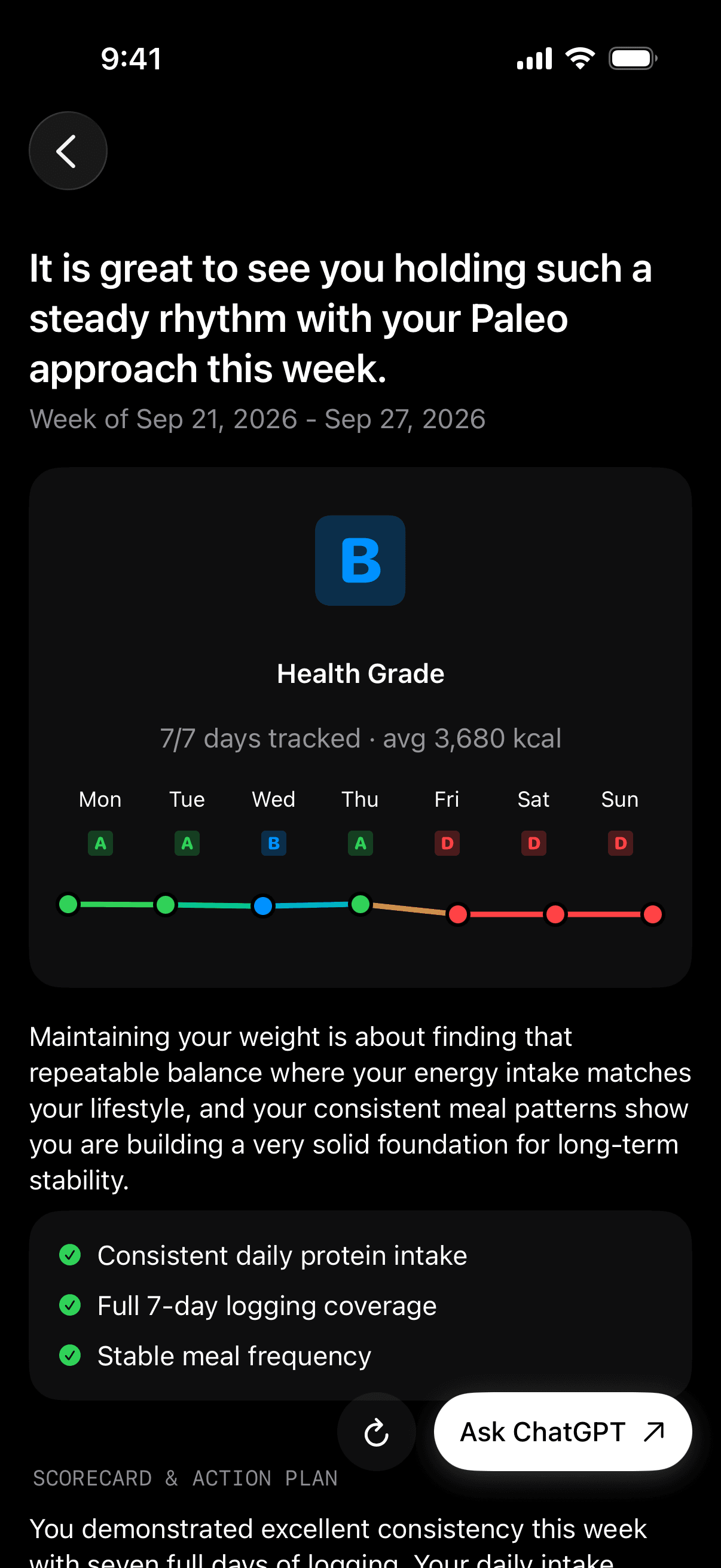
The Weekly Review is where all of the week's data converges into an actionable assessment. It surfaces calorie adherence (how close your intake matched the dynamic target across the week), protein consistency (how many days you hit the floor), weight trend (direction and rate from morning weigh-ins), and training days logged (how many sessions you completed).
The Health Grade gives you a single-number summary of how well the week went across these dimensions. It is useful as a quick check, but the specific numbers underneath it are where the real decisions come from.
The two-question decision framework makes the weekly review actionable without overcomplicating it.
Did I follow the plan?
Look at calorie adherence and protein consistency. If you hit the target more than 80 percent of days and protein was at or above the floor on most days, you followed the plan. If adherence was below 80 percent, the plan itself might be fine but the execution system needs work. Fix execution before changing the target.
Is the plan producing results?
Look at the weight trend and waist measurement over the past 2 to 3 weeks. If the trend is moving in the right direction at the right rate, hold the plan. If the trend is flat despite good adherence, the target needs to move. If the trend is moving too fast, the deficit is too deep.
| Adherence | Results | Action |
|---|---|---|
| High (80%+) | Good trend | Hold. The system is working |
| High (80%+) | Flat trend | Adjust target by 100-200 kcal. The plan is too loose |
| Low (<80%) | Good trend | Lucky. But inconsistency will catch up. Fix execution |
| Low (<80%) | Flat trend | Fix execution first. You cannot judge a plan you are not following |
This framework prevents the most common mistake: changing the target when the real problem is that you never consistently followed the existing one.
Finding the 2 days that break the plan
Most plan failures are not distributed evenly across the week. They cluster in one or two specific days where the default meal architecture breaks down. For most men, these days are weekends (unstructured time, social eating, alcohol) or high-stress workdays (skipped meals followed by large compensatory eating in the evening).
The Timeline feature in Fuel lets you scroll back through individual days and compare them. When you look at a week where adherence was below 80 percent, the timeline will usually show five days that were on target and two days that were significantly off. Those two days are the leverage point. If you can fix those two days, weekly adherence jumps from below 80 to above 90 without changing anything about the other five days.
The fix is almost never "try harder on those days." Willpower is not a scalable execution strategy. The fix is changing the default meal architecture for those specific days. If Saturday always derails because there is no plan and you graze from noon to 10 PM, the fix is a Saturday meal template: a high-protein breakfast by 10 AM, a planned lunch, and a dinner that accounts for social eating. If Wednesday breaks because back-to-back meetings cause you to skip lunch and overeat at dinner, the fix is a pre-made lunch that requires zero preparation and can be eaten between meetings.
Daily Review provides the day-level detail for this analysis. Look at the days that scored lowest and identify what was different about them. The pattern is usually obvious once you look.
When to adjust the target vs. when to adjust adherence
This is the single most important decision in the weekly audit cycle, and most people get it backwards. They change the calorie target when they should be fixing their execution, or they keep trying harder at a target that is genuinely set wrong.
The decision rule is simple.
If adherence is above 80 percent and the weight trend has not moved in the right direction for 3 consecutive weeks, the target is wrong. The plan is not producing the expected result despite being followed. Adjust the calorie target by 100 to 200 kcal in the appropriate direction. Do not adjust by more than 200 kcal at once. Make one change, give it 2 weeks, and reassess.
If adherence is below 80 percent, the target might be fine but the execution system is broken. You cannot evaluate whether a plan works if you are not following it. Fix the execution problems first (usually the 2 bad days, protein distribution, or meal prep consistency), get adherence above 80 percent for 2 to 3 weeks, and then assess whether the target needs adjustment.
If adherence is above 80 percent and the trend is moving in the right direction, change nothing. The system is working. The temptation to accelerate by cutting more aggressively is strong and almost always counterproductive. A sustainable deficit that produces slow, consistent progress for 12 weeks will produce a better outcome than an aggressive deficit that produces fast progress for 4 weeks followed by 8 weeks of stalling, training regression, and rebound.
05Apple Watch Metrics Beyond Calories
Resting heart rate as an overreach signal
Your Apple Watch records resting heart rate continuously, and the trend over time is one of the most underused signals for managing a calorie deficit.
Under normal conditions, your resting heart rate settles into a range that reflects your fitness level, hydration status, and recovery state. For most men who do regular resistance and cardiovascular training, this sits between 55 and 70 bpm. Individual baselines vary widely, which is why the absolute number matters less than the personal trend.
A sustained rise in resting heart rate of 5 or more bpm above your personal baseline, lasting 3 or more consecutive days, often indicates one of three things: accumulated training fatigue without adequate recovery, inadequate calorie or protein intake during a deficit, or illness. The first two are directly relevant to recomposition management.
When resting heart rate creeps up during a deficit, the first thing to check is sleep quality and duration. The second is protein intake over the past week. The third is training volume and intensity relative to recovery capacity. If sleep is adequate and protein is at the floor, a sustained heart rate elevation is usually the body signaling that the total stress load (training stress plus metabolic stress from the deficit) is exceeding recovery capacity. The appropriate response is to raise calories by 100 to 200 kcal for 3 to 5 days or to add a rest day, not to push through with the hope that adaptation will catch up.
Heart rate variability and readiness
Heart rate variability (HRV) measures the variation in time between consecutive heartbeats. Higher HRV generally indicates a parasympathetic-dominant state associated with better recovery, lower stress, and greater readiness for training. Lower HRV indicates a sympathetic-dominant state associated with fatigue, stress, and reduced readiness.
Apple Watch records HRV during sleep and rest periods. Like resting heart rate, the absolute number is less useful than the personal trend. Daniel Plews' foundational 2013 paper in Sports Medicine established the protocol most practitioners now follow: use rolling weekly HRV averages rather than single-day readings, and track the coefficient of variation as the primary metric for identifying problematic trends.8 Andy Galpin reinforced this on the Huberman Lab guest series on recovery, recommending 4 to 6 weeks of baseline tracking and focusing on percent deviation from your personal norm rather than comparing to anyone else.9 A man with a baseline HRV of 45 ms who sees it drop to 30 ms for a week is getting a meaningful signal. The same man comparing his HRV to a friend's 80 ms is not getting useful information because baseline HRV varies enormously between individuals.
During a recomposition phase, HRV trends serve as an early warning system for overreach. If HRV trends downward for 5 to 7 consecutive days while you are in a deficit, the deficit is likely too aggressive, sleep is insufficient, or training volume needs to be reduced. The intervention hierarchy is the same as for resting heart rate: check sleep first, check protein second, check deficit size third.
HRV responds to many stressors simultaneously (work stress, travel, alcohol, training, under-eating), so it is not a precise diagnostic tool for any single cause. But as part of the broader signal set that includes resting heart rate, training performance, and weight trend, it adds a useful early layer of detection that catches problems before they show up as a bad week in the training log. The decision tree for converting a single red day into a specific carbohydrate, fluid, and sodium response lives in Recovery Nutrition When Your Watch Says You Are Not Ready.
VO2 max estimate as a long-term fitness signal
Apple Watch provides a cardio fitness estimate expressed as VO2 max, which is the maximum rate of oxygen consumption during exercise. The watch calculates this from pace and heart rate data during outdoor walks and runs, so it updates most reliably for men who include some regular outdoor cardio in their routine.
The estimate is rough. It is not a clinical VO2 max test, and the correlation with lab-measured values is moderate at best. But the trend over time is directionally useful, especially during a recomposition phase where you want to ensure that the calorie deficit is not undermining aerobic capacity.
During a well-managed deficit, VO2 max estimate should remain stable or improve slightly, particularly if the deficit is driving fat loss without significant lean mass loss (since VO2 max is expressed per kg of body weight, losing fat while maintaining fitness produces a mathematical improvement). A sharp decline in the VO2 max estimate during a deficit, defined as a drop of 2 or more points over 4 weeks, is a flag worth investigating. The most common causes are excessive deficit-related fatigue reducing outdoor activity quality, or genuine deconditioning from over-cutting.
Sleep data and the appetite-recovery connection
Sleep is the multiplier that makes everything else work or fall apart, and Apple Watch captures enough sleep data to be actionable.
Research consistently shows that sleep restriction below 6 hours per night increases ghrelin (the hunger hormone), decreases leptin (the satiety hormone), impairs glucose tolerance, and reduces the proportion of weight lost as fat during a calorie deficit. The landmark Nedeltcheva et al. study in the Annals of Internal Medicine found that sleep-restricted subjects (5.5 hours) lost 55 percent less fat and 60 percent more lean mass than sleep-adequate subjects (8.5 hours) during identical calorie deficits.10 The deficit was the same. The composition of the loss was dramatically different. A 2022 study by Covassin et al. in the Journal of the American College of Cardiology added that sleep restriction of just 4 hours increased daily energy intake by 308 kcal and increased visceral abdominal fat by approximately 11 percent, and that "catch-up" sleep did not fully reverse the visceral fat accumulation.11 Rhonda Patrick covered this data on FoundMyFitness, noting that even one hour of sleep loss for three consecutive nights measurably disrupts glucose metabolism.12 For the full body-composition breakdown rather than the Apple Watch application, read Sleep and Fat Loss.
For men on GLP-1 medications, the sleep-appetite interaction is layered. The medication suppresses appetite pharmacologically, but poor sleep pushes appetite hormones in the opposite direction. The net effect is harder to predict and varies by individual. Some men find that GLP-1 therapy overrides the sleep-driven hunger increase. Others find that poor sleep partially offsets the medication's appetite suppression, creating a volatile day where hunger swings between zero and intense with no middle ground.
Apple Watch sleep tracking provides time asleep, time in each sleep stage (when available), and sleep heart rate. The actionable signal is simple: if your average sleep duration drops below 7 hours for a week, expect the next week's adherence and recovery to suffer. Plan for it. Pre-prepare high-protein meals so that decision fatigue on low-sleep days does not add protein shortfall to the recovery deficit that poor sleep already created.
06GLP-1 meds change how Watch calorie targets behave
How GLP-1 medications interact with Apple Watch calorie targets
GLP-1 receptor agonist medications reduce how much you want to eat. They do not change how much you burn. This distinction is the key to understanding why the Apple Watch calorie target system remains fully valid during GLP-1 therapy, and why the watch actually becomes more important rather than less.
When appetite is suppressed pharmacologically, the subjective signals that most people use to gauge their energy balance, including hunger, fullness, and food satisfaction, become unreliable. A man on full-dose semaglutide might feel completely satisfied on 1,400 kcal, which for a 180 lb man who trains is far below the floor needed to protect lean mass. Without an objective measure of expenditure and an explicit target to eat toward, the path of least resistance during GLP-1 therapy is chronic under-eating with disproportionate lean mass loss.
The watch-derived expenditure number provides the objective anchor. Fuel's Dynamic Calories target provides the explicit target. Together, they prevent the medication from pulling intake below the level where recomposition remains possible. The role of the watch shifts from "How much did I burn today?" to "What is the minimum I should eat today to keep the plan productive?"
For the full evidence base on GLP-1 therapies and body recomposition, including trial-level data from STEP and SURMOUNT, see the peptides for body recomposition hub.
Titration phases and when to expect target changes
GLP-1 medications are titrated upward over several months. Each dose increase produces a step change in appetite suppression, and the calorie target implications shift at each phase.
Early titration (semaglutide 0.25 to 0.5 mg, tirzepatide 2.5 to 5 mg)
Appetite suppression is mild to moderate. Most men notice some reduction in food noise and portion sizes but can still eat full meals without difficulty. Existing calorie targets are usually fine. The protein floor is rarely threatened at this stage. This is a good time to establish the food logging habit and run the 2-week calibration phase if you have not already.
Mid titration (semaglutide 1.0 to 1.7 mg, tirzepatide 7.5 to 10 mg)
Appetite drops noticeably. Some men find that meals they previously finished easily now feel overwhelming at the two-thirds mark. Protein shortfall becomes a real risk because the foods that are hardest to eat when appetite is low (meat, eggs, dairy) are exactly the foods that contribute most to the protein floor. This is when protein density needs to increase. Shift toward protein-forward meals early in the day when appetite is usually strongest.
Full dose (semaglutide 2.4 mg, tirzepatide 10 to 15 mg)
Maximum appetite suppression. The risk flips from overeating to under-eating. Some men at full dose report that hitting 1,600 kcal feels like a struggle. The calorie target from the watch may say 2,300 and the man may genuinely find it difficult to eat more than 1,500. When this happens, protein density becomes the primary meal architecture principle, and the dynamic calorie target serves as a floor rather than a ceiling. The target is the minimum you should eat, not the maximum.
| Titration phase | Appetite effect | Calorie target impact | Primary risk | Action |
|---|---|---|---|---|
| Early (low dose) | Mild suppression | Targets remain unchanged | None specific | Establish logging habits, run calibration |
| Mid (moderate) | Notable suppression | Targets still achievable | Protein begins to slip | Increase protein density per meal |
| Full (high dose) | Strong suppression | Target may exceed appetite | Chronic under-eating | Treat target as a floor, not ceiling |
| Dose reduction | Appetite partially returns | Targets become easier to hit | Overshoot from hunger return | Monitor for rebound overeating |
The off-ramp problem and calorie target transition
The STEP 4 trial showed that participants who discontinued semaglutide after achieving weight loss regained approximately two-thirds of the lost weight over the following 48 weeks. The primary driver of this regain is the return of appetite to pre-medication levels without a corresponding adjustment in the behavioral systems that were supporting weight maintenance.
This is where the Apple Watch calorie target system provides its highest value. When the medication stops, subjective hunger signals return, and they return aggressively. Ghrelin rebounds, food noise comes back, and the brain's energy regulation system pushes hard toward restoring the lost weight. Without an objective anchor, men in this phase tend to eat until full, and post-medication fullness arrives at a level that produces rapid regain.
The watch-based target provides that anchor. During the off-ramp period, re-run the 2-week calibration phase to establish your new maintenance without medication support. Your expenditure may be similar to what it was on the drug (since the drug did not change expenditure), but your intake will trend higher because appetite is no longer suppressed. The dynamic calorie target, calibrated against the watch data and validated against the scale trend, provides the objective boundary that replaces the pharmacological one.
The off-ramp is detailed in how to stop GLP-1s without rapid fat regain. The key point for this article is that the watch-based system is not just for the medication phase. It is arguably more important during the transition off the medication, when the internal signals you relied on for decades are actively working against your maintenance goal.
Peptides beyond GLP-1 and what they mean for calorie targets
The peptides for body recomposition hub separates the peptide landscape into four categories with different evidence bases and different implications for calorie target management. Here is how each category interacts with the watch-based target system.
GLP-1 and obesity medications
Semaglutide, tirzepatide, and retatrutide are covered in detail above. The watch-based system remains valid because these drugs affect appetite, not expenditure. Retatrutide is investigational with a glucagon receptor component that may modestly increase energy expenditure, but this is not confirmed in approved labeling and should not be used to adjust targets.
GH-axis peptides and secretagogues
This lane stratifies into three tiers with very different evidence depths, and the hub article covers each in detail. Tier 1 is tesamorelin, FDA-approved under EGRIFTA for HIV-associated lipodystrophy, with controlled 26-week data showing roughly 14 to 18 percent visceral fat reduction and approximately 1.2 to 1.3 kg lean-body-mass gain. Tier 2 is sermorelin, a legacy clinical peptide whose original Geref NDA was withdrawn from the US market for commercial reasons rather than for safety or effectiveness, and which is now supplied almost entirely through compounding. Tier 3 is ipamorelin, CJC-1295, and GHRP stacks, which show real GH and IGF-1 stimulation in small human pharmacokinetic studies but lack direct body-composition RCTs and carry meaningful source-quality risk in the grey market.
For watch-based calorie targets, the practical implication is narrow. GH-axis stimulation can modestly raise appetite and support lean-mass retention in the specific populations studied, but none of these compounds change Apple Watch's expenditure math. For men using tesamorelin under physician supervision, the dynamic target often shifts from floor (as with GLP-1s) back to ceiling (the more common framing), because the appetite profile is different. All compounds in the GH-axis lane are prohibited under WADA Section S2 at all times. Any competitive athlete considering them needs to understand the eligibility consequences before the calorie target question becomes relevant.
Research peptides
BPC-157 and TB-500 belong to a tissue-repair lane, not a recomposition lane, and they are not approved for human therapeutic use by any regulatory authority. There is no credible evidence that they affect energy expenditure, metabolic rate, or body composition in humans. Do not adjust calorie targets based on claims from grey-market vendors or forum threads. The calorie target system in this article applies identically with or without them. Source quality is also a serious concern because most of this supply is sourced or finished overseas with no GMP manufacturing, no batch consistency, and no independent purity testing, which is the failure mode you least want in an injectable. USADA and the American Medical Society for Sports Medicine have issued explicit advisories about the risks of unregulated peptide products. These compounds are prohibited under WADA Section S0.
Collagen peptides
Collagen peptides are supplemental, not therapeutic. They have no metabolic or expenditure impact. The only calorie target interaction is accounting: collagen has caloric content (roughly 35 to 40 kcal per 10 g scoop) that should be logged, but the protein from collagen does not count toward the muscle-retention protein floor, as covered in the collagen section above.
07Automate logging targets and weekly review in Fuel
The execution gap between knowing and doing
Most men who fail at body recomposition know their calorie target. They know they need to hit a protein floor. They know they should train at least three days per week. They know that weekends are where the plan breaks. The information is not the constraint. The gap between knowing what to do and consistently doing it is the constraint.
This gap has a name in behavioral science: the intention-action gap. Research on health behavior change consistently shows that information and motivation account for less than half of behavior change outcomes. The rest comes from environmental design, cue-action links, friction reduction, and feedback loops. Knowing you should log your lunch is different from being prompted to log your lunch at the moment lunch happens. Knowing you should review your week is different from having the review generated and delivered to you every Sunday.
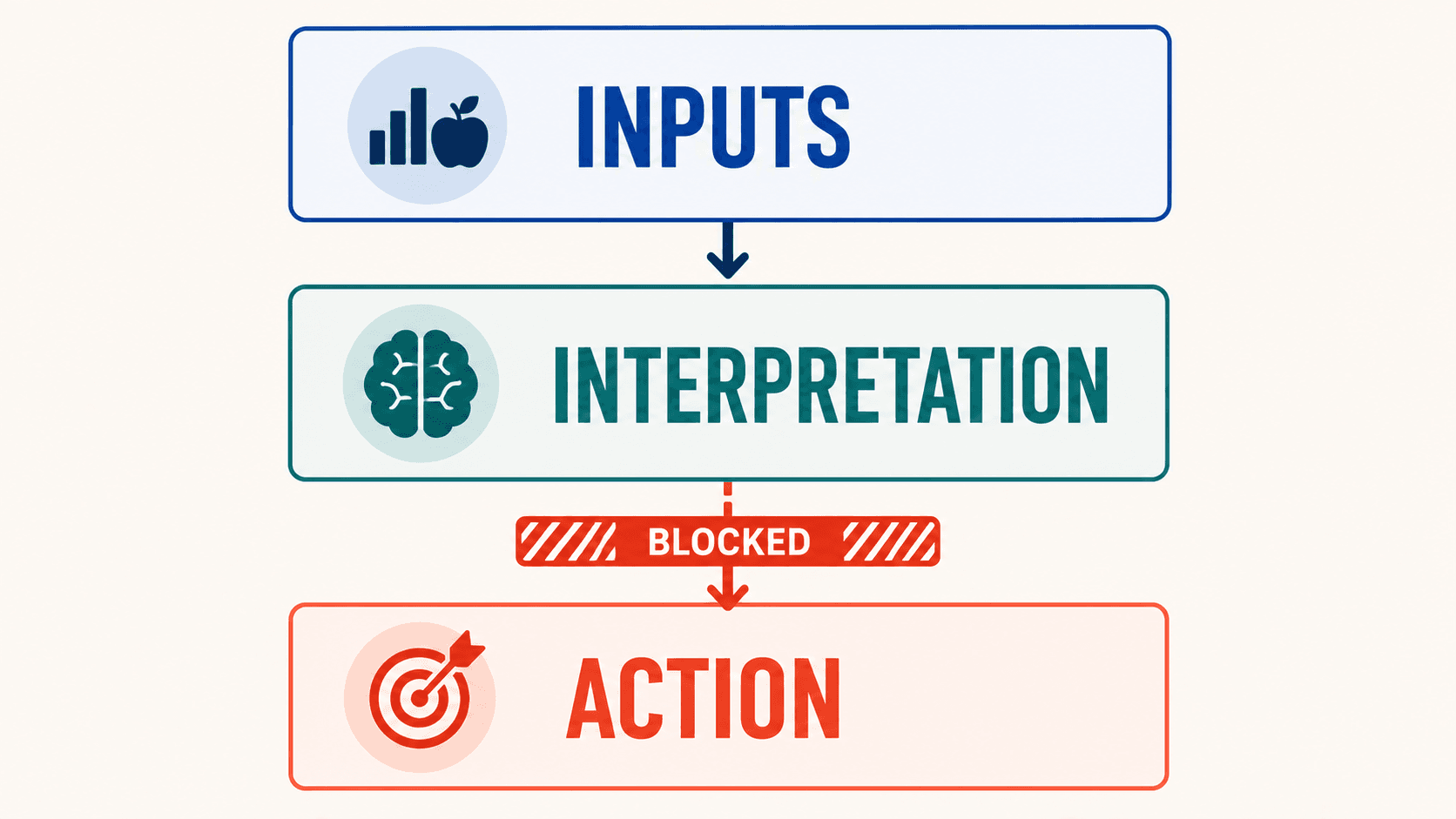
Apple Watch plus Fuel closes this gap by automating the cues, reducing the friction, and providing the feedback loops at the cadence where they are most useful. The hardware is the sensor. The software is the execution layer. Together, they form a system that does not depend on willpower to produce consistent behavior.
Deep links and Shortcuts automations
Fuel supports a URL scheme that lets you open specific screens from Apple Shortcuts, time-based automations, or location triggers. This means you can build a daily execution sequence that runs on autopilot, removing the decision overhead that causes people to skip steps when life gets busy.
Here is the 5-shortcut stack that covers the most critical daily and weekly actions:
| Shortcut | Deep link | Trigger | Purpose |
|---|---|---|---|
| Morning target check | fuel://today | 7:00 AM daily | See today's dynamic target before the first meal |
| Lunch log prompt | fuel://log/meal | 12:30 PM on weekdays | Prompt to log lunch when it is freshest in memory |
| Post-workout log | fuel://log/workout | After Apple Watch workout ends | Capture the session while details are fresh |
| Evening weight | fuel://log/weight | 9:00 PM daily | Remind to weigh tomorrow morning (habit anchor) |
| Weekly audit | fuel://coach/weekly-review | Sunday 9:00 AM | Start the weekly decision cycle |
To set these up, open the Shortcuts app on iPhone, create a new automation for each row, select the trigger (time of day or workout completion), and set the action to "Open URL" with the deep link from the table. Each automation takes less than a minute to create and runs indefinitely once set.
For restaurant meals, fuel://eat-out opens the Eat Out menu scanner, which is useful as a location-based automation triggered when you arrive at restaurants you visit regularly.
The full list of deep links and setup instructions is in Quick Actions and Shortcuts.
If you want the shorter field manual that maps each fuel:// path to the exact failure it prevents on lift days, GLP-1 injection days, and restaurant meals, read The Fuel Deep-Link Playbook: Automations That Make Recomposition Automatic.
What the system looks like from wake-up to weekly review
The automation and coaching layers are easier to understand as a walkthrough than as a feature list. Here is what a Wednesday looks like for a 180 lb man in week 6 of a recomposition phase, with Dynamic Calories enabled and the 5-shortcut stack running.
7:00 AM
The morning shortcut fires and opens fuel://today. The Today screen shows that yesterday's weight was 81.8 kg, the 7-day average is 82.0, and the trend is down 0.2 kg from last week. The dynamic calorie target for today is building in real time as the watch accumulates resting energy. By 7 AM it shows a preliminary target of about 1,950 kcal, which will rise as the day's activity comes in. The Coach Day Plan is already loaded: it suggests a Greek yogurt and protein granola breakfast (33 g protein), a chicken and rice lunch (40 g), a pre-workout shake (32 g), and a salmon dinner (38 g). The plan accounts for the 200 kcal deficit and the 155 g protein floor.
8:15 AM
He eats the yogurt breakfast and logs it with AI food logging by taking a photo. The next-meal coaching updates: "Lunch target is 38 to 42 g protein. You have 122 g remaining for the day."
12:30 PM
The lunch shortcut fires. He logs a chicken bowl. The dynamic target has climbed to 2,250 kcal because the watch has recorded a morning walk to the office plus some pacing during a phone call. The next-meal coaching updates again: "You are at 73 g protein. Afternoon shake plus dinner need to cover 82 g."
3:45 PM
He finishes an upper-body session. The post-workout shortcut fires and opens fuel://log/workout. He confirms the session. The dynamic target ticks up by another 180 kcal to reflect the training. He drinks the pre-workout shake he already prepped and logs it.
7:30 PM
Dinner. He logs the salmon and vegetables. The day is at 148 g protein and 2,180 kcal against a dynamic target of 2,420. He has room for a small snack or can let the 240 kcal under-target roll over (up to 200 kcal) to tomorrow.
9:00 PM
The evening shortcut reminds him to weigh in tomorrow morning. He does not need to remember.
9:30 PM
The Daily Review arrives. Health Grade: A-. Calorie adherence: 90 percent of dynamic target. Protein: 148 g, just below the 155 g floor unless he adds a small pre-bed snack. The review notes that his watch data was complete for the full day with no gaps. One flag: active energy on the upper-body session was lower than expected (the resistance training under-count discussed earlier), but the weekly trend accounts for this.
Sunday 9:00 AM
The weekly audit shortcut opens fuel://coach/weekly-review. The Weekly Review shows: calorie adherence at 85 percent across 7 days, protein floor hit on 5 of 7 days (missed on Saturday and injection day), weight trend down 0.25 kg for the week, 4 training sessions logged. Health Grade for the week: B+. The two problem days are visible in the Timeline. Saturday was a social dinner where protein was low. Injection day (Tuesday) was a low-appetite day where total intake was 300 kcal under target. He builds a plan for next week: add a pre-made shake to Tuesday's injection-day template and pre-eat protein before Saturday's dinner.
That is the system running. The watch provides the expenditure data. Dynamic Calories adjusts the target. The shortcuts trigger the actions at the right moments. The coaching interprets the data after each meal and at the end of each day. The weekly review surfaces the pattern and prompts the one or two adjustments that improve the following week. None of it requires willpower to initiate. All of it requires about 5 minutes of active attention per day.
AI coaching as the accountability layer
Fuel's AI coaching handles the intelligence layer: interpreting the data, flagging problems, and suggesting corrections before small drift becomes a bad week.
Coach Day Plan
Coach Day Plan pre-populates meal suggestions based on your remaining macros and the day's dynamic target. It runs before your first meal and accounts for what your protein floor requires and what your calorie target allows. For men on GLP-1 medications where appetite is low and every meal needs to be protein-efficient, the Day Plan removes the cognitive overhead of figuring out what to eat when nothing sounds appealing.
Next-meal coaching
Next-meal coaching fires after each food log. It tells you what to prioritize in your next meal based on what is remaining for the day. If you logged a protein-light lunch, the next-meal prompt will flag that dinner needs to include at least 50 g of protein to stay on track.
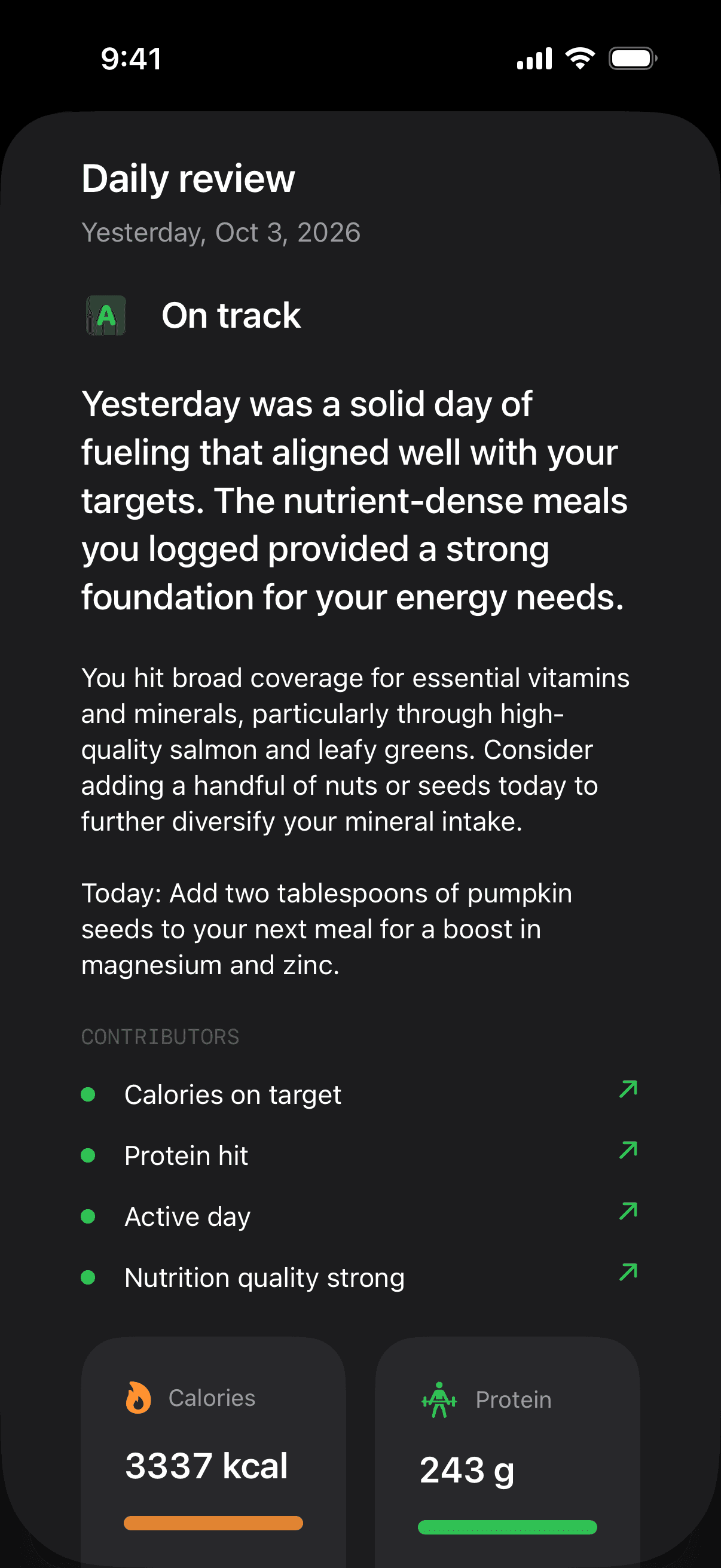
Daily Review
The Daily Review is the end-of-day audit. It surfaces your Health Grade for the day, compares intake against the dynamic target, flags protein adherence, and notes any data gaps. This is where the system catches a bad day before it becomes a bad week.
Coach Chat
Coach Chat is available for on-the-fly questions. If you are staring at a restaurant menu and need to know which option best fits your remaining macros, Coach Chat can answer in the context of your current day.
The coaching layer works because it is reactive to your actual data. It knows your target, your logs, your watch data, and your recent trends. The suggestions are specific to your day, not generic advice for a hypothetical average person.
Widgets and ambient visibility
Decision fatigue is highest when information requires effort to access. If checking your remaining calories for the day requires opening the app, navigating to the right screen, and interpreting a set of numbers, you will do it less often than if the information is already visible when you glance at your phone or wrist.
Home screen widgets put today's calorie target, remaining macros, and energy balance on the iPhone lock screen or home screen. A quick glance before deciding what to eat for dinner takes less than a second and requires zero navigation. This is ambient visibility, information that is present without being requested, and it produces better decisions through sheer availability.
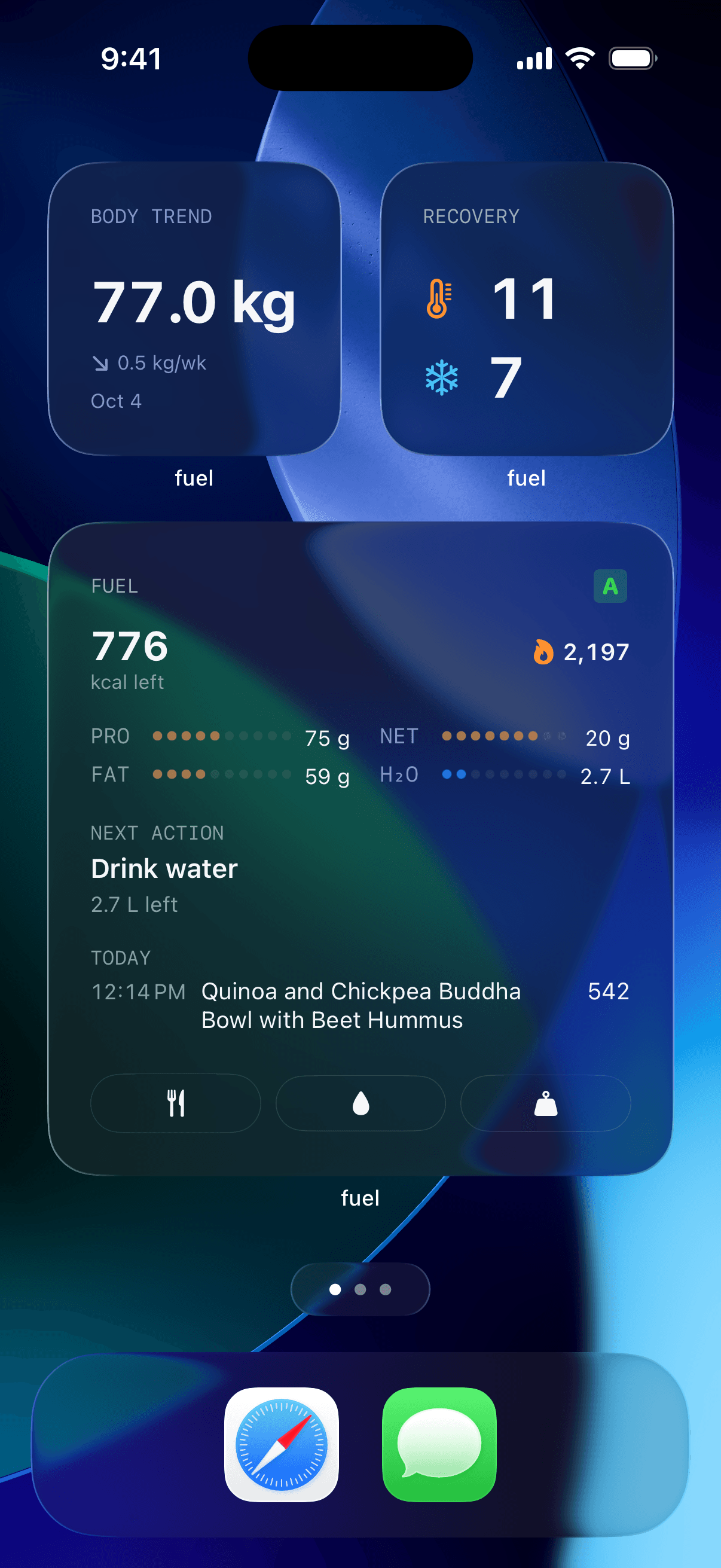
The Apple Watch companion extends this to the wrist. A complication showing calorie progress means the information is visible every time you check the time, which for most people is dozens of times per day. Each glance is a micro-reminder of where the day stands, and the cumulative effect of dozens of micro-reminders is a level of awareness that no end-of-day review can replicate.
The principle is simple. The more visible the data, the more likely you are to act on it. The less friction between seeing the data and taking the relevant action (logging a meal, checking remaining protein, reviewing the week), the more consistently the system runs. Widgets and complications reduce that friction to near zero.
08Phase-Specific Protocols
Protocol 1: The calibration phase (Weeks 1-2)
The goal is to establish your real maintenance calorie level using watch data, not a calculator.
Settings
- Enable Dynamic Calories in Fuel (You > Coach Context > Daily Goal > Dynamic Calories)
- No deficit applied yet. Set your goal to maintenance
- Enable calorie rollover (optional, useful for smoothing daily variation)
Daily actions
- Wear Apple Watch all day, including sleep
- Log all food in Fuel using AI food logging (photo, text, or barcode)
- Weigh yourself every morning after waking and using the bathroom, before eating or drinking
- Train as you normally would. Do not change your training program
Weekly checkpoint
- At the end of Week 1, note your average daily intake, average daily expenditure (from watch), and average daily weight
- At the end of Week 2, repeat. Compare Week 1 and Week 2 averages
End-of-phase decision
- If average intake and average expenditure are within 100 kcal and weight trend is flat: your maintenance is confirmed at approximately your average intake level
- If they diverge, use the decision table from the calibration section to determine whether the watch or the logging has a systematic offset
- Record your calibrated maintenance number. This is your anchor for all subsequent phases
The calibration phase feels like wasted time because you are not actively pursuing fat loss. It is the opposite. It is the phase that prevents every subsequent phase from being built on a guess. Two weeks of calibration saves months of ineffective cutting.
Protocol 2: The recomposition phase (Weeks 3-14)
The goal is a mild deficit with maximal lean mass retention and stable or improving training performance.
Settings
- Dynamic Calories with a 200 to 300 kcal deficit applied to your calibrated maintenance
- Protein target set at 1.6 to 2.0 g per kg of body weight
- Calorie rollover enabled
Daily actions
- Same as calibration phase: wear watch, log food, weigh in
- Hit protein target before filling remaining calories with carbohydrate and fat
- Train at least 3 resistance sessions per week with progressive overload intent (add weight, reps, or sets over time)
Weekly audit cadence
Every Sunday using Weekly Review.
Adjustment rules
| Situation | Action |
|---|---|
| Adherence above 80% and weight trend dropping 0.2-0.5 kg/wk | Hold. System is working |
| Adherence above 80% and weight trend flat for 3 weeks | Increase deficit by 100 kcal |
| Adherence above 80% and weight trend dropping faster than 0.7 kg/wk | Reduce deficit by 100 kcal. Too aggressive |
| Adherence below 80% | Fix execution (meal prep, meal templates for bad days) before changing target |
| Training performance declining more than 10% in 2 weeks | Reduce deficit by 100-200 kcal, check protein and sleep |
| Resting heart rate elevated 5+ bpm for 3+ days | Add a rest day or reduce deficit by 100 kcal for 5 days |
What to track beyond the basics
- Key lift numbers (weight x reps for squat, bench, deadlift, overhead press)
- Waist measurement at navel, taken weekly under consistent conditions
- Photos every 2 weeks, same lighting, same time of day
Twelve weeks is a substantial commitment, but it is the minimum duration where body recomposition becomes clearly visible in measurements and photos for most men. Shorter phases can work for beginners or men returning from a break, but for intermediate lifters, the changes accumulate slowly and the weekly signal is subtle. Give it the full 12 weeks before judging the plan.
Protocol 3: The maintenance reset (Weeks 15-16)
The goal is to return to maintenance for metabolic and psychological recovery before the next phase.
Settings
- Dynamic Calories with no deficit applied
- Protein target stays at 1.6 to 2.0 g per kg (protein stays high even at maintenance)
- Continue wearing the watch and logging food
Why this phase exists
- 12 weeks of continuous deficit, even a mild one, produces adaptive responses including reduced non-exercise activity (lower NEAT), increased mitochondrial efficiency, and hormonal adjustments (lower leptin, modestly reduced thyroid output) that collectively slow the rate of progress. Trexler, Smith-Ryan, and Norton's 2014 review in the Journal of the International Society of Sports Nutrition documented these mechanisms in trained athletes and recommended slow rates of loss, higher protein, and planned diet breaks as countermeasures.13 The Fothergill et al. "Biggest Loser" follow-up in Obesity showed that metabolic adaptation can persist for years after aggressive weight loss, with resting metabolic rate remaining suppressed by approximately 500 kcal per day below expected values six years later.14 That study involved extreme conditions, but the principle is the same at smaller magnitudes: continuous deficit without periodic maintenance creates cumulative metabolic drag
- A 2-week maintenance phase at the calibrated level allows these systems to partially normalize before you enter another deficit phase
- Psychologically, knowing that a planned maintenance break is coming makes the 12-week deficit more tolerable, which improves adherence during the deficit phase itself
What to monitor
- Weight will likely tick up 0.5 to 1.5 kg in the first week as glycogen, water, and gut contents normalize. This is not fat regain. Do not react to it
- Training performance should improve within the first week as energy availability increases
- Sleep quality often improves at maintenance compared to a deficit
- The 7-day weight average should stabilize by the end of Week 2, confirming your post-deficit maintenance level
After the 2-week reset, you can enter another 12-week recomposition phase (with a slightly adjusted maintenance baseline), transition to a fat loss phase if you want faster scale progress, or continue at maintenance if the recomposition phase achieved your goal.
Protocol 4: The GLP-1 overlay
For men who are running Protocols 1 through 3 while on an active GLP-1 medication protocol, the following modifications apply:
During calibration (Weeks 1-2)
- If you are already on a stable dose, run calibration normally. The medication's appetite effect is part of your current baseline
- If you are actively titrating upward, wait until you have been at your current dose for at least 2 weeks before running calibration. Titration changes the appetite landscape too rapidly for a 2-week window to capture a stable baseline
During recomposition (Weeks 3-14)
- Protein monitoring becomes daily instead of weekly. Check protein at the end of every day, not just during the weekly review. If protein is below the floor on 2 consecutive days, take immediate action (add a protein shake, shift the next day's meal plan toward protein-dense options)
- The deficit may not need to be as large because the medication is already driving significant appetite reduction. Start with a 100 to 200 kcal deficit instead of 200 to 300 and adjust based on the weekly trend
- Watch for the calorie target functioning as a floor rather than a ceiling. If your dynamic target says 2,200 and you struggle to eat more than 1,600, the target is telling you to eat more, not less
During the off-ramp (replacing Protocol 3 when medication stops)
- Re-run the full 2-week calibration phase at the new dose or at zero medication
- Expect appetite to return aggressively. The dynamic calorie target becomes the objective guardrail against rebound overeating
- Extend the maintenance phase from 2 weeks to 4 weeks if appetite swings are severe
- The stopping GLP-1s guide provides the detailed off-ramp protocol
09Fix common Watch calorie mismatches
The watch says surplus but the scale is dropping
This happens when the watch underestimates your total expenditure. The math in Fuel shows more calories in than out, but the scale says you are losing weight, which means you are actually in a deficit.
The most likely cause is that the watch's resting energy estimate is too low for your actual metabolic rate. This is common in men with above-average lean mass relative to their height and weight, because the watch estimates resting energy from total body weight without knowing body composition.
Trust the scale trend. If the 7-day average is consistently dropping at a rate that matches a reasonable deficit (0.2 to 0.5 kg per week), you are in a productive deficit regardless of what the watch's surplus number says. Use the scale trend to quantify your actual deficit and mentally offset the watch data by the difference. For example, if the watch says a daily surplus of 200 kcal but the scale shows a 0.3 kg weekly loss (roughly equivalent to a 330 kcal daily deficit), the watch is off by about 530 kcal per day. That is a large but consistent offset that you can account for.
The watch says deficit but the scale is stuck
This is the more frustrating scenario and the more common one.
Logging is incomplete
The watch can only measure the expenditure side. The intake side depends entirely on what you log. Missed snacks, cooking oils, sauces, drinks, and "just a bite" additions can add 200 to 500 kcal per day without appearing in the log. Before adjusting the calorie target, audit your logging for a full week. Log everything, including what you drink, what you add to food while cooking, and what you eat while preparing meals. The AI food logging system in Fuel helps with accuracy, but it can only log what you show it.
The deficit is too small to exceed daily noise
A 100 kcal deficit theoretically produces about 0.1 kg of fat loss per week. That is well within the noise range of daily water and glycogen fluctuations. The scale will not show a 0.1 kg weekly trend for weeks, and even then it will be hard to distinguish from random variation. If your deficit is genuinely small and your logging is accurate, you need either more time (3 to 4 weeks to see a clear trend) or a slightly larger deficit (add 100 kcal to the deficit setting).
Metabolic adaptation
After 8 to 12 weeks of continuous deficit, NEAT tends to decrease, thyroid output may downregulate modestly, and the body becomes more efficient at movement. These adaptations can quietly close a 200 to 300 kcal deficit to near zero without any change in your explicit behavior. The fix is the maintenance reset described in Protocol 3: return to maintenance for 2 weeks, let the adaptive systems normalize, then re-enter the deficit.
Training performance is dropping even though targets are reasonable
The calorie target and the protein number are both where they should be, but your squat is down 10 percent in two weeks and you feel flat in every session. This usually points to one of three issues that the calorie-and-protein framing misses.
Protein distribution
Hitting 160 g of protein per day in a single 80 g meal at dinner and a 60 g shake before bed with 20 g scattered through the rest of the day is nutritionally different from four 40 g meals spread across the day. Muscle protein synthesis is maximally stimulated when per-meal protein intake exceeds the leucine threshold (roughly 25 to 40 g of complete protein per meal for men in this age range). Consolidating protein into one or two large doses leaves most of the day without a synthesis signal. Spread protein across at least 3 meals, ideally 4, with each meal providing 30 to 40 g of complete protein.
Sleep
Sleep under 6 to 7 hours per night shifts the composition of weight loss toward lean tissue and impairs strength recovery. Check your Apple Watch sleep data. If average sleep has dropped below 7 hours, addressing sleep will likely do more for training performance than any calorie or protein adjustment.
Training volume is too high for the energy available
A program designed for a maintenance or surplus phase may be too much volume for a deficit. If you are running a 5 or 6-day program with high volume per session, consider reducing to 3 to 4 days with moderate volume while maintaining intensity (weight on the bar). Volume is the training variable you sacrifice during a deficit. Intensity is the variable you protect.
Active energy looks wrong on strength training days
If your Apple Watch shows 250 kcal for a 75-minute leg session that left you crawling out of the gym, the estimate is probably underestimating by 20 to 40 percent. This is expected. Resistance training produces a low accelerometer signal relative to its metabolic cost, and the heart rate-to-calorie relationship during resistance exercise is different from the one during cardio.
Accept the under-count as a built-in safety margin
If the watch underestimates your training sessions by 150 to 200 kcal per session and you train 4 times per week, that is 600 to 800 kcal per week that the watch misses. In a recomposition context, this means your actual deficit is slightly larger than what the numbers show. For most men, this produces slightly faster fat loss with no change in behavior, which is a reasonable outcome.
Add a manual correction
If the under-count is large enough to cause under-fueling on training days (meaning the dynamic target is so low on training days that you cannot fit adequate protein and carbohydrate), add 100 to 200 kcal to the day's intake target on training days. This is a judgment call, and the weekly audit will tell you whether the correction is right. If the weight trend accelerates after adding the correction, it was too large. If training quality improves without changing the weight trend, it was appropriate.
Data gaps from not wearing the watch
Fuel reads from Apple Health, and Apple Health gets activity data from the watch. When the watch is off your wrist, that time window shows reduced or zero active energy, and the resting energy estimate for those hours may be less accurate.
Common scenarios where this matters:
Charging the watch during the day
If you charge for an hour during lunch, that hour shows near-zero active energy. For most men, this is a minor under-count (20 to 50 kcal). The fix is to charge the watch overnight or during a time when you are truly sedentary.
Not wearing the watch for sleep
Overnight heart rate data improves resting energy estimates and feeds HRV tracking. If you do not wear the watch to sleep, you lose these signals. The impact on calorie accuracy is modest, but the loss of sleep tracking data removes a useful recovery signal.
Forgetting the watch for a full day
A day with no watch data will show only resting energy estimated from your profile, with no active energy. Fuel will reflect this as a low-expenditure day, which will produce a lower dynamic target. If you actually trained that day, the target will be wrong. The fix is to log the workout manually in Fuel so the training context is captured even without the watch data.
Consistency is the theme. The watch does not need to be perfectly accurate. It needs to be consistently present so that its consistent biases produce usable trends.
10Five-step setup for Watch-based targets
The 5-step setup sequence
If you have read this far and want to start the system today, here is the setup sequence in order.
Verify Apple Watch calibration
Update your weight, height, and personal data in the Watch app. Run a 20-minute outdoor calibration walk or run.
Confirm Fuel permissions
Open Apple Health permissions and ensure Fuel has read access to active energy, resting energy, workouts, body weight, and the nutrition categories you want to track. Incomplete permissions produce incomplete data.
Enable Dynamic Calories
Open Fuel > You > Coach Context > Daily Goal > switch to Dynamic Calories. Optionally enable calorie rollover.
Set up the 5-shortcut automation stack
Create the five Shortcuts automations from the Automation section (morning target check, lunch log prompt, post-workout log, evening weight reminder, weekly audit). This takes about 5 minutes and runs indefinitely once set.
Run the 2-week calibration phase
Set your goal to maintenance, log everything, wear the watch all day, weigh every morning. Make no adjustments until the calibration data is in.
After the calibration phase, apply a deficit and enter Protocol 2. The system is now running.
What this system replaces
For most men, the Apple Watch calorie target system replaces several disconnected tools and habits that were providing partial signals without integration.
A TDEE calculator visited once and never updated becomes a dynamic target that recalculates daily. A spreadsheet for tracking intake and expenditure becomes an automated energy balance view. A mental note to eat more protein becomes an AI coaching prompt after every meal. A vague sense that weekends are the problem becomes a specific Timeline analysis showing exactly which day broke and why. Timeline Audits for Lifters: Finding the 2 Days That Break Your Cut shows how to run that check quickly. A periodic weigh-in becomes a trend view that separates noise from signal.
The individual components are not new. The integration is new. The system works because the pieces talk to each other and the automation runs without your participation. The watch feeds the target. The target feeds the coaching. The coaching feeds the review. The review feeds the adjustment. And the cycle repeats every week without requiring you to remember any of it.
Next step
If you are considering GLP-1 medications for recomposition and want to understand the evidence tiers before talking to a physician, read the peptides for body recomposition decision framework. It separates FDA-approved GLP-1 therapies from growth hormone secretagogues, research peptides, and collagen peptides so you know which lane you are in before making a decision.
If you already have your Apple Watch set up and want to start the calibration phase today, open Fuel's Today view and enable Dynamic Calories. The 2-week calibration costs nothing except attention and gives you a maintenance number you can actually trust.
If you want the shorter field manual for using Apple Watch on lift days, rest days, and recovery-heavy weeks, read How to Use Apple Watch for Body Recomposition.
If protein targets are the piece you need to lock in first, start with protein targets and training strategy on semaglutide or retatrutide for medication-specific guidance, or read the leucine threshold article for the foundational science on per-meal protein requirements.
Footnotes
Norton L, on The Peter Attia Drive #205: Energy balance, nutrition, and building muscle. May 2022.
Back to textShcherbina A, Mattsson CM, Waggott D, et al. Accuracy in wrist-worn, sensor-based measurements of heart rate and energy expenditure in a diverse cohort. J Pers Med. 2017;7(2):3.
Back to textChoe JP, Kang M. Apple Watch accuracy in monitoring health metrics: a systematic review and meta-analysis. Physiol Meas. 2025.
Back to textBurke LE, Wang J, Sevick MA. Self-monitoring in weight loss: a systematic review of the literature. J Am Diet Assoc. 2011;111(1):92-102.
Back to textBerry R, Kassavou A, Sutton S. Does self-monitoring diet and physical activity behaviors using digital technology support adults with obesity or overweight to lose weight? A systematic literature review with meta-analysis. Obes Rev. 2021;22(10):e13306.
Back to textLevine JA, Eberhardt NL, Jensen MD. Role of nonexercise activity thermogenesis in resistance to fat gain in humans. Science. 1999;283(5399):212-214.
Back to textHuberman A. Essentials: Lose fat with science-based tools. Huberman Lab. April 2025.
Back to textPlews DJ, Laursen PB, Stanley J, Kilding AE, Buchheit M. Training adaptation and heart rate variability in elite endurance athletes: opening the door to effective monitoring. Sports Med. 2013;43(9):773-781.
Back to textGalpin A, on Huberman Lab Guest Series, Episode 5: Maximize recovery to achieve fitness and performance goals. 2023.
Back to textNedeltcheva AV, Kilkus JM, Imperial J, Schoeller DA, Penev PD. Insufficient sleep undermines dietary efforts to reduce adiposity. Ann Intern Med. 2010;153(7):435-441.
Back to textCovassin N, Singh P, McCrady-Spitzer SK, et al. Effects of experimental sleep restriction on energy intake, energy expenditure, and visceral obesity. J Am Coll Cardiol. 2022;79(13):1254-1265.
Back to textPatrick R. Sleep deprivation and glucose. FoundMyFitness. Referenced in the best nutrition and health advice from Huberman, Attia, Patrick, and Ferriss.
Back to textTrexler ET, Smith-Ryan AE, Norton LE. Metabolic adaptation to weight loss: implications for the athlete. J Int Soc Sports Nutr. 2014;11(1):7.
Back to textFothergill E, Guo J, Howard L, et al. Persistent metabolic adaptation 6 years after "The Biggest Loser" competition. Obesity. 2016;24(8):1612-1619.
Back to textJager R, Kerksick CM, Campbell BI, et al. International Society of Sports Nutrition position stand: protein and exercise. J Int Soc Sports Nutr. 2017;14:20.
Back to textHelms ER, Zinn C, Rowlands DS, Brown SR. A systematic review of dietary protein during caloric restriction in resistance trained lean athletes: a case for higher intakes. Int J Sport Nutr Exerc Metab. 2014;24(2):127-138.
Back to textRefalo MC, Trexler ET, Helms ER. Effect of dietary protein on fat-free mass in energy restricted, resistance-trained individuals: an updated systematic review with meta-regression. Strength Cond J. 2025.
Back to textMorton RW, Murphy KT, McKellar SR, et al. A systematic review, meta-analysis and meta-regression of the effect of protein supplementation on resistance training-induced gains in muscle mass and strength in healthy adults. Br J Sports Med. 2018;52(6):376-384. Schoenfeld BJ, on FoundMyFitness: Losing fat while gaining muscle via body recomposition.
Back to text