
Most problems in Fuel reduce to a broken data path, a duplicated data source, or a plan limit.
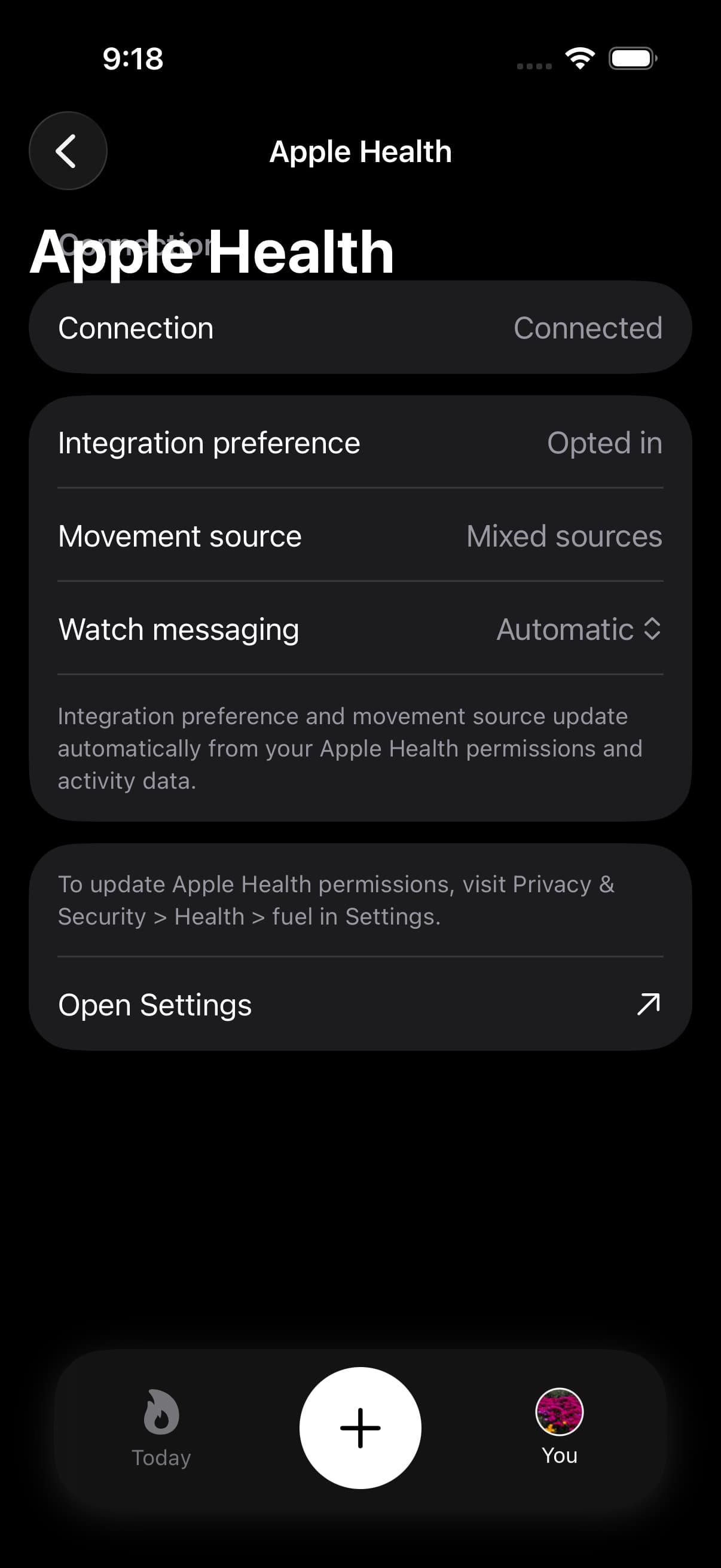
01Check Apple Health before changing the plan
Apple Health is the arbiter.
If Apple Health does not contain the data, Fuel cannot infer it. If Apple Health contains duplicates, Fuel will reflect duplicates until the source issue is resolved.
02No activity or workouts showing
- Confirm the watch is paired to the same iPhone you use for Fuel.
- Confirm Apple Health is recording Move activity and recent workouts.
- Confirm Fuel has permission to read workouts and active energy in Apple Health.
- Open Fuel again after a short delay to allow sync to complete.
If the watch path is the issue, start with Apple Watch Setup and Apple Health Permissions.
03Nutrition totals look wrong
Nutrition errors usually come from one of two places: missing logs or inconsistent logs.
If meals were not logged, the totals will be low. If meals were logged with wrong portions, the totals will be wrong in a consistent direction. Correct the entry the same day and let the next review run on the corrected record.
If you rely on AI logging, use AI Food Logging to improve input quality and verification.
04Stop imported foods from counting twice
Foods written by another app can arrive through Apple Health and appear in Fuel. If one should stay in Apple Health but stop affecting Fuel, open the entry on Today and use Hide in Fuel or Remove from Fuel.
Fuel will ignore that imported food in Today totals, hydration, meal timing, and coaching context without deleting the original sample from Apple Health.
05Hydration looks wrong
Open the water card on Today before changing targets. The hydration detail view separates current intake, target, pace, plain fluids, caffeinated fluids, food moisture, contribution rows, and quick logging.
If water still looks wrong, check Apple Health Water and Caffeine permissions, then look for imported foods or drinks that should be hidden in Fuel.
06AI results look wrong repeatedly
If AI logging is consistently wrong for the same meal type, treat it as an input problem first.
- Use scanning when a nutrition label exists and include the full label in frame
- For photos, include portion cues and avoid extreme angles that hide volume
- For text, state quantity, preparation method, and add-ons such as oils and sauces
- Correct the draft before saving, then reuse the corrected entry as the template
If drafts do not save into your log, check Apple Health write permissions for nutrition categories. If the result is wrong across multiple clean inputs, contact us with a screenshot of the input and the draft so the failure mode can be diagnosed.
07A selected photo will not load
If Quick Log shows Couldn't load this photo, Fuel has not finished importing the selected image from your photo library. Check your connection, then tap Retry to try the same photo again.
If it still will not load, tap Choose Another Photo and select a different image. Both actions keep you in Quick Log. Once the image appears in the composer, use Analyze your meal to continue.
This recovery message applies to importing a library photo. If the image loads but the nutrition estimate is wrong, use the correction steps in AI Food Logging.
08Totals look inflated
Inflated totals usually come from duplicate workouts or overlapping activity sources.
Inspect the data sources in Apple Health for the category that looks inflated and ensure only one source is writing overlapping records.
If the inflated number comes from food imported through Apple Health, hide the imported item in Fuel instead of deleting the source sample.
09Fasting, GLP-1, or sauna context looks off
Special context has its own rules. Fasting depends on meal timing and clean fast-day confirmation. GLP-1 Support depends on dose and symptom check-ins. Sauna context usually comes from the dedicated Watch flow or mapped Apple Health workouts, and the hydration side is covered in sauna hydration and sodium replacement.
Correct the source record first, then reopen Today so the cards, coach notes, Live Activity, and reviews can refresh from the same day context.
10Reports or PDFs look stale
Reports wait for the current summary before exporting. If the PDF action is disabled or the screen says the snapshot is stale, reopen Reports after Today and Weekly Review have finished refreshing.
Use the Data Quality section before treating a report as wrong. Missing logs, missing weigh-ins, excluded days, and low coverage can make the report less decisive without making the data path broken.
11Pro features not unlocked
- Confirm the device is signed into the Apple ID that owns the subscription.
- Use the restore purchases action in Fuel.
- Wait briefly and relaunch the app.
If the feature is still locked, recheck the limits in Free and Pro and then contact us if the plan status is still wrong.
12Contact Support from the app
For account, subscription, and device-specific problems, open You, then Feedback, then Contact Support. The in-app form includes app, device, locale, time zone, and subscription metadata with your message, which makes it better than a generic website note for plan-status issues.
For privacy, keep the message to the details needed for the issue and avoid pasting full health history unless support asks for it.
