
AI food logging is the fast path from photo, text, or labels to structured Apple Health nutrition entries, with a verification step that keeps your record consistent. If you want the evidence view on how accurate these drafts are in practice, read How Accurate Is AI Food Logging?.
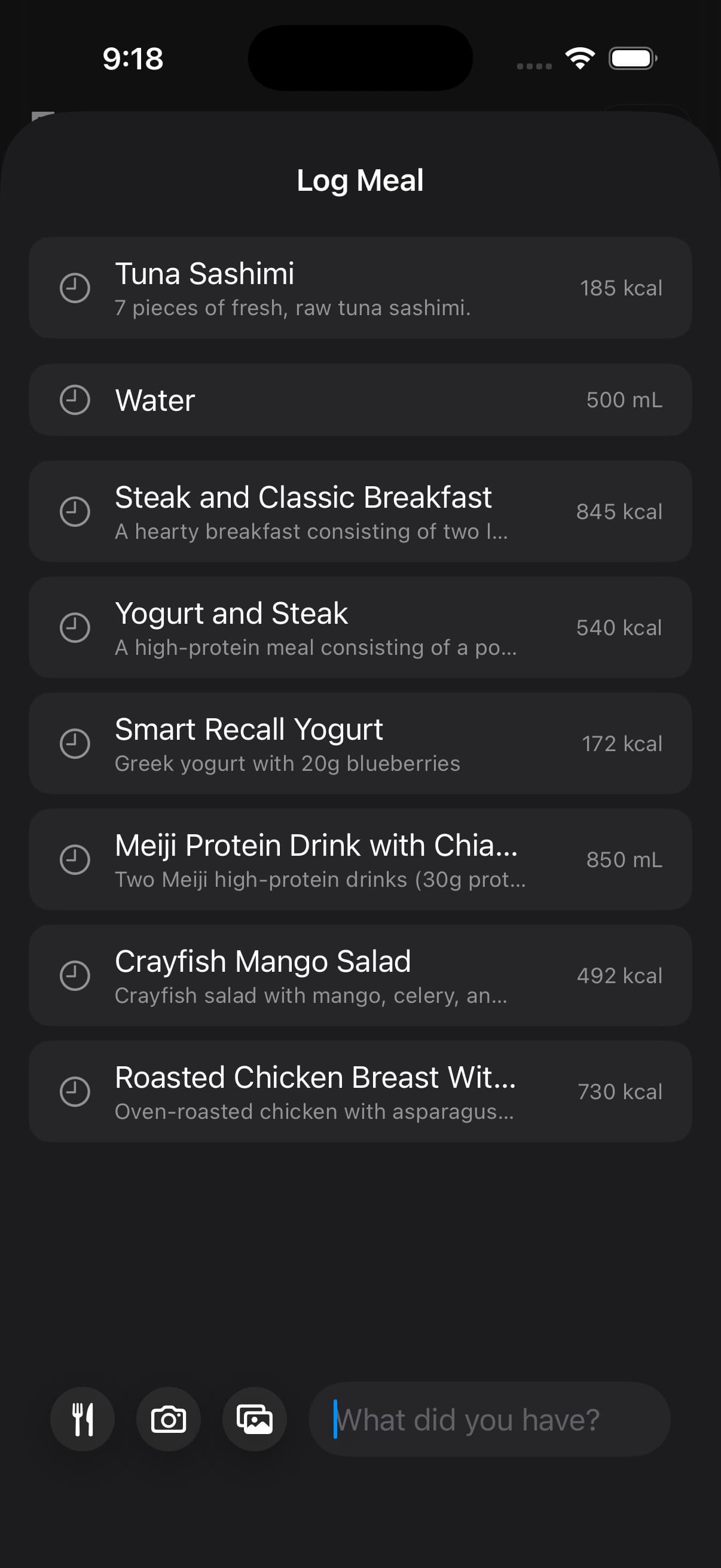
AI is for interpretation. If the food is already a known row, a repeated meal from yesterday, or a package with a clear label, Fuel may have a faster path that uses lookup or recall instead of asking AI to infer the meal from scratch.
01Start with text or attach a photo
Tap the center + button to open Log Meal. Describe the meal in What did you have?, or tap the composer's + to choose Take Photo, Choose Photo, or Food Library.
After attaching a photo, use Add food details to supply quantities or ingredients the image cannot show. Tap the submit arrow, labelled Analyze your meal, when the input is ready.
Treat the result as an estimate to check against what you ate. On text review, Edit Result opens What should change?. Enter a correction, tap Ask AI to Update, then use Log Food when the entry is ready.
Fuel converts what you submit into an estimate of calories, macros, micronutrients, water, and caffeine, then you confirm the entry so the Health record stays stable across days.
The confirmation step exists for edge cases, not for busywork. Most edits happen when the input is low quality or ambiguous, such as a blurry photo, a partial label, or a description that leaves portion size unstated.
02When AI is not the fastest path
Use the path that has the strongest evidence for the meal.
| Situation | Faster path |
|---|---|
| Known food, grocery product, or restaurant item | Food Library |
| Same meal slot from yesterday with no changes | Smart Recall exact recall |
| Same meal slot from yesterday with a change | Smart Recall edited recall |
| Packaged food with a barcode or nutrition panel | Food Scanning |
| Saved meal you built yourself | Recipe Library |
Food Library lookup is not an AI estimate. It searches Fuel's offline corpus and logs the selected row. Smart Recall exact mode is also local, because Fuel rebuilds the previous meal from your saved history. Edited Smart Recall uses remote AI only for the requested change, after the app has already chosen yesterday's source meal.
03Photo based logging
Photo logging works best when the input contains portion cues.
- Capture the full plate and any relevant packaging or labels.
- Avoid extreme angles that hide volume and portion size.
- Confirm the result and correct obvious misses before saving.
If you repeat the same meal often, correct it once and reuse it as a template so the next logs are consistent.
When the selected photo will not load
If Fuel shows Couldn't load this photo, check your connection and tap Retry to import the same library photo again. Tap Choose Another Photo if you want to replace it. The recovery stays inside Quick Log, and a slow older import cannot replace your newer selection.
Once the image appears, continue with Analyze your meal. This retry handles loading the image before analysis. Use Troubleshooting if you need help with a later analysis or saving problem.
04Text based logging
Text logging is useful when you want speed with less camera work.
Fuel can handle vague prompts, but precision improves when quantity is explicit. Start with what you have and then refine the draft with feedback until it matches what you ate.
If the first pass is off, revise the text and run it again. A short feedback pass is faster than manual entry across a whole week.
05Feedback and corrections
Treat the first draft as a hypothesis. If something looks wrong, correct it before you save the entry.
Common corrections include portion size, missing ingredients, wrong preparation method, and label mismatches. The fastest feedback is specific and directional, since it tells the model what changed.
- This was two servings, not one.
- Add olive oil and the sauce on the side.
- The protein was chicken thigh, not breast.
- The rice portion was about half of what you estimated.
- Use the nutrition label in the photo for macros and serving size.
Before and after examples
Photo log portion correction
Before
Chicken and rice bowlAfter
The rice portion was half of what you estimated and add one tablespoon of olive oil used in cookingText log ingredient correction
Before
Greek yogurt with berriesAfter
It was 300g nonfat Greek yogurt, 100g berries, and 30g granolaLabel anchored correction
Before
Protein barAfter
Use the nutrition label in the photo and set the entry to one full bar, not one serving06Limits by plan
Fuel Free includes up to seven food entries per configured week across food-logging methods. Water, weight, and workout logs do not use that allowance. Fuel Pro removes the food-entry quota.
See Free and Pro for the current plan limits.
07What AI food logging sends off-device
AI features may process the content you submit to produce a structured entry. Use Privacy and Data to understand how Fuel is designed to handle health data and what choices you have.
