
Apple Health is the shared record Fuel uses for activity, body metrics, workouts, hydration, and nutrition. When one permission is off, Fuel can still run, but the affected surface becomes import-only, export-only, partial, or empty instead of showing the full day.
01Read and write permissions
Fuel asks to read the categories that shape your plan context and daily review, then asks to write the categories you log in Fuel.
Read permissions include dietary energy, macros, micronutrients, water, active energy, basal energy, step count, sleep analysis, workouts, height, body mass, date of birth, and biological sex. Fuel uses those reads for onboarding autofill, target context, movement detection, energy sufficiency checks, daily summaries, trends, and coaching.
Write permissions include dietary energy, macros, micronutrients, water, caffeine, workouts, active energy from Fuel-logged workouts, and body mass. Food, fluid, workout, shortcut, weight, and watch hydration logs can write back to Apple Health when those write permissions are granted.
Fuel does not treat Apple Health as all-or-nothing. A permission can be read-only, write-only, partially available, or off, and the Apple Health view reports that state as Connected, Partial access, Import only, Export only, Off, or Checking access.
Fuel Energy Model explains how missing active energy, basal energy, body mass, workouts, or dietary energy can change targets, reviews, and confidence.
02Permission map
This table is a practical translation from permissions to app behavior.
| Permission | Fuel uses it for | If denied you will notice |
|---|---|---|
| Dietary energy | Calories consumed, remaining calories, daily summaries, reports, widgets, and coaching | Calorie totals may be missing, incomplete, or unable to export |
| Protein, carbohydrates, and fat | Macro targets, macro rings, Health Grade inputs, coach context, and food log totals | Macro progress may be blank, partial, or limited to local entries |
| Micronutrients and caffeine | Micronutrient targets, Health Grade signals, stimulant tracking, and detailed food records | Micronutrient and caffeine views may be incomplete |
| Water | Hydration totals from the iPhone app, shortcuts, and Apple Watch hydration logging | Water may not import from Health or export from Fuel |
| Active energy and basal energy | Dynamic calorie targets, energy sufficiency checks, energy balance, reviews, and reports | Burn context can look flat, stale, or formula-driven |
| Step count | Movement source detection and activity context | Fuel may have less confidence about whether activity data is present |
| Sleep analysis | Health context availability for Apple Health readiness checks | Readiness checks may have less context, though Fuel does not currently present sleep or readiness scores |
| Workouts | Training context in Today, reviews, assistant handoff, and Workout Logging | Workouts may not import, and Fuel-logged workouts may not export |
| Body mass | Onboarding autofill, weight history, trends, plan progress, reports, and weight logging | Weight trend and target checks may be missing or local-only |
| Height, date of birth, and biological sex | Onboarding autofill and estimate inputs | Profile fields may need to be entered manually |
03Granting or changing permissions
- Open iOS Settings.
- Open Privacy & Security.
- Open Health.
- Select fuel.
- Adjust the read and write categories you want enabled.
If you do not see Fuel listed, open Fuel and use the Apple Health step in onboarding, or go to You > Apple Health and tap Open Settings. The app rechecks permission status when you return.
04Apple Health Connection
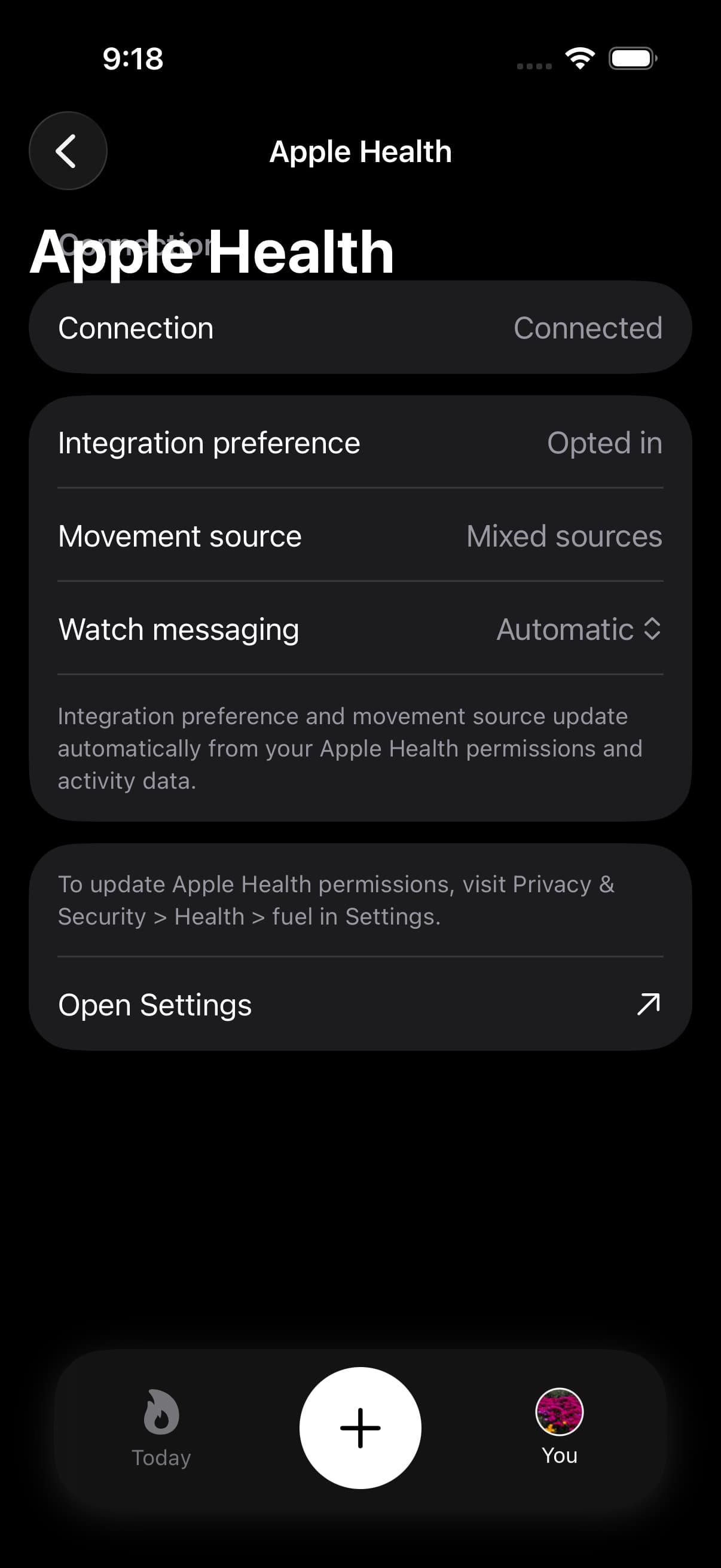
Fuel includes an Apple Health view under You > Apple Health. It shows your connection state, Health preference, movement source, and watch messaging preference.
The movement source can show Apple Watch, non-Apple wearable, mixed sources, app-only, none, or checking access. Fuel infers this from recent workouts, active energy, and step data, so it may stay unknown until Apple Health has readable recent samples.
The view also reports whether the app is fully connected, partially connected, import-only, export-only, off, or still checking access. That mirrors how iOS exposes Health permissions: a user can allow Fuel to read a category, write a category, both, or neither.
05Where Fuel touches Apple Health
Apple Health access appears in several places, and each one maps to a specific user action.
| Touch point | What happens |
|---|---|
| Onboarding | Connect Apple Health requests permissions, then autofills date of birth, biological sex, height, body mass, and recent workout frequency when readable |
| You > Apple Health | Shows the current connection state, movement source, watch status, and a shortcut to Settings |
| Food logging and edits | Saves dietary energy, macros, micronutrients, water, and caffeine to Apple Health when write access is granted |
| Food deletion | Removes the corresponding Apple Health nutrition samples when the entry came from Fuel and can be matched |
| Workout logging | Writes the workout and its active energy to Apple Health |
| Weight logging | Writes body mass to Apple Health |
| Shortcuts | Hydration, weight, and workout actions use the same Health write paths as the app |
| Apple Watch hydration | Requests watch-side permission to write water and can undo the last watch water sample |
06Data sources and duplicates
Apple Health can store the same category from multiple sources. That can inflate totals if two sources write overlapping workouts or energy records.
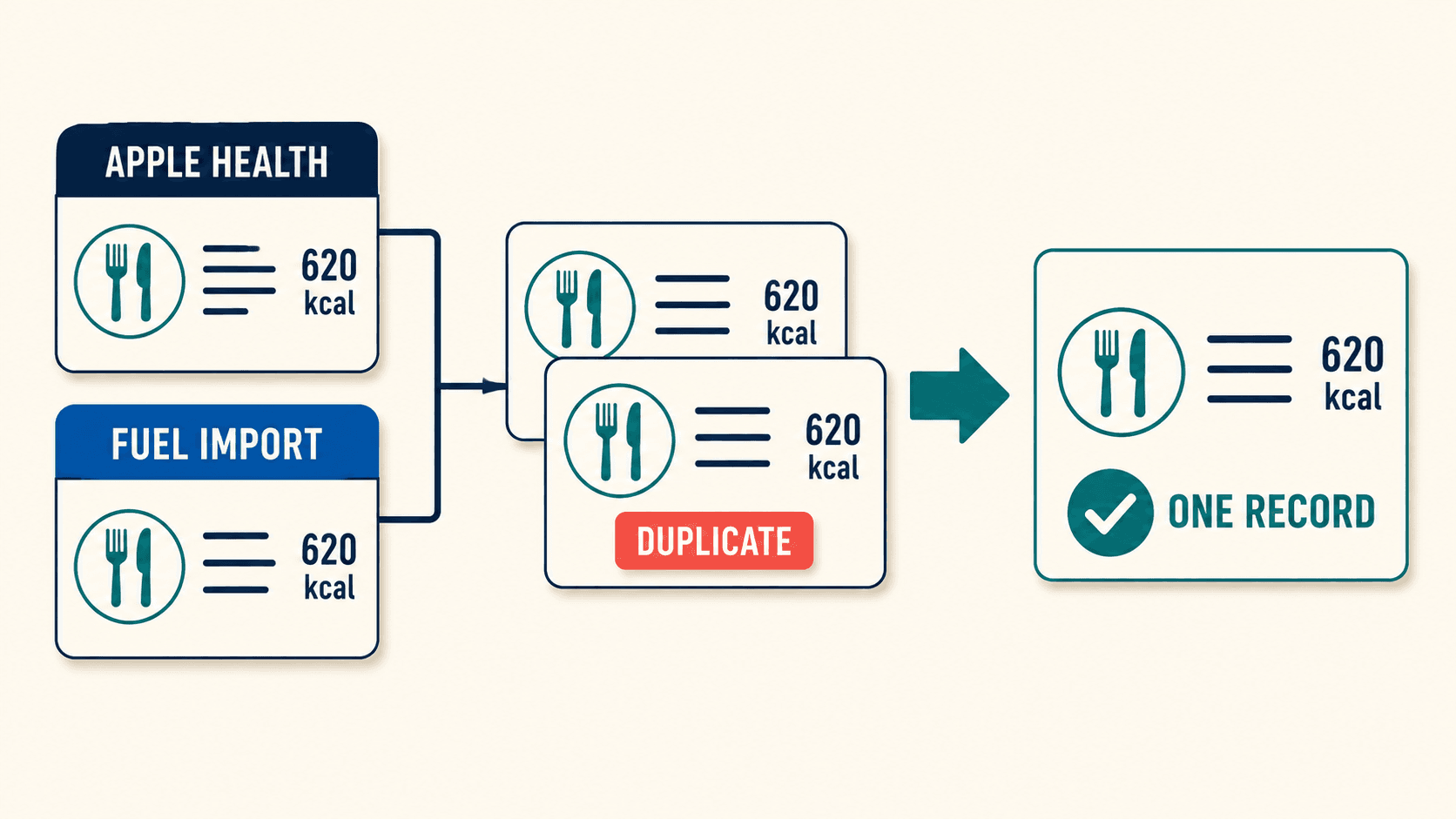
If your totals look too high or too low, inspect the data source list in Apple Health for the category that looks wrong and ensure the source you trust is prioritized. Apple Watch is usually the best source for activity context when you wear it consistently.
07Confirm Health samples match Fuel totals
When you are debugging, use Apple Health as the arbiter.
If Apple Health is missing the data, Fuel cannot infer it. If Apple Health contains duplicates, Fuel will reflect the duplicates until the data source issue is resolved.
