
Fuel works best when your first week is boring in the right way: Apple Health connected, meals logged the same day, weigh-ins entered often enough to create a trend, and coaching read before you start changing targets.
01Restore an existing profile
If Fuel finds an iCloud backup during onboarding, Welcome back shows the saved setup and backup date. Choose Restore my profile to use it, or Start fresh to continue the questions. If the backup is found after you begin, We found your iCloud backup opens the same offer.
Restore brings back the saved plan, streaks, badges, and settings. Past food records still come from Apple Health, and Health permissions do not transfer from the old phone. After restoring, check You > Apple Health > Open Settings if Fuel needs access to your records. iCloud Backup explains what is included.
02Build the first plan from profile and goal
Fuel starts by building a plan from your profile, goal, activity, diet preferences, and Apple Health data. Onboarding asks for the details that make the plan usable: profile basics, current and desired weight, weekly activity, goal type, diet preference, obstacles, motivations, goal speed, calorie mode, carb tracking mode, fasting preference, coach personality, notifications, and Apple Health access.
Do not over-optimize every answer on the first pass. Pick the option that best describes your current life, finish setup, then let the first week of data tell you what needs adjustment.
Choose Prepare for Event if an event date should shape the plan. This branch asks for an event option and a date 14–365 days ahead in place of the ordinary speed step. Prepare for Event explains the choices and preparation phases.
03Connect Apple Health
Apple Health is the cleanest way for Fuel to understand activity, workouts, body weight, and nutrition records. During onboarding, Fuel can use Apple Health to autofill profile details, personalize your plan, track progress, and save logged meal nutrition back to Health.
Grant the activity, workout, body measurement, and nutrition permissions you want Fuel to use. If something does not sync later, open Fuel's Apple Health settings or iPhone Settings, then go to Privacy & Security, Health, fuel, and confirm the relevant read and write permissions.
See Apple Health Permissions and Apple Watch Setup for the full permission map.
04Finish onboarding
The setup flow moves from identity and body data to plan choices. The most important choices are goal type, goal speed, calorie mode, carb mode, coach personality, and notifications.
For ordinary weight-loss and muscle-gain plans, goal speed controls how aggressive the plan is. Faster is not automatically better if it makes logging, hunger, training, or social meals harder to repeat. Event plans use the chosen date and preparation phase instead.
Calorie mode controls whether Fuel uses fixed plan calories or Dynamic Calories, where the day can respond to activity running ahead of pace. Net Carbs changes the carb budget display by subtracting fiber while keeping calories the same. Notifications power Daily Review, Weekly Review, next-meal coaching, fasting, meal, water, streak, and weigh-in nudges.
Turn on GLP-1 Support only if it matches your real medication routine. Set fasting and sauna preferences only when those contexts are part of how you use the app, since they change Today, notifications, Watch surfaces, and coaching context.
Every onboarding choice can be changed later in Settings and Preferences, so setup is not a permanent bet.
05Log food water and movement on day one
Once you reach Today, the goal is to create a clean record, not to master every screen.
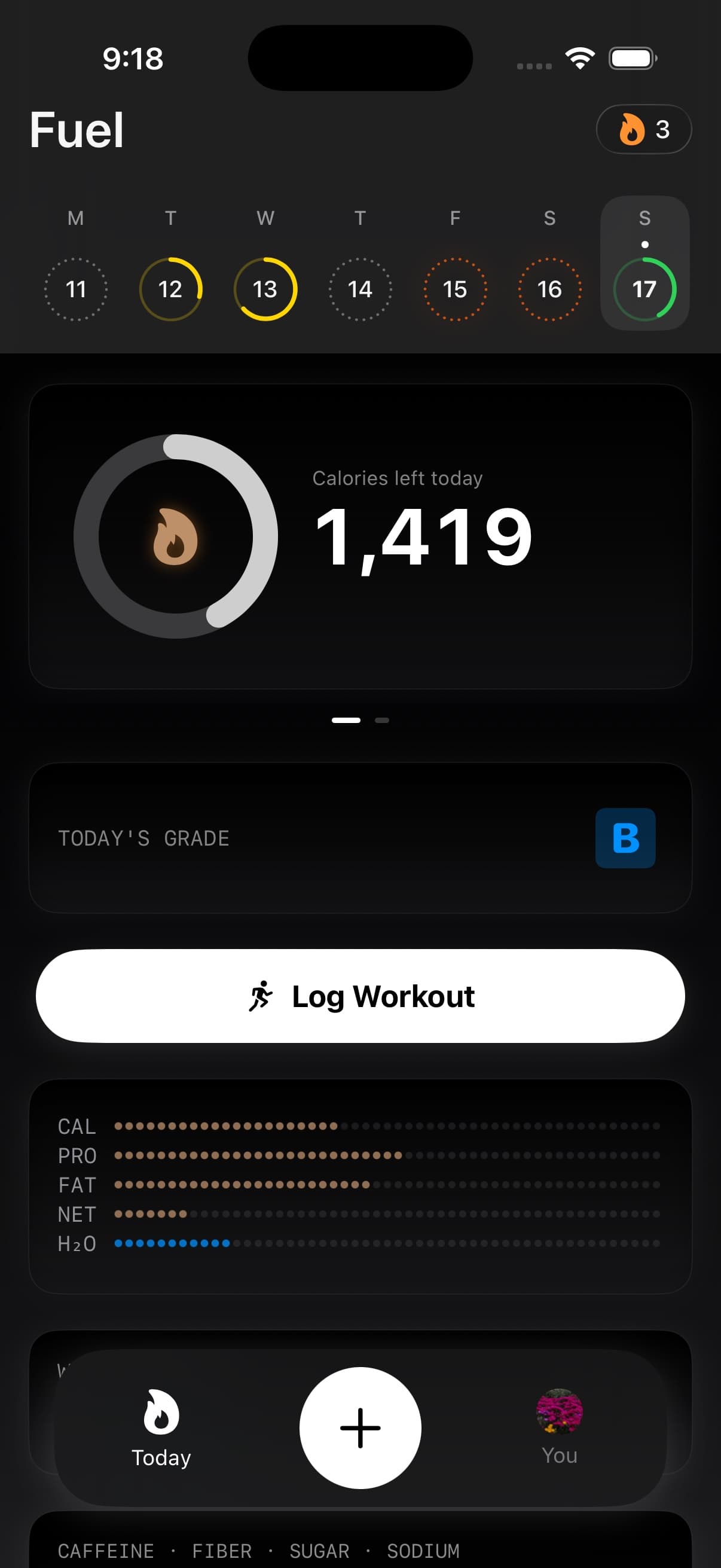
Log the food and drinks you actually consume. Use food logging, AI food logging, barcode scans, saved meals, recipes, or the watch companion depending on what is fastest for the moment. The Today timeline then becomes your running record of food, drinks, and activities for the selected day.
Tap the water card when water looks like the next thing to fix. The Hydration detail view shows intake, target, pace, fluid sources, caffeine context, food moisture, and quick logging in one place.
Check Health Grade after a meal or activity update. It gives a live A, B, C, or D read across movement, calorie pacing, macro quality, micronutrients, and limits. Tap into the detail view when you want to know which contributor moved the grade.
Use Coach Day Plan when you want structure before you log much food. Use next-meal coaching after logs have started shaping the day, and use Quick Actions when you want the fastest path back into common logging flows.
06Use week one for logging and weigh-in calibration
Treat week one as calibration. Fuel needs stable input before its reviews can be sharp.
Wear Apple Watch on normal days, log meals the same day, and record weigh-ins often enough for trend to start separating signal from water noise. Avoid judging the plan from one heavy dinner, one unusually hard training day, or one scale jump.
By the end of the first week, Daily Review should explain the completed days, and Weekly Review should show the larger pattern: calorie adherence, protein consistency, movement, weigh-in trend, Health Grade, Energy Balance, and the coaching adjustments worth making next.
Use Reports when you need a practitioner-facing view of a goal phase or the latest completed week. It is more useful after enough logged days, weigh-ins, workouts, and reviews exist to make the data-quality notes meaningful.
07Where to get help in the app
Fuel has help inside the product, not only on this site.
Open You, then choose How Fuel Works for the best high-level explanation of the app's loop: daily rings, Health Grade, post-log coach notes, next-meal guidance, Daily Review, Weekly Review, and the timeline of past days. Use Settings and Preferences when you want to change the choices you made during onboarding.
Several detail views also include contextual help through the question-mark button. Calories explains goal breakdown and dynamic calorie behavior. Macros explains the macro budget and how alcohol is handled. Micronutrients explains target sources. Health Grade explains the grade guide, the big three contributors, supporting signals, and the most useful correction to make next.
For account, subscription, or device-specific problems, open You, then Feedback, then Contact Support. The in-app form sends your message with app, device, locale, time zone, and subscription metadata so support can diagnose plan-status problems without asking for the basics again.
Use these in-app explanations when a number looks surprising. They are closer to the screen you are reading than a general help article can be.
08Fix the log or Health source before the plan
Start by checking the record, not the interpretation.
If activity looks wrong, check Apple Health Permissions and confirm Apple Watch is recording active energy and workouts. If food looks wrong, correct the log the same day so Daily Review and Weekly Review do not learn from an entry you already know is inaccurate. If weight trend looks wrong, check the source and timing of weigh-ins before changing targets.
If a food from another app appears through Apple Health and should not count in Fuel, open it from Today and hide it in Fuel. The source Apple Health sample stays where it is, but Fuel stops counting that imported item in its own totals and coaching context.
If you want a clean safety net before changing devices, turn on iCloud Backup after your profile feels right. Use Free and Pro to check which coaching, widget, and review limits apply to your plan.
