
Your scale is noisy by design. Fuel works best when weigh-ins become a steady signal instead of an occasional verdict, because weight is one of the few outcomes that can tell the app whether your intake, activity, and plan are producing the intended result.
01Weigh-ins anchor Dynamic TDEE and Plan Progress
Apple Watch energy describes what you spent. Food logs describe what you ate. Weight trend describes what those inputs produced.
Fuel uses body mass in more than one place. It can autofill your starting profile from Apple Health during onboarding, update your current weight when you log a new weigh-in, draw the Weight card on the You tab, power the Weight detail chart, feed Trends and Reports, score the weight factor in Plan Progress, inform weekly reports, and help Dynamic TDEE adapt when enough recent data exists.
Without weigh-ins, Fuel can still use your food logs, activity data, and plan settings. The missing piece is outcome feedback: the app has less evidence for whether your calorie target is too high, too low, or simply being distorted by incomplete logging.
02How to log weigh-ins
You can log weight from inside Fuel, from Apple Health, from a connected scale that writes to Apple Health, or from the Log Weight Shortcut.
Inside Fuel, open You > Weight, enter the new value, and tap Update. Fuel writes that body mass sample to Apple Health when write permission is granted, updates your Fuel profile’s current weight, refreshes weight-dependent progress views, records the weigh-in for reminders, and refreshes the day context used by coaching and reviews.
Fuel also saves weigh-ins in its own body measurement history. If Apple Health write access is off, the Fuel record can still be saved. Read permission is needed to import measurements from connected scales and other apps through Apple Health.
The Home Screen Add Weight shortcut and weigh-in reminders route into the same weight logging surface. Apple Shortcuts can also log weight directly with a value, unit, and optional timestamp.
03What the Weight screen shows
The You tab shows a compact Weight card with your latest known weight, a sparkline, and the change across recent entries. Opening the card takes you to the Weight detail view.
The detail view loads up to one year of weight history from Fuel’s saved measurements and permitted Apple Health samples and lets you switch between 1 month, 3 months, 6 months, and 1 year. It shows:
| Field | What it means |
|---|---|
| Current | The latest body-mass sample Fuel can read, falling back to your profile weight when needed |
| Trend | The rate of change per week across the selected range, calculated from the first and last readable weigh-ins in that range |
| Range | The low and high body weights in the selected range |
| Goal line | Your goal weight, when one is set |
| Log Weight | The inline input that writes a new weigh-in and updates current weight |
The chart is a display aid, not a hidden metabolic model. The visible trend on the Weight detail view is based on the selected range. Dynamic TDEE uses a separate recent-data calculation described below.
04How Trends uses weight
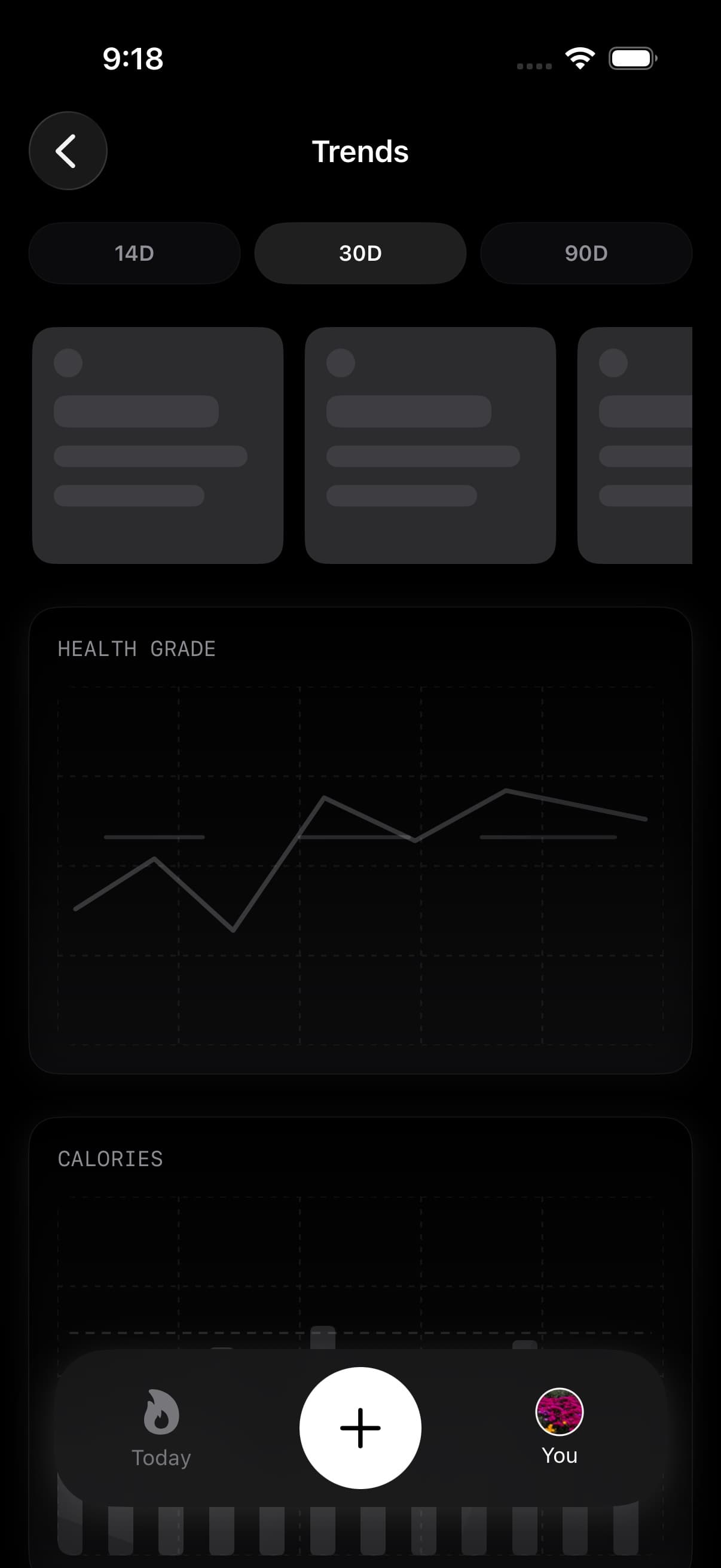
Trends is the pattern view inside You. It can show 14, 30, and 90 day views for Health Grade, calories, macros, weight, and hydration, so weight sits next to the behaviors that usually explain why the scale moved.
Trends does not create a separate weight source. It uses Fuel’s saved weight measurements and permitted Apple Health samples, with profile weight available as a fallback. If those inputs are missing, the weight trend will be thin there too.
The Weight detail chart and Trends can differ in small ways because their windows are different. Weight detail uses the range you selected, while Trends uses fixed 14, 30, and 90 day ranges for comparison. Reports can use the Trends layer for share-ready progress summaries when there is enough data to include weight change cleanly.
05How many weigh-ins Fuel needs
One weigh-in updates your current weight. Two weigh-ins can show direction in the Weight card and can give Plan Progress at least one week with weight evidence. A steadier pattern makes every downstream read more useful.
Dynamic TDEE uses the previous 7 full days of total burn from Apple Health, then adjusts that maintenance estimate using a recency-weighted 14-day weight trend. It requires at least 3 usable energy days and at least 4 recent weigh-ins before the weight-trend adjustment turns on. The weight adjustment is capped at 300 calories per day so a noisy week cannot swing targets too aggressively.
A new weigh-in can update your profile and chart immediately without changing Dynamic TDEE until enough recent evidence exists.
Dynamic Calories uses a different baseline: the previous 14 completed days of energy data, with at least 3 days containing positive basal energy. Its baseline uses median burn, and expected activity governs how the daily allowance opens up as you move. Weigh-ins are not an input to that calculation.
Use Fuel Energy Model for the full distinction between Dynamic TDEE, Dynamic Calories, burn baseline, rollover, and review feedback.
06Body measurements and progress photos
Open You > Weight to find Add body measurements and Progress photos. Measurements can add body fat, lean mass, waist, and other circumference records alongside weight. Progress photos provide a dated visual comparison that you control. See Body measurements and progress photos for fields, comparisons, privacy, and backup limits.
07Frequency and consistency
Daily weigh-ins make the signal settle faster, and Fuel’s own weight screen recommends daily or weekly measurements after waking. Weekly weigh-ins can still work if the timing is consistent.
The most useful weigh-in is taken under similar conditions: after waking, after using the bathroom, before food or fluid, and on the same scale. The exact device matters less than the repeatability of the measurement stream.
If your schedule does not allow that, keep logging anyway and judge the multi-day direction rather than the single reading.
08Interpreting short term noise
Weight moves for reasons that are not fat gain or loss. Common causes include water shifts, glycogen changes, and digestion timing.
The point of trend is to reduce the influence of those effects so your plan responds to the signal that persists across several weigh-ins, not the volatility of an isolated day.
09When signals disagree
Sometimes weight is up even when training feels better and hunger is stable. That pattern is common on weeks with higher carbohydrate intake, higher training volume, travel, or disrupted sleep.
Use trend, not a single weigh-in, as the decision input. If the 7 to 14 day direction is still aligned with the goal, do not rewrite the plan because of one high morning. If the trend drifts for a full week or longer and your logs are complete, then the plan may need an adjustment.
Plan Progress compares observed weight against the expected path from your starting weight, goal weight, and forecast timeline. A missing weight factor usually means Fuel does not have a readable weigh-in for that plan week, not that the plan failed.
10Reminders and Shortcuts
Weigh-in reminders can nudge you when it has been a few days since the last logged weight. Fuel checks both its own reminder history and recent Apple Health body-mass samples, so a connected scale can satisfy the reminder if the sample is readable.
The Log Weight Shortcut accepts a weight, unit, and optional timestamp. It writes the sample through the same HealthKit path as the app, updates your profile’s current weight, refreshes weekly review caches, and records the weigh-in for reminder timing.
11If weight trend is missing or looks wrong
- Open Apple Health and confirm recent Body Measurements > Weight entries exist.
- Confirm Fuel can read and write Body Mass in Apple Health permissions.
- Open You > Apple Health and recheck connection status after changing permissions.
- Check whether multiple scales or apps are writing weight and whether the intended source is prioritized in Apple Health.
- Log a new weight from You > Weight if you need to update Fuel’s current profile weight immediately.
If Apple Health is correct but Fuel still looks wrong, use Troubleshooting to walk through the common causes. Check both the measurements you saved in Fuel and the external samples available through Apple Health. Fuel’s current profile weight supplies the latest weight used for plan context.
