
Energy Balance is the Today view’s calorie audit. It shows what you ate, what Fuel thinks you burned, what target applies today, and whether the gap matches your plan.
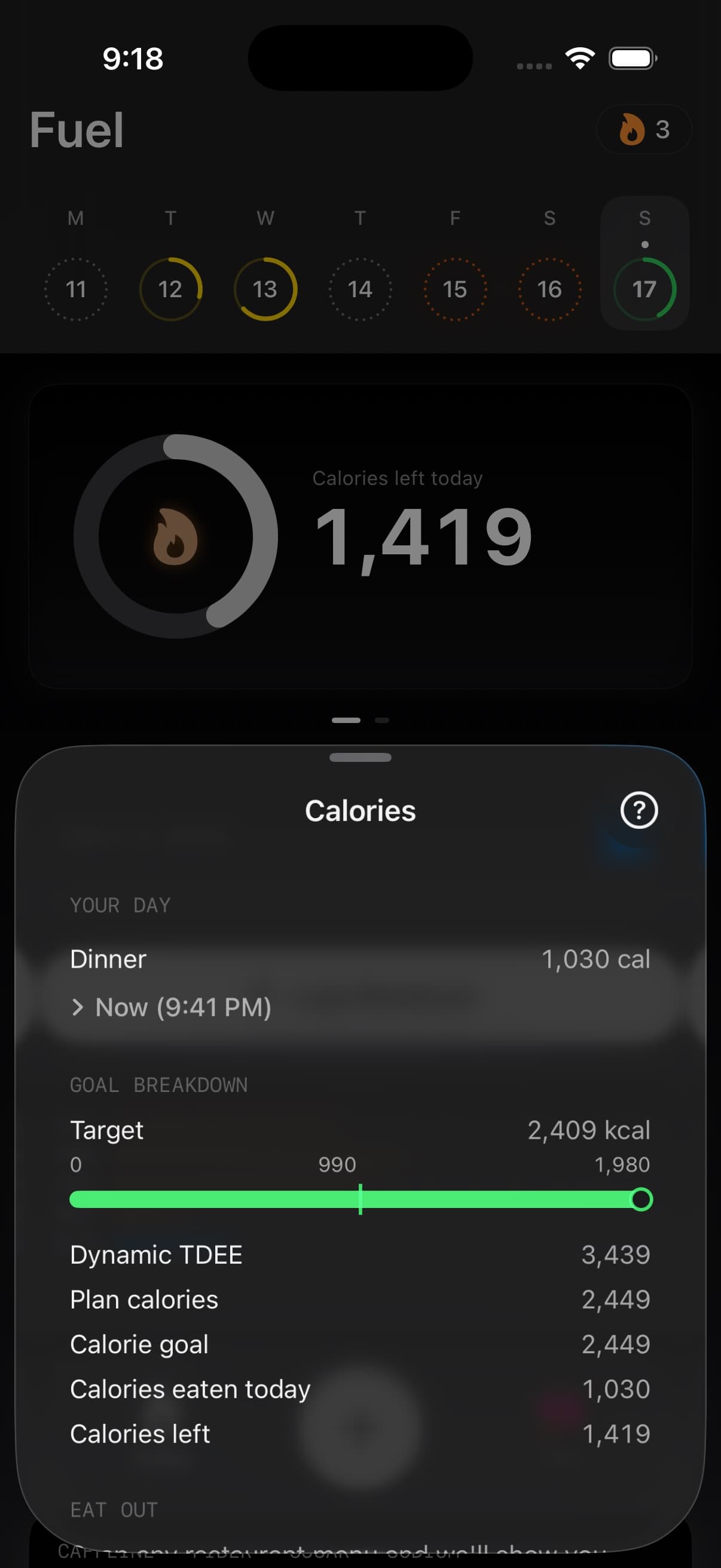
01Eaten calories vs burn and plan target
Fuel separates two questions that are easy to mix up.
First, how many calories have you eaten against today’s calorie goal. Second, how does your intake compare with your burn baseline.
Those are related, but they are not the same thing. A fat-loss plan can intentionally put your calorie goal below burn. A muscle-gain plan can intentionally put it above burn. Maintenance tries to keep them closer together.
02The numbers Fuel uses
Calories eaten comes from the foods and meals you logged.
The calorie goal comes from your plan and Daily Goal setting. In Plan Calories mode, this is your fixed plan target, plus rollover if rollover is enabled. In Dynamic Calories mode, this is your current goal: burn baseline plus plan adjustment, plus rollover if enabled.
Burn baseline is Fuel’s best available estimate of energy burned for the day. On completed days, Fuel prefers observed basal energy plus observed active energy when Apple Health has it. If that is not available, Fuel falls back through maintenance estimates and the day summary. On the current day, Dynamic Calories starts from a recent burn baseline and unlocks extra calories when activity is ahead of the expected pace.
Calories left or calories over is the gap between the calorie goal and what you have logged.
The burn comparison answers a different question: whether your intake is below, near, or above the day’s burn baseline.
Fuel Energy Model explains the full receipt behind those numbers: plan settings, burn baseline, Dynamic TDEE, rollover, weigh-ins, and data-quality checks.
03Plan Calories mode
Plan Calories mode keeps the calorie target stable.
If your plan says 2,100 kcal, the day starts from 2,100 kcal. Workouts and active energy still appear in Energy Balance, Health Grade, Daily Review, Weekly Review, and trend analysis, but they do not automatically raise the target.
This mode is useful when you want one number to execute every day and prefer to treat high-activity days as extra expenditure rather than extra food.
04Dynamic Calories mode
Dynamic Calories lets the target move with activity without changing the plan itself.
Fuel starts from your recent burn baseline and applies your plan adjustment. If today’s activity runs ahead of the expected pace, Fuel unlocks more calories. Dynamic mode already accounts for active burn inside that baseline, so there is no separate workout-calorie bonus stacked on top.
Rollover is separate. If rollover is enabled, unused calories from yesterday can add up to 200 kcal to today’s goal in either Daily Goal mode.
05Reading it during the day
Energy Balance changes because the day is still being built.
Meals change calories eaten. Apple Watch syncs active energy through the day. Basal energy accumulates as time passes. Dynamic Calories can move the target when current activity is ahead of pace.
Use midday numbers to guide the next meal. Use end-of-day numbers to judge whether the plan and logs agreed with reality.
For a longer view, use Reports. Reports are better for trend questions because they look across days instead of treating one active or low-logging day as the whole story.
06When the numbers look wrong
Energy Balance is only as good as the inputs behind it.
If calories eaten look too low, check whether meals, snacks, drinks, alcohol, sauces, and quick bites were logged. If burn looks too low, check whether the watch was worn, workouts synced, and Apple Health permissions are on. If burn looks too high, check for duplicate workouts or duplicate energy sources.
If the calorie goal looks wrong, check Daily Goal mode, rollover, custom macro overrides, and whether the plan was recently updated. If the burn comparison looks wrong on a current day, wait for Health data to sync before treating it as final.
Start with Apple Health Permissions and Apple Watch Setup when activity data looks flat. Use Nutrition Planning and Adjusting Macronutrients when the target itself needs to change.
For a deeper guide to using watch energy as part of Apple Watch-based calorie targets for body recomposition, see the full article.
