
Dynamic Calories lets your daily calorie target move with your actual activity so high-burn days get more fuel and rest days stay leaner, without manual adjustment.
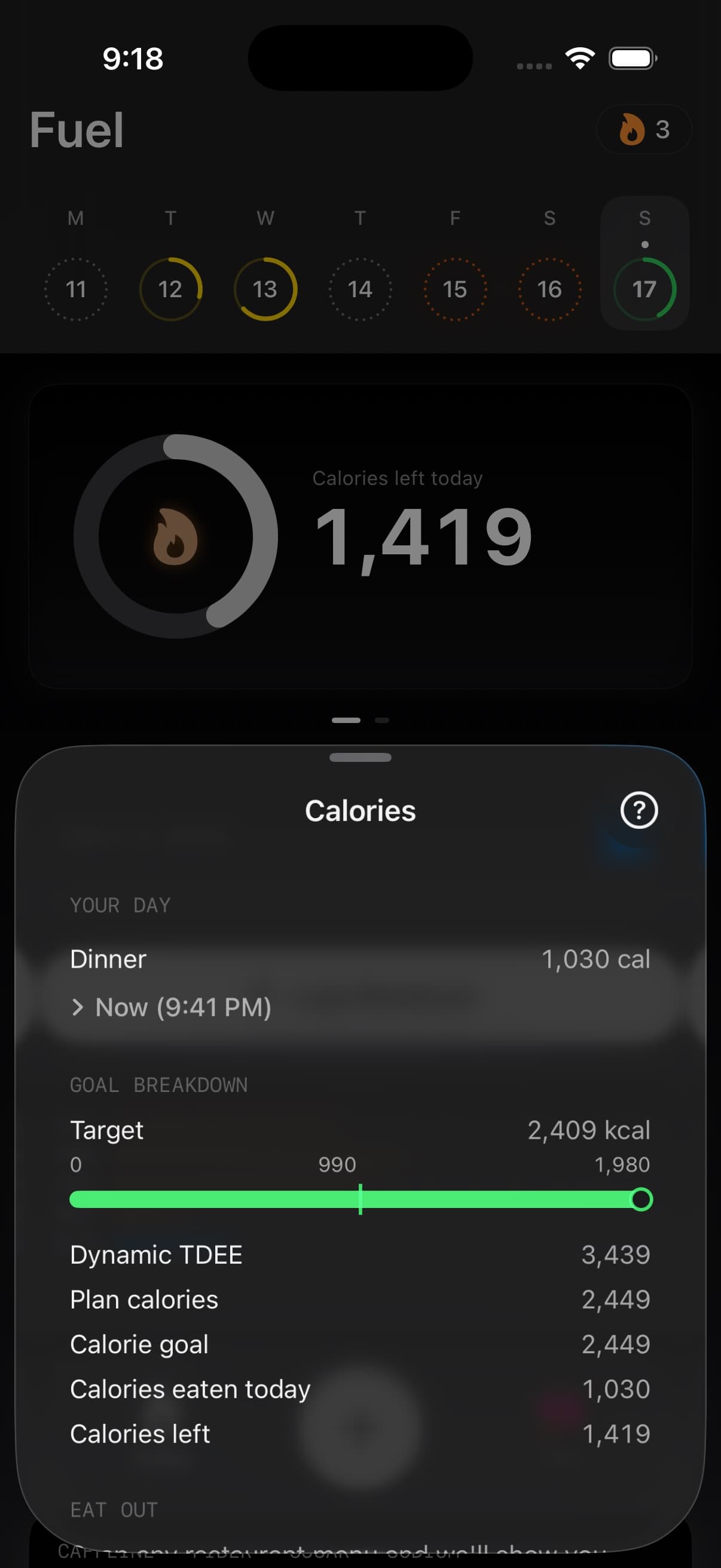
01Daily target moves with Apple Health activity
When Dynamic Calories is enabled, Fuel recalculates your daily calorie target as Apple Watch reports activity through the day. Instead of a fixed number set once in your plan, the target reflects what you are actually burning today.
This keeps your plan direction intact — if your goal is a deficit, you stay in a deficit — but the size of the target adapts to the day.
For the full target-change model behind Dynamic Calories, Dynamic TDEE, rollover, and weight-trend checks, use Fuel Energy Model.
02How activity affects the target
When Dynamic Calories is enabled, your daily target already accounts for activity because it is based on your actual burn (basal plus active energy). On high-activity days the target rises automatically; on rest days it stays lower. There is no separate toggle for workout calories — the dynamic baseline includes them.
When Dynamic Calories is off (Plan Calories mode), your target is a fixed number set in your plan. Workouts are visible in your energy balance but do not change the target. This is useful if you prefer a static number and treat workouts as bonus expenditure.
03Calorie rollover
Dynamic Calories supports rolling over up to 200 kcal to the next day. If you finish the day under target, the unused portion (up to 200 kcal) carries forward.
Rollover prevents small daily shortfalls from accumulating into under-fueling patterns. It also gives you flexibility to shift calories toward days when you need them more.
04When to enable Dynamic Calories
Enable Dynamic Calories if your activity varies significantly between days — for example, training days versus rest days — and you want the target to adapt automatically.
Keep it disabled if you prefer a fixed daily target or if your activity level is consistent enough that a static plan works well.
05How it interacts with your plan
Dynamic Calories does not change your overall plan direction or weekly calorie budget. It redistributes daily targets within the plan so each day fits your actual energy expenditure.
Your Energy Balance view reflects the dynamic target, and Daily Review and Weekly Review grade you against the adjusted target rather than a static one.
Reports use the same adjusted target when they explain whether the day matched the plan. That keeps Today, review grades, and longer-range analysis pointed at the same calorie number.
06Enabling Dynamic Calories
- Open You
- Open Coach Context (or Preferences)
- Under Daily Goal, switch from Plan Calories to Dynamic Calories
- Optionally enable calorie rollover in the same section
For the complete guide to using Dynamic Calories as part of a watch-based calorie target system for body recomposition, including calibration protocols, deficit sizing, and weekly audit workflows, see Apple Watch-Based Calorie Targets.
