
Fuel treats a real fast differently from a forgotten log. The fasting experience on Today shows the live window, asks for confirmation when a long fast becomes intentional, and keeps meal coaching quiet when food would be the wrong prompt.
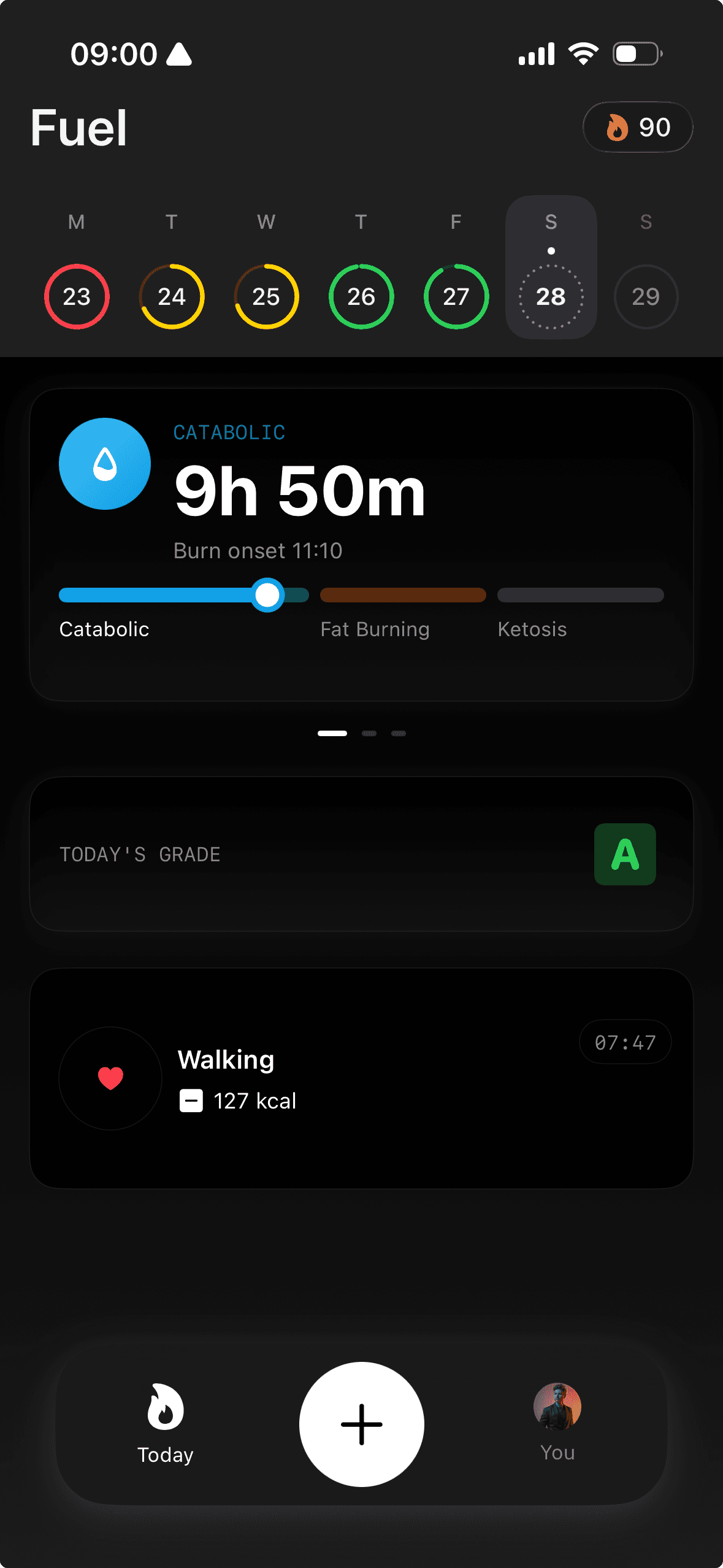
01The fasting tile on Today
The fasting tile shows your current fasting state in real time. It displays elapsed time, your current zone, and progress toward your next zone milestone.
The tile updates live so you can check your fast without navigating away from Today.
02Fasting zones
Fasting zones mark physiological milestones as your fast progresses. Each zone represents a different stage.
Progress through zones is shown visually on the tile and in the detailed timeline so you can see where you are and how far the next zone is.
03Fasting timeline
The fasting timeline provides a detailed view of your current and past fasts. It shows when you started, when you broke the fast, total duration, and which zones you reached.
Use the timeline to review patterns over time and understand how your fasting windows relate to your meal timing and overall nutrition plan.
04Confirming an intentional fast
Fuel starts fasting automatically from the gap after your last meal. For a normal overnight fast, there is nothing to confirm.
When an automatic fast lasts long enough to become a multi-day or full fast-day pattern, Fuel can ask whether the day is intentional. Marking the fast once confirms the current unbroken cycle so Fuel can coach it as fasting instead of treating the empty food log as missing data.
The confirmation follows the same unbroken fast. Logging fast-breaking food ends the clean fast-day handling and returns the day to normal meal-based nutrition logic.
05Clean fast days
A clean fast day is a confirmed fasting day with no fast-breaking food logged. Small non-breaking entries can still exist, but meals or meaningful calories move the day back into regular nutrition scoring.
Clean fast days count as signal across Fuel. Health Grade uses fast-day scoring instead of penalizing the day for no meals, Daily Review can recognize the day as intentional, weekly progress summaries can count it as covered without averaging it like an eating day, and streaks can keep counting when the fast day is clean.
06Meal nudges during fasting
During an active confirmed fast, Fuel suppresses ordinary meal nudges and next-meal coaching so the lock screen does not tell you to eat during a fast.
Near your usual break-fast window, Fuel can switch from a generic meal reminder to break-fast guidance. If next-meal coaching is already handling that break-fast prompt, the duplicate meal reminder stays quiet.
07Notification controls
Fasting has its own notification controls so you can receive alerts for fasting burn, check-ins, and break-fast timing without adding noise to your other reminders.
Configure fasting notifications separately from your Smart Notifications settings.
08Fasting achievements
Fasting includes 11 dedicated achievements that reward consistency and duration milestones. These appear in your Badges and Achievements collection alongside movement and other badge categories.
09Turn on fasting and confirm a clean fast day
Fasting tracking activates automatically based on the gap between your last meal and your next. You do not need to manually start or stop a normal fast because Fuel infers the window from your food logging timestamps.
Log meals consistently so the fasting window calculations stay accurate. If a meal is logged late or on the wrong day, it can shift the apparent fasting window.
