
Today settings let you choose the cards you use, change the main calorie number, and choose how you browse previous days.
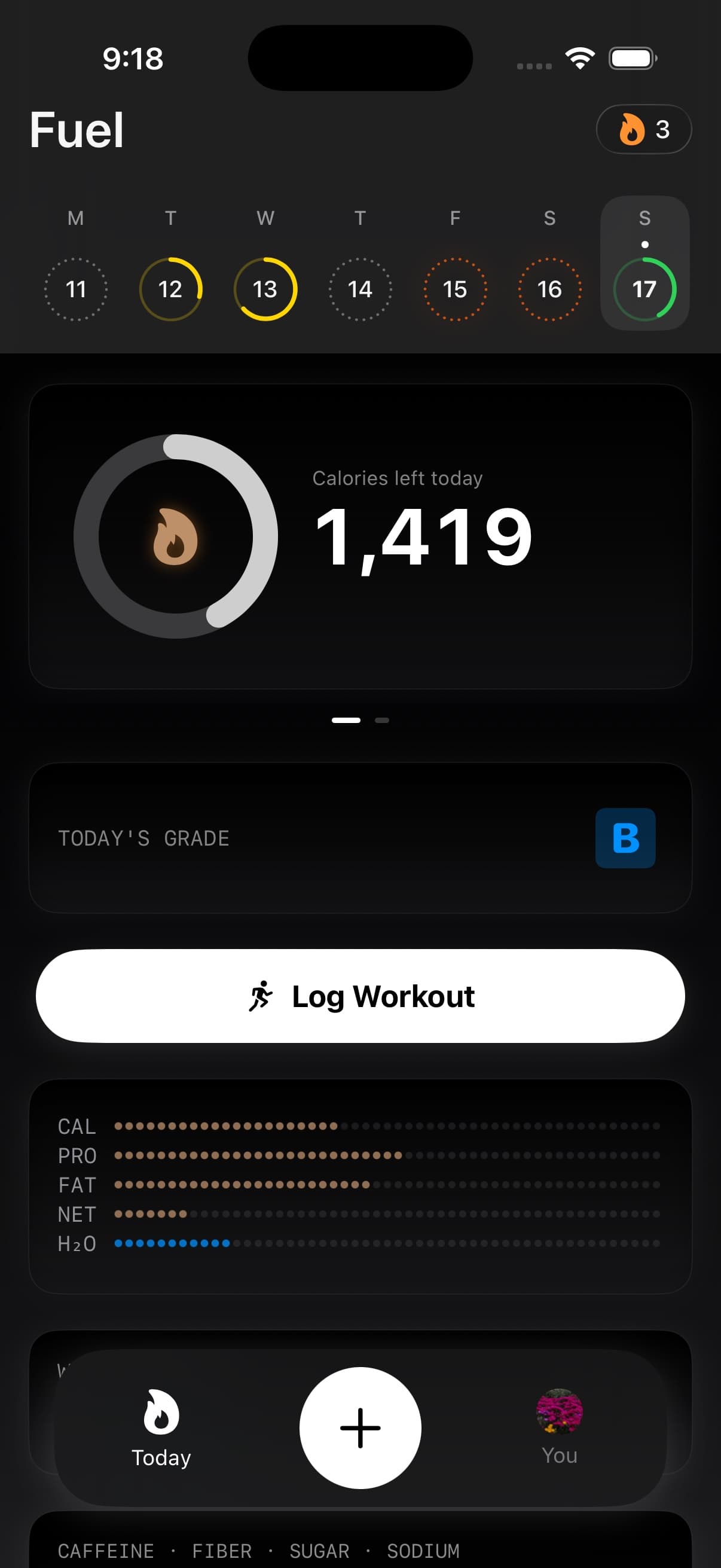
01Where to find Today settings
- Open You and tap the gear icon for App Preferences.
- Scroll to the Today section.
02The Today options
| Setting | What it changes |
|---|---|
| Live Activity | Whether Fuel uses a Live Activity for your day’s progress |
| History sidebar | Replaces the date strip with a sidebar for browsing days and opening shortcuts |
| Calories consumed vs. remaining | The meaning of the main number on the calories card |
| Full micronutrient grid | Whether Today shows the full micronutrient grid |
| Show Water Progress | Whether Today includes a dedicated water card |
| Show Summary Details | Whether Today includes the Energy Details breakdown card |
| Show Log Workout Button | Whether Today includes a manual workout logging action |
The section also contains Calendar Rings, with Plan Target and TDEE choices. In the current app, switching this preference does not change the displayed calendar rings.
03History sidebar
History sidebar is off by default. Turn it on to replace the date strip with a calendar button and a sidebar you can also open by swiping in from Today’s left edge.
The sidebar shows today and the previous six days. Earlier opens older dates grouped by month, up to one year back. Shortcuts lead to Nutrient Insights, Favorite Foods, Reports, Eat Out, Trends, and Plan.
Browsing the sidebar and opening a previous day have separate access rules. Free can use the sidebar, while past-day detail requires Pro. See History sidebar for navigation and Timeline for reviewing a selected day.
04Calories consumed vs. remaining
When this setting is on, the calories card shows calories eaten today. When it is off, the card shows calories left until you hit your target, then calories over after you pass it.
The setting changes the displayed number. Your plan target stays the same.
05Full micronutrient grid
Turn on Full micronutrient grid to show the fuller nutrient view on Today. Use Micronutrient Targets to understand the daily values and Nutrient Insights for the separate 30-day food coverage review.
Manage access to nutrient data through Apple Health Permissions.
06Show Water Progress
Water Progress adds a dedicated water card to Today.
Hydration still appears in the progress grid, but this card gives water its own daily target. Tap it to open Hydration, where you can inspect intake, target, pace, fluid contributions, and quick logging.
07Show Summary Details
Summary Details adds an Energy Details card to Today. It shows the numbers behind your day summary, including maintenance and dynamic energy estimates, target calories, basal and activity energy, macro totals, and remaining amounts.
See Energy Balance for how those values fit together.
08Show Log Workout Button
This setting adds a Log Workout action to Today. It opens a form for workout type, duration, and perceived effort. Fuel estimates calories and writes the workout to Apple Health when allowed.
For sauna sessions, use the dedicated Watch flow or the Apple Health workout mapping described in Workout Logging.
09Other Today features
Health Grade and Fasting have their own data and access requirements. They do not have separate visibility switches in the Today preferences listed above.
GLP-1 Support is controlled elsewhere in App Preferences. When enabled, it can add dose-cycle context to Today’s protein, hydration, appetite, and coaching information.
10Home Screen shortcuts
Press and hold Fuel’s Home Screen icon to open Log Food, Eat Out, Add Weight, or Log Workout. These Quick Actions are separate from Today’s display settings.
