
Fuel supports manual workout logging with controls for workout type, duration, and perceived effort so training days are reflected in your energy balance and coaching.
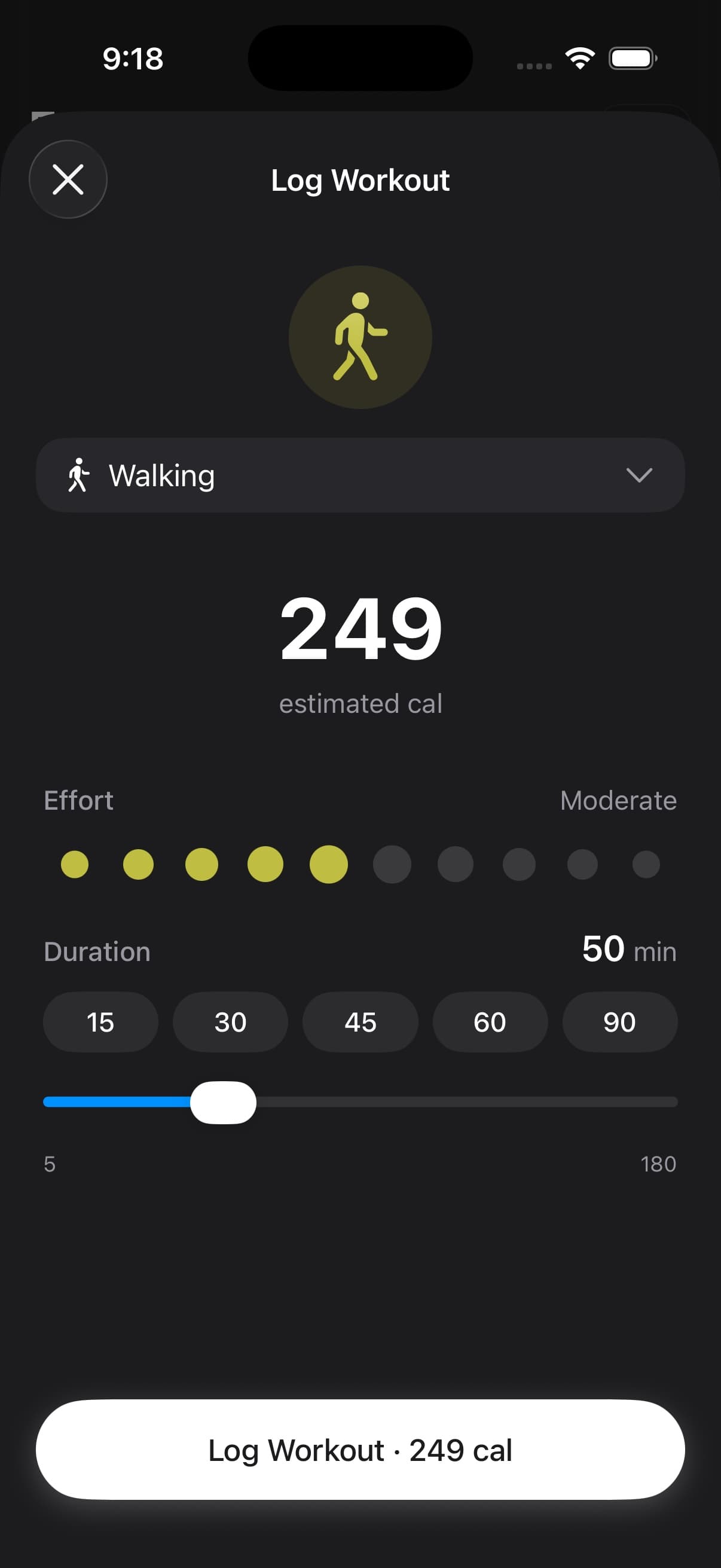
01How to log a workout
- Tap Log Workout on Today (enable it in Today View Personalization if you do not see it)
- Pick a workout type from the type picker
- Set duration and perceived effort
- Confirm and save
Fuel estimates calories burned based on the workout type, duration, and intensity, then writes the workout to Apple Health when permissions allow.
02Workout type picker
The workout type picker includes common exercise categories plus Other for sessions that do not fit a standard Apple Health workout type. Scroll through the list to find the closest match.
03Manual Other workout and Sauna sessions
Other is the fallback when Apple Health or a manual entry does not map cleanly to a named workout type. In App Preferences, you can choose how Fuel displays Apple Health Other workouts: Workout, Sauna, Recovery, Mobility, Heat Training, Physical Therapy, Breathwork, or a custom label.
If you map Other to Sauna, Fuel presents matching Other workouts as sauna context across Today, Watch, and coaching. Dedicated watch-started sauna sessions still use the sauna flow rather than the generic workout logger.
04Active calories on Today
After logging a workout, Today displays the active calories burned so you see the full picture of your energy balance for the day. This updates your calories card, energy details, and Health Grade context.
If Dynamic Calories is enabled, activity running ahead of your recent burn baseline can raise Today's calorie target. In Plan Calories mode, workouts still affect energy balance and Health Grade context, but they do not raise the target.
05Apple Watch workouts vs manual logging
If you wear an Apple Watch during training, workouts sync automatically through Apple Health and appear on Today without manual logging.
Manual logging is for workouts done without the watch — gym sessions where you left the watch in your locker, outdoor activities without the watch, or activities the watch does not track well.
Avoid logging the same workout both on the watch and manually, as this creates duplicate entries that inflate your active energy totals. If you see doubled workout data, check data sources in Apple Health per Apple Health Permissions.
06How workouts affect your day
Workouts update several surfaces across Fuel.
| Surface | Effect |
|---|---|
| Energy Balance | Active calories increase, shifting your net energy |
| Health Grade | Movement contributor improves |
| Daily Review | Coaching accounts for training load |
| Streaks | A workout counts as an activity entry for the day |
| Dynamic Calories | Target can increase when activity runs ahead of baseline |
| Timeline | Workout appears as an entry with calories and duration |
Use Fuel Energy Model for the full explanation of why Dynamic Calories does not stack a separate workout bonus on top of the burn baseline.
