Quick actions are for moments when the task is already clear: log the meal, add water, record a weigh-in, or jump to the screen you need.
01Home screen quick actions
Long press the Fuel app icon on your home screen to see a list of shortcuts.
| Action | What it opens |
|---|---|
| Log Food | Quick Log meal composer |
| Eat Out | Menu scanning for restaurant recommendations |
| Add Weight | Weight entry screen |
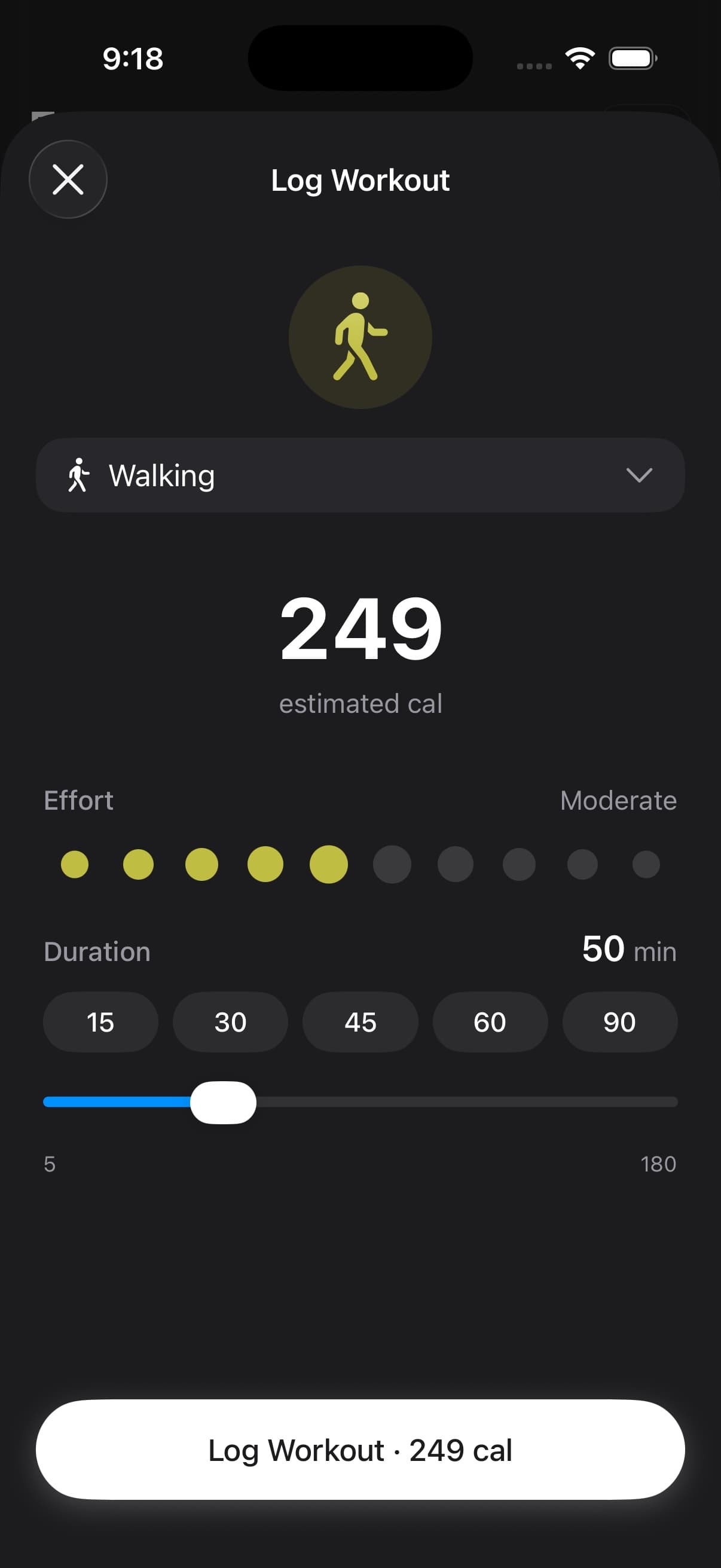
| Log Workout | Manual workout logging |
These actions appear after you complete onboarding.
Log Food opens the Log Meal screen with a text field for describing what you ate. Tap + to choose Take Photo, Choose Photo, or Food Library. You can also tap a recent meal or favorite to log it again. Use Food Logging for the full workflow.
02Deep links
Fuel supports a URL scheme that lets you open specific screens from Shortcuts, automations, or other apps. The scheme is fuel:// followed by a path.
| Path | Destination |
|---|---|
fuel://today | Today dashboard |
fuel://targets | Today dashboard |
fuel://recent-activity | Today dashboard |
fuel://sync-status | Today dashboard |
fuel://today/calories | Today calorie detail |
fuel://today/macros | Today macro detail |
fuel://today/micronutrients | Today micronutrient detail |
fuel://today/fasting-burn | Fasting burn detail |
fuel://today/glp1 | GLP-1 detail |
fuel://quick-log | Quick Log meal entry |
fuel://log/meal | Quick Log meal entry |
fuel://log/weight | Weight entry |
fuel://log/workout | Workout logging |
fuel://log/water | Water logging |
fuel://eat-out | Eat Out menu scanner |
fuel://macros | Macro breakdown |
fuel://hydration | Hydration tracking |
fuel://water | Hydration tracking |
fuel://fasting | Fasting timer |
fuel://sauna | Sauna tracking |
fuel://streak | Streak and badges |
fuel://health-score | Health Grade detail |
fuel://plan-progress | Plan Progress timeline |
fuel://you/plan | Your Plan |
fuel://you/preferences | App Preferences |
fuel://you/notifications | Notification settings |
fuel://you/apple-health | Apple Health settings |
fuel://you/backup | iCloud Backup |
fuel://you/badges | Badges and streaks |
fuel://you/favorites | Favorite foods |
fuel://you/macros | Macro target settings |
fuel://you/meal-catalog | Meal Catalog |
fuel://you/trends | Trends |
fuel://you/reports | Reports |
fuel://you/support | Support |
fuel://coach/daily-review | Daily Review |
fuel://coach/weekly-review | Weekly Review |
fuel://coach/next-meal | Next Meal recommendation |
The aliases fuel://your-plan and fuel://app-preferences also open Your Plan and App Preferences.
03Using with Apple Shortcuts
Create a Shortcuts automation that opens a Fuel deep link at a specific time or based on a trigger. For example, open fuel://log/meal every day at lunch as a logging reminder, open fuel://you/plan before a weekly check-in, or open fuel://eat-out when you arrive at a saved restaurant location.
If you want the exact five-automation setup for body recomposition, including which trigger belongs on wake-up, lunch, restaurants, workouts, and Sunday review, use The Fuel Deep-Link Playbook: Automations That Make Recomposition Automatic.
04Control Center
On iOS 18 and later, Fuel adds Control Center controls for food, water, weight, and workout logging. Add them from Control Center settings for one-tap access without reaching the home screen. See Home Screen Widgets for setup.