Eat Out helps you make a better restaurant choice for the rest of your day, so you can open a menu, scan it, and quickly see which option fits your remaining calories and macros best.
01Where to find Eat Out
Open Eat Out from the Log Meal composer.
- Tap the center + button to open Log Meal.
- Tap the composer's + attachment button.
- Choose Eat Out.
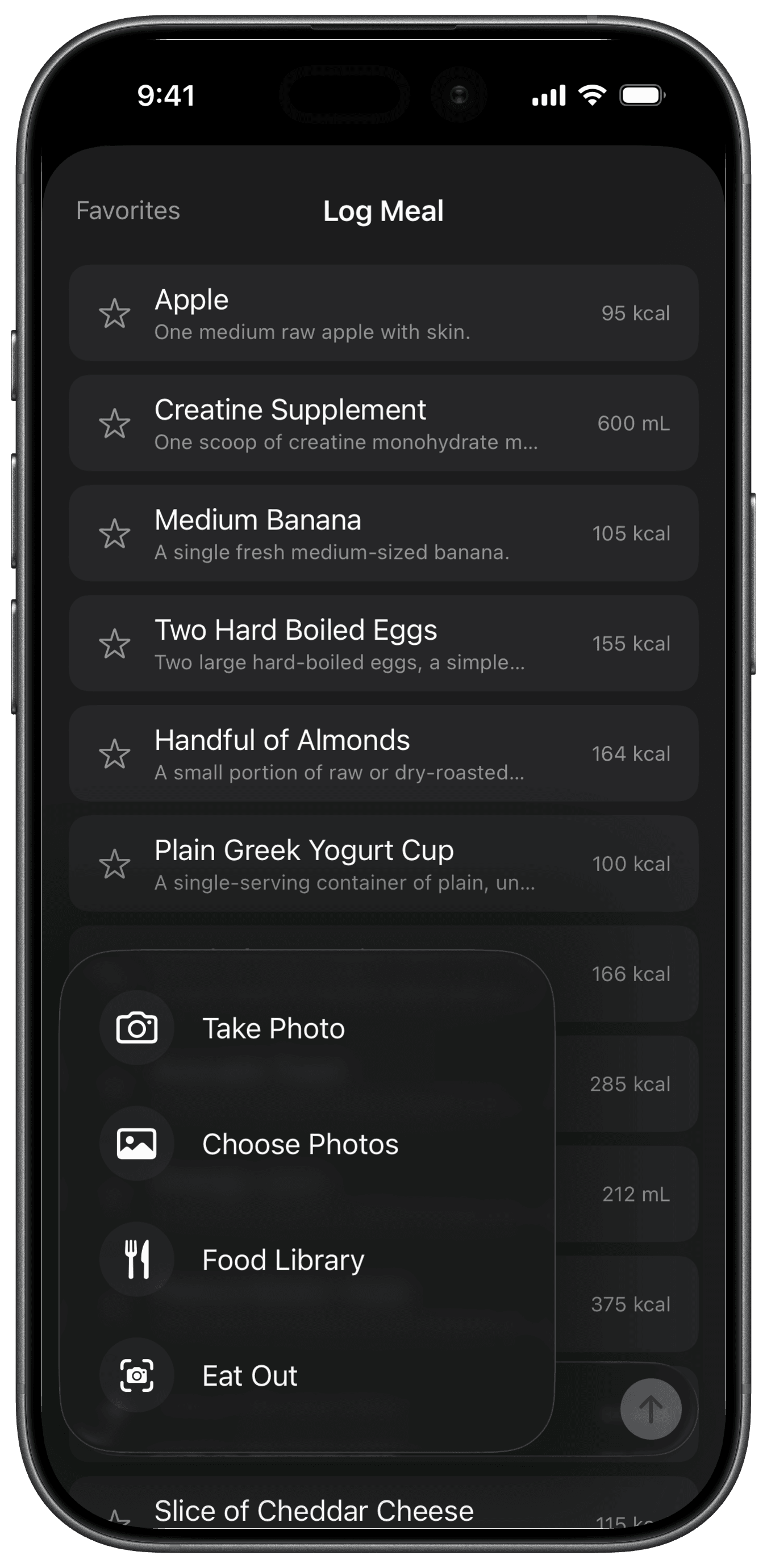
Fuel opens the menu scanner over your meal draft. Any text and photos already in the draft stay available when you return to Log Meal.
02Photograph a menu and pick a meal
Take a clear photo of the restaurant menu you are choosing from. Fuel reads the menu, estimates the nutrition for each item, and ranks the best fit for your next meal.
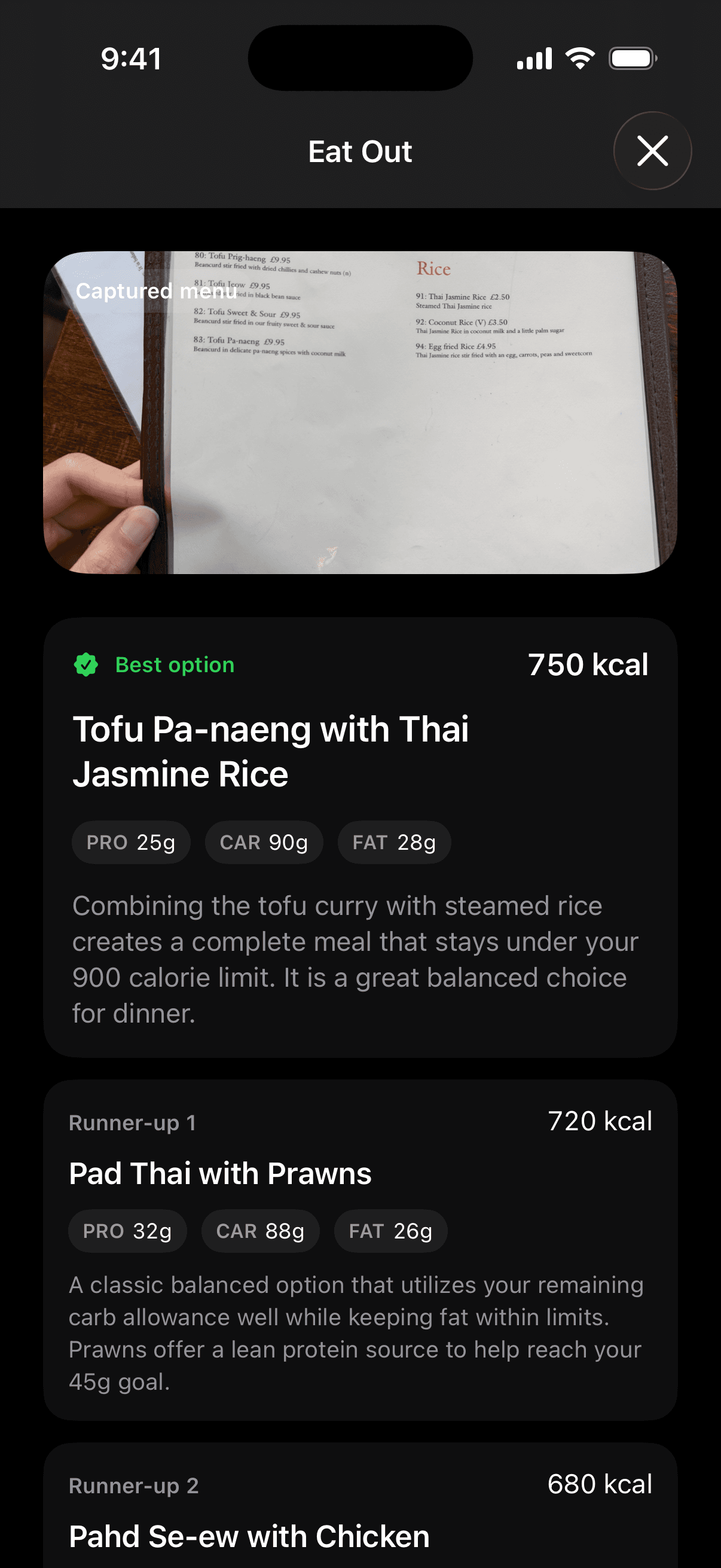
After the scan, Fuel shows one top choice and two runner-up options. The top choice is the one that best matches the calories and macros you still have left. The runner-ups give you nearby options in case the top pick is not what you want.
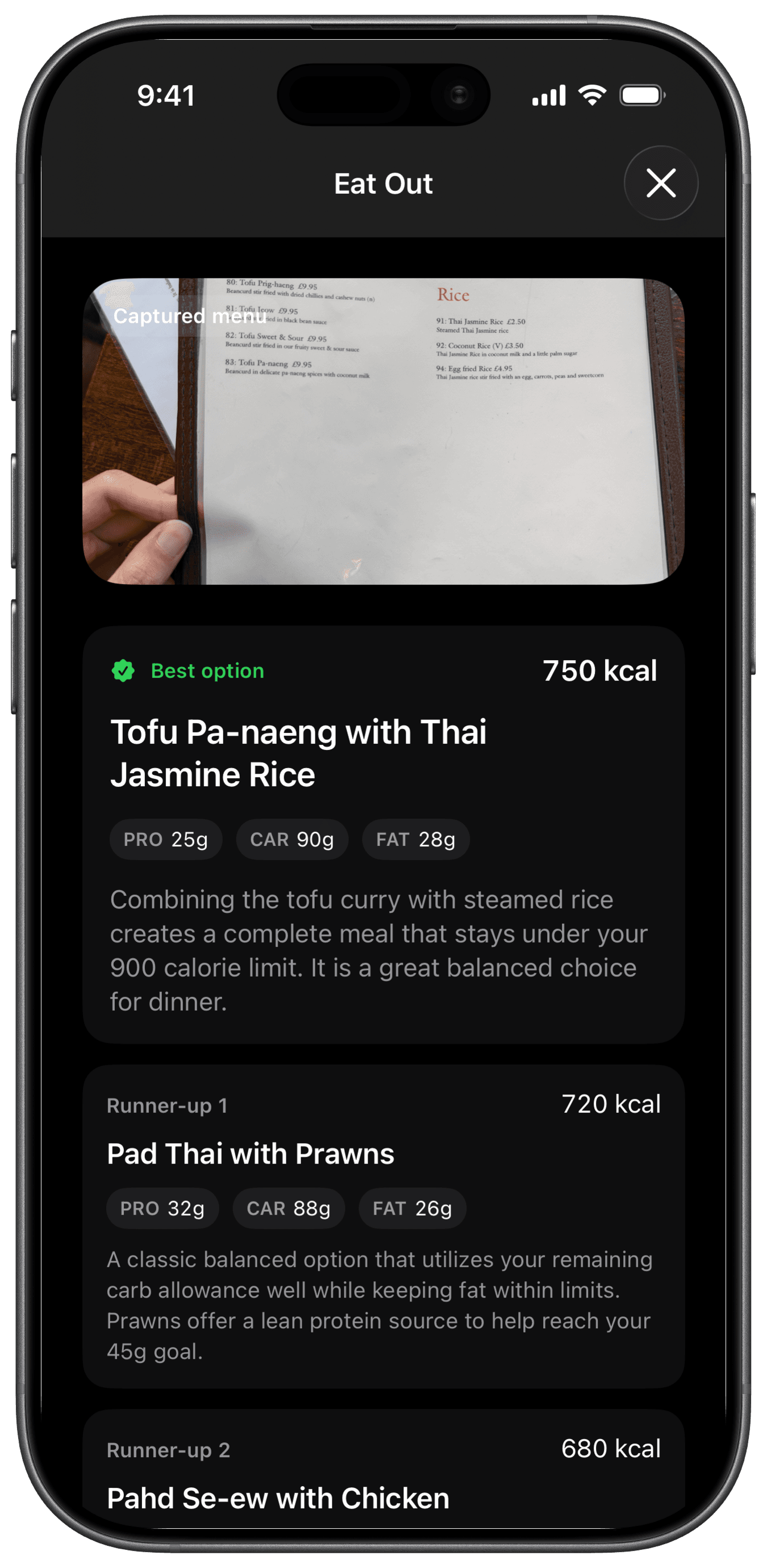
Read the explanation alongside the numbers, then scroll to compare the runner-ups. Scan another menu lets you try a different menu or section. Choosing what to order and logging what you actually ate are separate steps.
03What kind of photo works best
The cleaner the photo, the better the recommendation.
Try to capture the menu straight on, in good light, with item names easy to read. If the menu is long, focus on the section you are actually choosing from instead of taking a wide shot with tiny text.
04Menu estimates to verify before you save
Eat Out is there to help you make a smarter choice, not to promise a perfect nutrition label for restaurant food. Use it as guidance for the rest of your day, especially when you want to stay close to plan without reading the whole menu line by line.
Use Food Library, Food Scanning, or AI Food Logging after the meal when you need the actual log. Eat Out is the decision step before ordering.
05If Fuel cannot read the menu
Fuel may ask you to take a clearer menu photo if the text is too hard to read. If that happens, retake the photo with less glare, better lighting, or a closer crop.
You can also scan another menu if you want to try again with a different angle or section.