
Settings exist to make the product match your constraints, so the plan is sustainable rather than fragile.
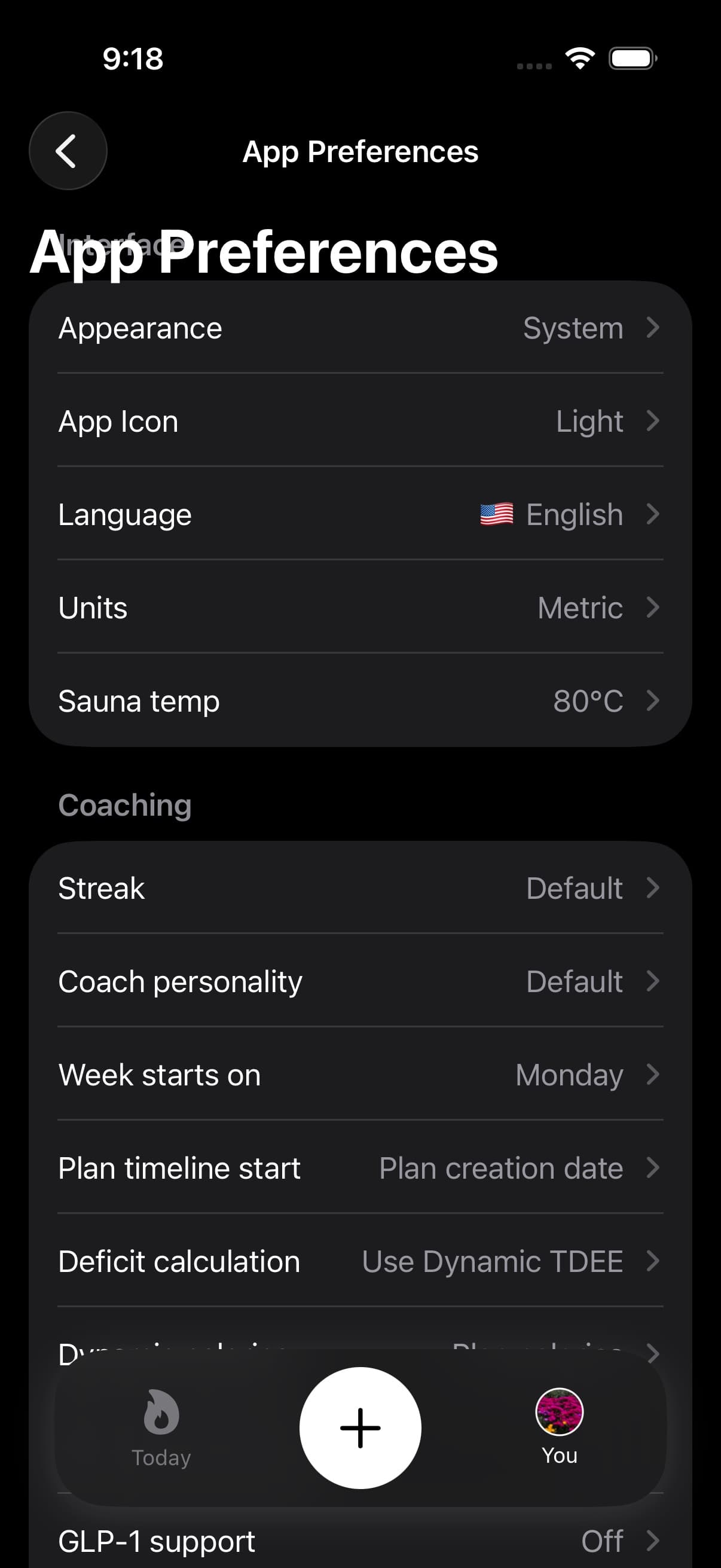
Open You and tap the gear for App Preferences. The bell opens Notifications, where you control reminder delivery separately.
01Appearance
Fuel supports light and dark appearance modes. Pick the mode that keeps the app usable during the times you log most often, since friction is the enemy of consistent tracking.
02Units and localization
Use units that match how you think and how your food is labeled. The best unit system is the one that produces consistent logging without constant conversion.
Use Supported Languages for the current list of interface languages and how to switch.
03Coaching preferences
Coaching becomes more useful when it knows your constraints.
The Coaching section includes choices for how Fuel presents guidance and which recommendation surfaces you see.
Coach Personality controls the tone of coaching in reviews. Coach Context lets you add personal details like obstacles, motivations, and your weekly activity level so the coach has more to work with.
Meal recommendations
Turn Meal recommendations on to see in-app suggestions matched to your remaining targets. Turn it off when you prefer to choose meals yourself.
This setting controls the suggestions inside Fuel. To stop next-meal notifications as well, open Notifications from the bell on You and turn off Next meal coach. Each setting can stay on independently.
Fuel Score
Turn on Fuel Score to add its tile to You. The preference starts off, and opening the score requires Pro.
Fuel Score summarizes the last 28 completed days through yesterday. Its guide explains the contributors, tiers, and why the number stays fixed during the day.
04Notifications and reminders
Use reminders only for the events that are repeatedly missed, such as weigh ins or late day logging. Too many reminders produce alert fatigue and stop being useful.
Use Smart Notifications for a precise breakdown of daily and weekly review notifications, smart reminders, smart timing, reminder windows, and quiet hours.
05GLP-1 support
GLP-1 support lives in App Preferences. Use it when you want Fuel to account for a medication rhythm you already follow, including dose check-ins, symptom logging, appetite-curve coaching, reminders, Today guidance, Coach context, and Apple Watch status.
Use GLP-1 Support for setup steps, dose and symptom logging, and the boundary between nutrition support and medical decisions.
06On-device AI
Fuel can generate small wording variants for some notifications so repeated reminders do not look identical across days.
Use Notification Variations to understand eligibility, language support, and what changes and what does not.
07AI Assistant
Fuel includes an "Ask your assistant" tile on Today that launches your preferred AI app with copied coach context, so you can continue a coaching conversation in your favorite assistant.
In You > App Preferences, the AI Assistant picker shows install-aware recommendations for compatible AI apps. Pick the assistant you want, and the tile on Today will launch it directly.
08Dynamic Calories
Dynamic Calories lets your daily calorie target move with activity. Enable it from your Plan settings.
See Dynamic Calories for the setting itself and Fuel Energy Model for the full target-change receipt across burn baseline, Dynamic TDEE, rollover, and weigh-ins.
09Net Carbs
Fuel can show Net Carbs instead of total carbohydrates if that matches the way you plan meals.
Turn this on in App Preferences when you want Fuel to subtract fiber from the carb budget display without changing your logged calories or total carbs.
See Net Carbs for the full setup and what changes after you enable it.
10iCloud Backup
Fuel can back up your setup for a future restore with iCloud Backup.
Use this when you are moving to a new device or want a simple way to save your profile, plan, streaks, coach settings, and preferences.
See iCloud Backup for backup, restore, and what is not included.
11Today view
Today is configurable.
Turn on History sidebar in the Today section of App Preferences to replace the date strip with a menu of past days and shortcuts. Return to Today and swipe inward from the left edge to open it. Today history sidebar explains recent days, Earlier history, and the linked destinations.
Use Today View Personalization to change the calories card display, which nutrition cards appear, and whether a manual Log Workout action is shown.
12Plan speed
Speed Multiplier controls how aggressive your calorie adjustment is. A higher multiplier means a larger daily deficit (or surplus if gaining), which shortens your goal timeline but requires stricter adherence. Find this under your plan settings on the You tab.
13Deficit calculation
Fuel separates the daily target mode from the longer-term expenditure estimate. Dynamic Calories controls whether today's visible target can move with activity. Dynamic TDEE is the baseline estimate Fuel updates from recent burn and weight-trend evidence. Use Fuel Energy Model when you need to understand why a target moved or held.
14Week start day
Choose whether your week starts on Sunday or Monday. This affects how weekly reviews, streaks, and Plan Progress group your days. Set it under your preferences on the You tab.
15BMI
The BMI card on the You tab shows your current body mass index on a color-coded range bar. Tap it for detail including an ideal weight range, formula-based target ranges (Hamwi, Devine, Robinson, Miller), and maximum muscular potential estimates at different body fat percentages.
16When settings do not fix the problem
If a view is wrong, the cause is often missing data, not a display option. Confirm Apple Health permissions first, then use troubleshooting steps.
