
Fuel currently supports English, Spanish, French, German, Dutch, Swedish, Korean, Japanese, Ukrainian, Russian, and Thai across the iPhone app, widgets, and most Apple Watch companion surfaces.
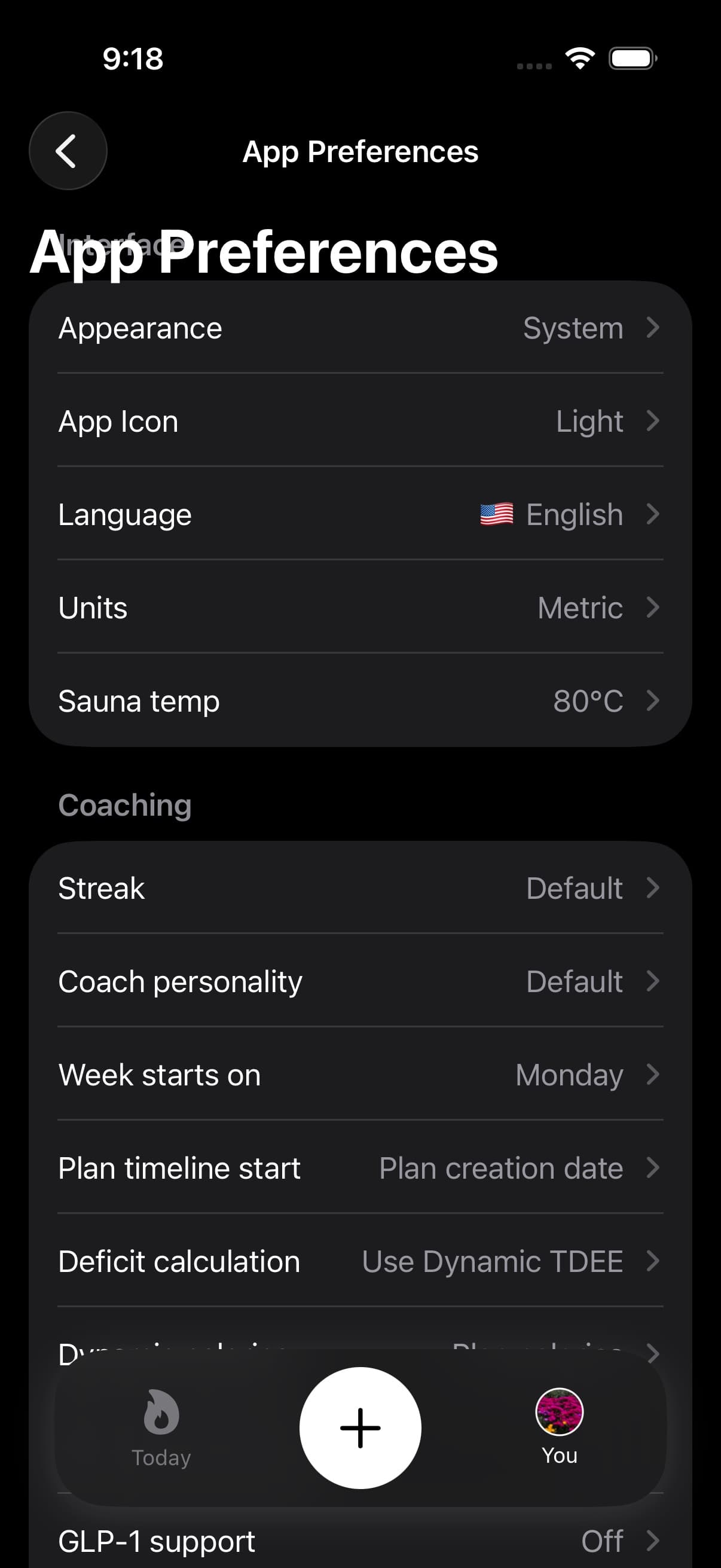
01Language list
| Language |
|---|
| English |
| Spanish |
| French |
| German |
| Dutch |
| Swedish |
| Korean |
| Japanese |
| Ukrainian |
| Russian |
| Thai |
Apple Watch Setup, widgets, quick log, hydration, fasting, workouts, weight logging, sauna, Health Grade, Recent Activity, and Sync Status use the selected Fuel language where translations are available. New or uncommon strings can still fall back to English until they are translated.
02How to change language in Fuel
Fuel has an in-app language setting.
- Open You
- Open Preferences
- Open Language
- Select the language you want
If you have never selected a language in Fuel, the app uses your device language when it is supported and falls back to English otherwise.
03How iOS per-app language interacts with Fuel
iOS can also assign a per-app language that differs from the system language.
If you change the Fuel language inside iOS Settings, Fuel will still use the in-app language you picked most recently.
04Feature specific language constraints
Some features are gated by app language rather than device language, and may only support a subset of the languages above.
Use Notification Variations for the current list and eligibility rules for on-device notification rewrites on iOS 26 and later.
05When the language looks wrong
If Fuel looks partially translated, or switches language between screens, treat it as a settings and caching problem first.
- Confirm the per-app language in iOS Settings
- Force quit Fuel and reopen it
- Update to the latest app build
- If the issue persists, restart the device and recheck
If you still see inconsistent copy after those steps, contact us with screenshots and your iOS version.
