Nutrient Insights helps you find nutrient gaps that keep appearing across your food log. It reviews the last 30 completed days, shows how consistently your recorded intake covers daily targets, and offers foods that could help close persistent gaps.
Use it when you want to change a meal pattern you repeat. Today's micronutrient detail remains the place to check the day still in progress.
01Open Nutrient Insights
On You, tap Nutrient Insights. You can also open today's Micronutrients detail and choose 30-day nutrient insights, or use the Nutrient Insights shortcut in the optional History sidebar.
Nutrient Insights requires Pro. A locked tile or teaser opens the upgrade screen. The 30-day link in daily micronutrient detail appears when you are viewing today, rather than a historical day.
02Build enough of a food record
The window ends yesterday and includes the 30 completed days before today. Fuel needs at least 10 days with logged food containing calories in that window before it can assess a pattern. Those days do not have to be consecutive.
Not enough logged days yet means more food days are needed. Not enough nutrient detail yet means the days exist, but too little nutrient information was recorded. A log with calories and protein alone may help establish a food day without providing useful evidence for iron, choline, or another nutrient.
Log ordinary meals with enough detail to identify the foods and portions. If you rely on imported nutrient data, check Apple Health permissions when coverage is unexpectedly absent.
03Read the percentages with the evidence
Each nutrient's percentage shows its average share of the daily target across days where that nutrient was observed. Missing values stay unknown. A recorded zero remains a measured zero.
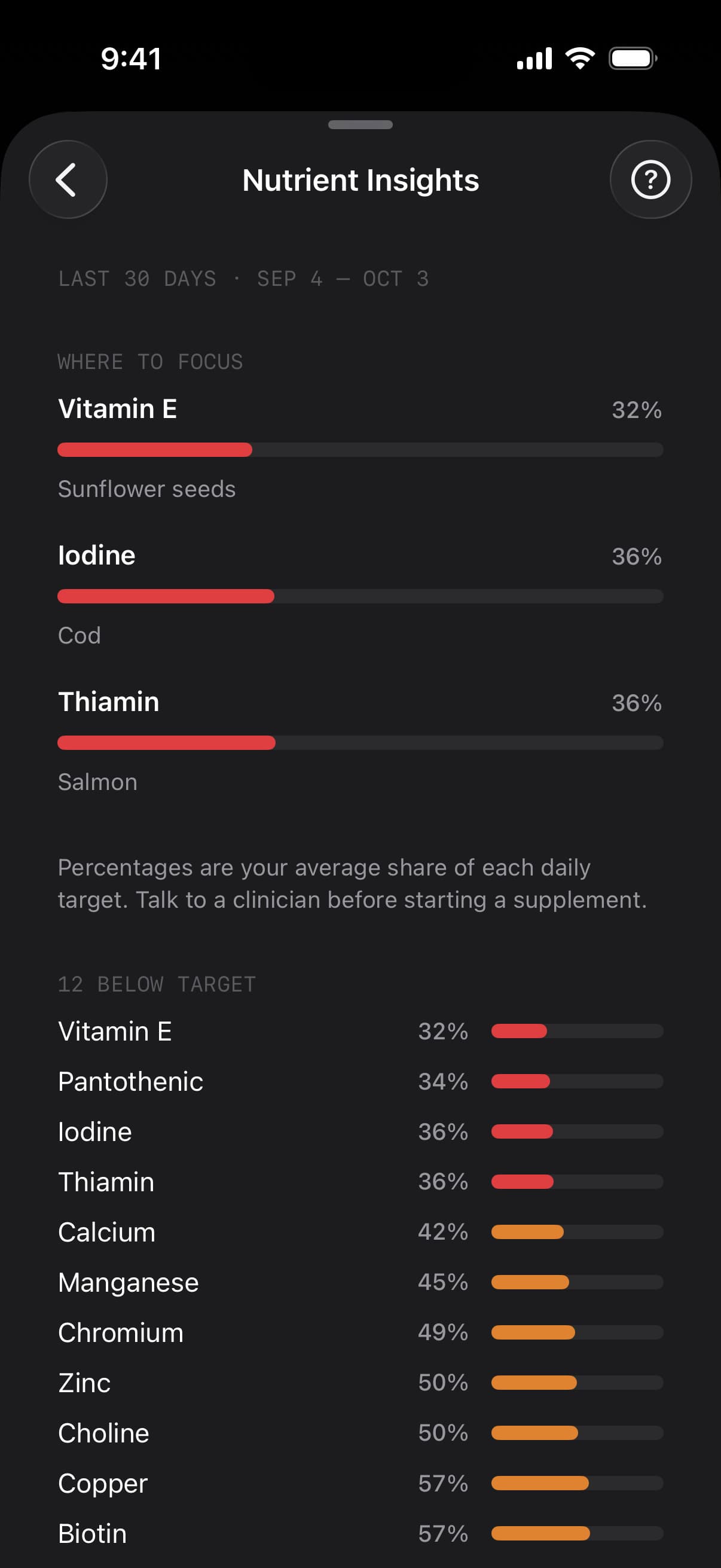
That distinction matters: an unrecorded nutrient is not evidence that you consumed none. Ten logged days can still leave an individual nutrient with too little detail to judge.
The coverage lists separate Below target, On target from food, and No data. Tap a nutrient row to see its average amount against the target, the number of days on target, and a strip of daily coverage. Unmeasured days appear as outlines in the strip.
Fuel counts a measured day at 85% or more of the nutrient target as on target in this view. That is a display rule for consistency. It does not mean your target has changed to 85%.
04Use Where to focus
When the record supports persistent gaps, Where to focus brings up to three nutrients forward. Tap a focus row to expand its explanation and food options. A One serving list shows how much of the target a serving of each suggested food could cover.
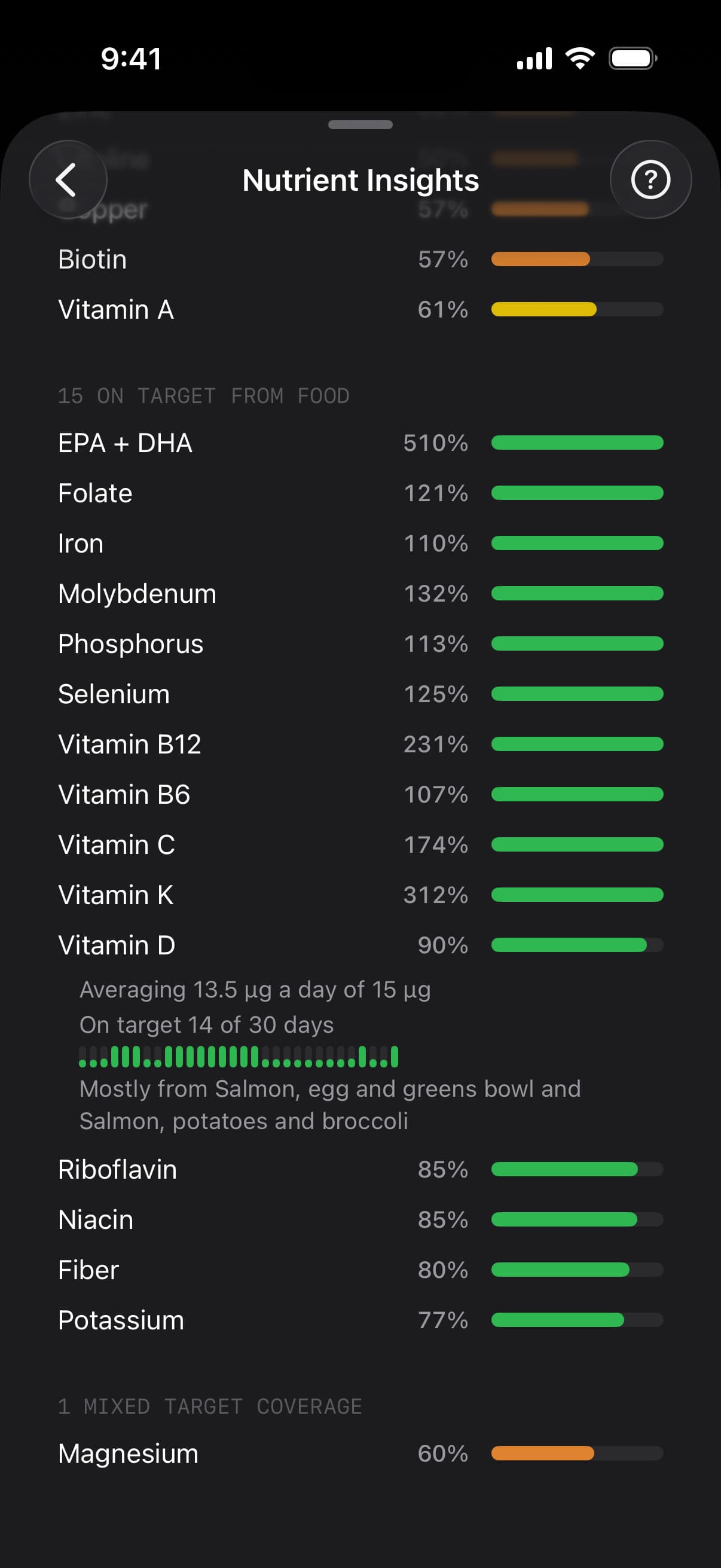
Suggestions account for your selected diet preference. They are useful as meal edits: choose a compatible food you would eat regularly, then use Food Logging to record the change. The percentages describe contributions to a target, not a requirement to eat every suggested food.
Some well-supported gaps may also show something worth discussing with a clinician. Treat that wording as a discussion prompt. A food log cannot diagnose a deficiency or establish a supplement dose.
05Understand quiet or incomplete results
The screen may show broad food-coverage guidance when many nutrients are low, individual focus rows when a smaller set stands out, or All covered when the available evidence supports that result.
An empty focus list does not always mean every nutrient is covered. Read the evidence message and No data section before drawing that conclusion. Fuel needs both enough logged days and enough observations for the nutrient it is assessing.
If a refresh fails, use Try again. A refresh error is separate from an insufficient-data result. Logging more food does not fix a failed refresh by itself.
06Connect the pattern to today's meals
Micronutrient Targets explains where daily targets come from and how to use today's Best move. Nutrient Insights gives those daily choices a longer view.
Pick one repeated gap with usable evidence, choose a food you can add to a familiar meal, and give the changed pattern time to enter the completed-day window. Recheck the daily detail for today and the 30-day view for the habit you are building.