
AI coaching in Fuel helps you decide what to do next from the record you already have: today's log, review context, plan targets, Apple Watch activity, and the assistant handoff you choose.
01What coaching looks like during the day
Fuel coaching can show up before you log, between meals, inside daily and weekly reviews, and through Ask your assistant.
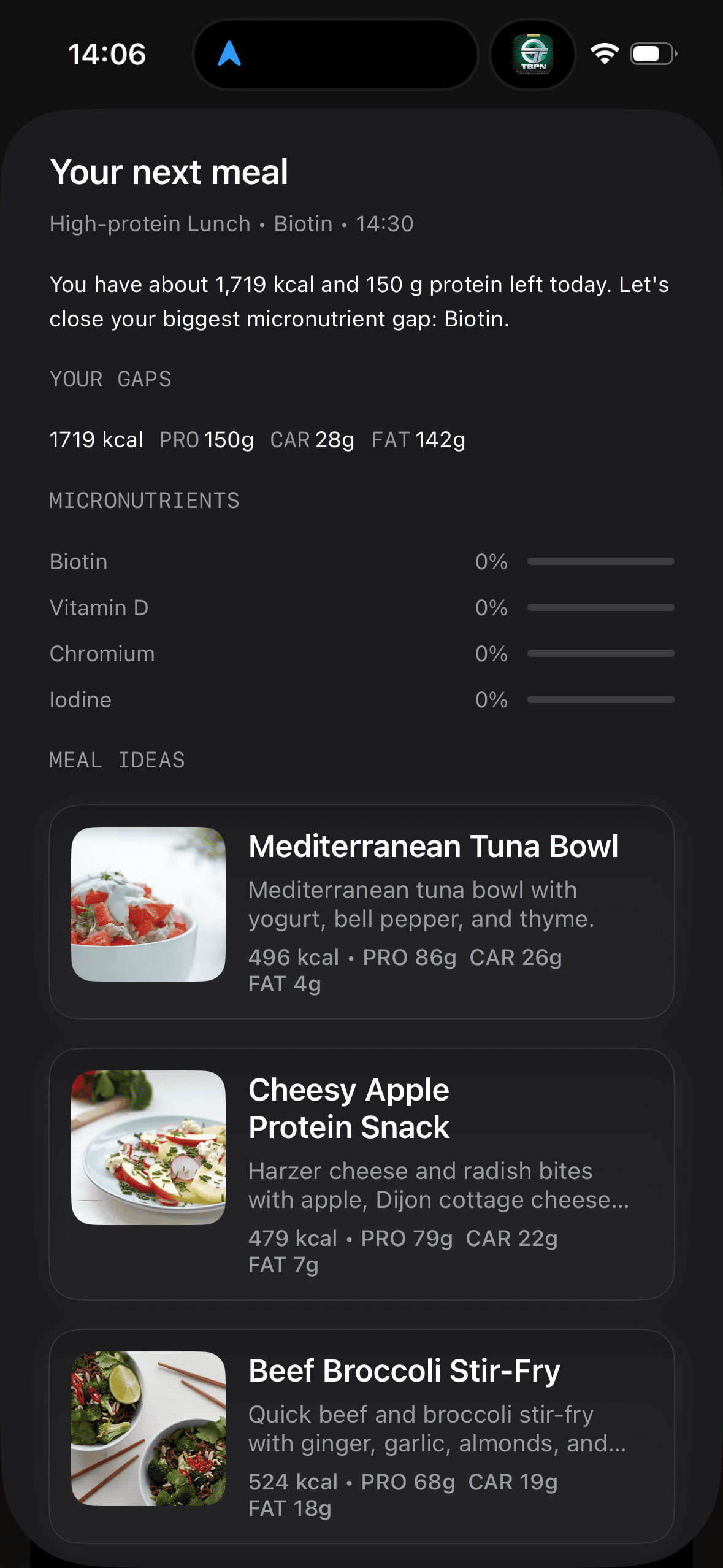
At the start of the day, Coach Day Plan can give you breakfast, lunch, and dinner ideas before your first food log. After you log, Fuel can shift into next-meal coaching that helps you decide what should come next based on the day you already have.
You can get structure early, course-correct later, and send the context to your selected assistant when you want a longer exchange than Fuel's review surface is built for.
02Coaching uses logs Health data targets and reviews
Fuel works best when it can see what you ate, how much you moved, and how your weight is trending over time.
The stronger your food logging and activity record, the more useful the guidance becomes. If the inputs are thin, the advice can still help, but it should stay broader.
If GLP-1 Support is enabled, Fuel can also carry medication-rhythm context into coaching around appetite, hydration, protein, smaller-meal days, and symptoms. It does not replace medication guidance from a clinician.
03Day Plan before logs and next-meal coaching after
Coach Day Plan is there to reduce early-day decision fatigue. It helps when the hardest part of the day is simply deciding what to eat.
Next-meal coaching is there to help after you log. It looks at what you have already eaten and gives you a better idea of how to use the calories and macros you still have left.
If you want a full explanation of the pre-log experience, use Coach Day Plan. If you want the best results from post-log coaching, keep your food log current so Fuel is reacting to the real day.
04Daily Review and Weekly Review coaching
Daily Review helps you understand how the day went. Weekly Review helps you understand the pattern across the week.
Those reviews matter most because they turn your log into clear next steps instead of leaving you to interpret the numbers alone.
05Ask your assistant
Fuel does not currently have a separate general Coach Chat room. Instead, the Today screen has Ask your assistant, and Weekly Review has an assistant handoff action. Both copy coach context and open the preferred assistant you picked in Settings and Preferences.
Name your training schedule, your usual meal rhythm, and the constraint that is getting in the way. Point to something specific you noticed in Timeline or in your reviews. That gives the assistant more to work with than a broad goal alone.
06Realtime voice coach beta
Some users may see Realtime Coach on the You tab. Treat it as a limited beta voice surface for talking through recent coaching context, not as a promise that every account has a separate live coach chat.
07Sample prompts for Ask your assistant
Bad
What should I do to lose fatBetter
Over the last 14 days my weight trend is flat. My average intake is about ____ kcal with ____ g protein. I train ____ days per week.

Propose updated calorie and macro targets that fit my schedule of ____ and tell me what signal would make you adjust them again.08Correcting coaching when the data is wrong
If a meal was logged incorrectly, fix the log first and then run the review again. Coaching should be downstream of the corrected record, not an attempt to reason around a known error.
