
Picture this: it is 1pm on a Tuesday, you are eating last night's leftover pasta at your desk, and the idea of opening a food log and searching "penne with vodka sauce, homemade" feels genuinely exhausting. That is the moment most people quietly quit tracking. They did not lose willpower. The app made a simple thing feel like homework.
AI nutrition apps are supposed to fix that gap. Point your camera at the plate, or type "pasta, vodka sauce, maybe two cups," and the app builds the log for you. In 2026, that actually works often enough to matter. It also fails in specific, predictable ways that are worth knowing before you commit to one.
The best apps in this space treat AI as a better interface to your data. They get you to a draft log fast, then make it easy to fix what the machine missed. That correction loop is what separates a two-day experiment from a habit that sticks.
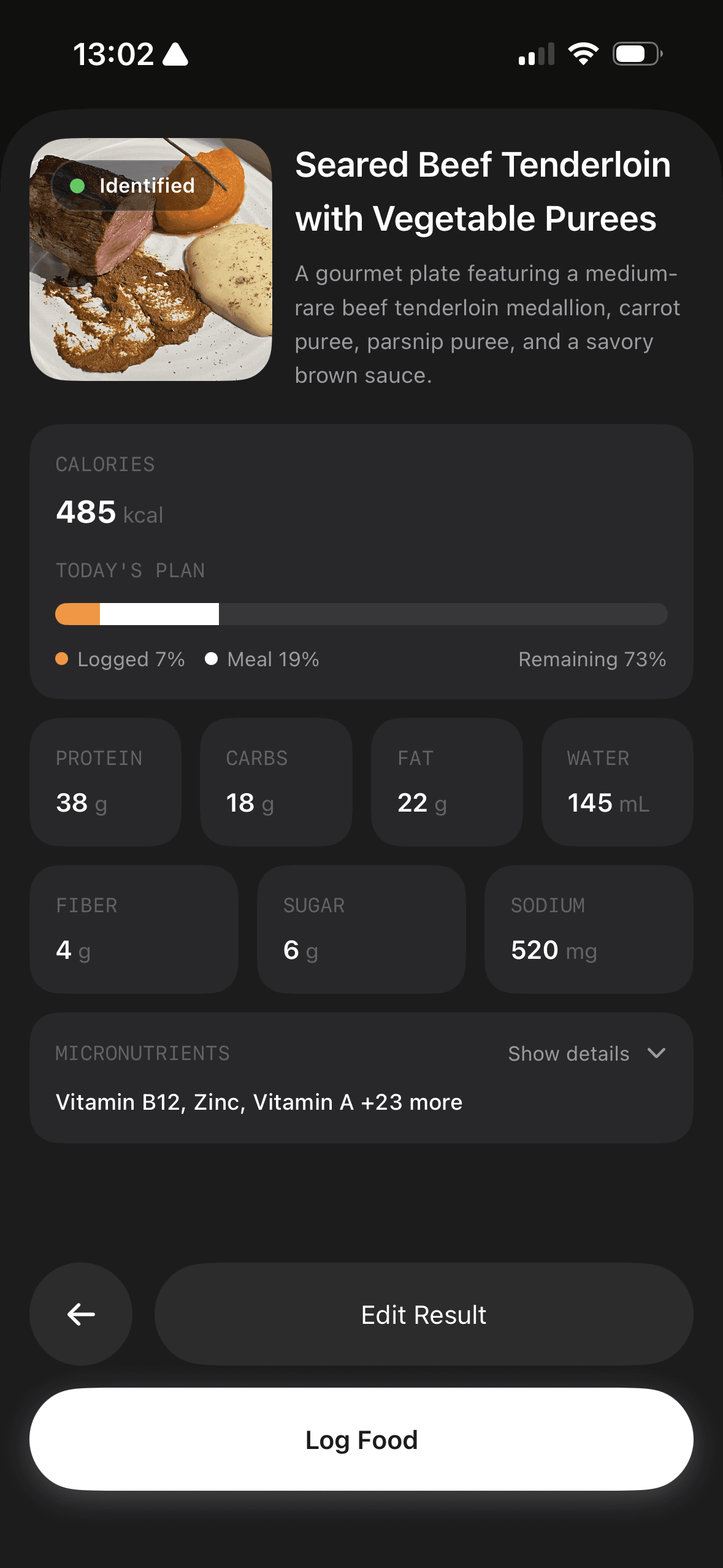
The most useful comparison is the full trip from draft to corrected entry, followed by the decision the app helps you make.
How to read these recommendations. Fuel publishes this guide and is one of the products compared. “Editor's Choice” means our editorial pick for the stated use case, not an independent award. The September 8, 2026 update checks official feature and subscription documentation. We prioritize the task each app solves, what the free tier actually permits, and how easily a reader can verify an entry. We have not run a new controlled, same-device benchmark across every app; reported feature availability is separate from measured speed or accuracy.
01Compare a draft with a corrected meal
A photo of chicken, rice, and vegetables cannot establish the weight of each portion or how much cooking oil was used. This is an illustrative test protocol, not a table of measured app results.
| Stage | What to record | What a useful workflow lets you do |
|---|---|---|
| Reference meal | Weigh ingredients and use their label or a named food-data source; record raw/cooked state | Establish the same reference for every app |
| First draft | Record the app/version, device, date, plan, detected foods, portions, and calories/macros | Preserve the original estimate before editing |
| Correction | Add missing oil, change rice weight, and remove uneaten food | Edit ingredients and portions without rebuilding the meal |
| Final log | Compare calories and each macro with the reference; time the full process | Judge accuracy after correction and total effort separately |
| Reuse | Save the meal, reopen it, and change one portion | Verify what persists rather than assuming the model learned it |
Our earlier head-to-head demonstration is a small example. It does not provide a published multi-meal protocol sufficient to claim a category-wide error rate. A reproducible benchmark needs the reference meals and raw before/after results above.
For privacy, check where photos are processed, how long they are retained, and how to delete or export your diary. Cal AI's FAQ describes cloud storage; do not assume that every app with an on-device interface processes its food photos locally.
02Features that matter in AI nutrition apps
AI features are easy to market and easy to misunderstand. Most apps now have something they call AI, but the practical difference is whether the app makes you accurate with less effort, or just faster at being wrong.
The correction loop
Photo recognition and natural language parsing are good at getting you close. They still struggle with oils, sauces, cooking methods, mixed dishes, and restaurant meals. You need an app that makes edits fast.
A strong correction loop usually means the app supports one or more of these flows: conversational edits, quick portion adjustments, ingredient add-ons, and a reliable “recent foods” history so you can copy and tweak a previous entry.
A meal of grilled chicken, roasted broccoli, and olive oil is easy for AI to parse separately. The same meal photographed together in a bowl, with oil absorbed into the vegetables, is where the gap opens. Good correction tools mean you can add "one tablespoon olive oil, cooking" in two taps and move on.
If the AI cannot be corrected quickly, you will either accept wrong logs or stop logging.
Multimodal input that fits real life
An AI nutrition app should let you log the way you actually eat and the way you actually move through the day.
Photo logging is great when you are busy. Voice logging helps when your hands are full. Text logging is useful in meetings. Barcode scanning is still the fastest way to be precise with packaged foods.
Lifesum explicitly frames this as a multimodal tracker that supports photo, voice, text, and barcode entry in its multimodal tracker announcement. MyFitnessPal positions barcode scanning, Meal Scan, and Voice Log as part of its faster logging features in paid tiers, as described in its Premium+ overview.
Portion controls that respect reality
Most AI systems can recognize foods more reliably than they can quantify them. Portion size is the hard part.
Look for portion tools that are easy to use, including serving presets, gram-level entry when you want it, and fast “that was closer to two cups” style adjustments. If you lift or cook, you will want weight-based control. If you travel a lot, you will want fast approximate controls that do not punish you for not having a scale.
Data trust and verification
AI makes entry faster, which makes bad data easier to create at scale. You still need a database you can trust.
Pay attention to whether the app encourages verified entries, makes it easy to compare against a label, and keeps your custom foods organized. If the database is a chaotic pile of user-submitted guesses, AI will not save you. It will just help you pick the wrong guess faster.
If you are working toward a specific body composition goal, database quality is not a minor concern. A 20 percent error on your daily protein total compounding across a week can meaningfully distort your results without any obvious sign in the app.
A plan that adapts to your real behavior
Most tracking apps stop at numbers. AI apps can go further if they use your data to shape a plan.
There are two useful kinds of adaptation. One is day-to-day adjustment based on activity and weigh-ins. The other is a weekly review loop that turns your data into specific changes you can try next week. If the app does not help you decide what to do with the data, it is still a food diary, just with a nicer input box.
Output that changes behavior
You want the app to answer the questions your brain asks at 6pm.
What should I eat next that fits my day. How far off am I from protein. If I am behind, what is the smallest fix that gets me back on track.
The best apps make these answers visible without requiring you to interpret charts. When the output is obvious, adherence becomes a design problem the app can solve.
Who AI logging is not for
AI logging reduces friction, but friction is not the only reason people do not track. If the act of monitoring food triggers anxiety, comparison spiraling, or a rigid relationship with numbers, a smarter input box does not help. For anyone with a history of disordered eating, or who notices that tracking makes their relationship with food worse rather than better, a registered dietitian is a better starting point than any app on this list.
Integrations and export
If you use Apple Health, Google Fit, a smart scale, or a watch, sync matters. Reliable integrations reduce double entry, and they make your trend data believable.
Also consider export. If you ever want to share logs with a coach or clinician, you will want clean export tools.
Privacy that matches the sensitivity of food data
Meal photos are personal. So are weigh-ins, habits, and health goals. AI features often require cloud processing.
You do not need perfect privacy. You need privacy you understand. Read the app’s privacy summary, and decide whether you are comfortable with how your data is handled before you upload a month of meals. For a structured way to do that, where your food data goes maps what these apps collect, where it travels, and the five things to find in any policy.
With those criteria in mind, here is how the leading apps stack up.
| App | Platform | Input and correction to compare | Access |
|---|---|---|---|
| Fuel | iPhone and Apple Watch | Photo, text, voice, and conversational corrections | Limited free use; Pro for full access |
| Cal AI | iOS and Android | Photo, barcode, descriptions, and custom entries | Confirm trial and full subscription terms |
| Lifesum | iOS and Android | Confirm supported AI inputs and portion edits in your version | Check Premium offer |
| MyFitnessPal | iOS and Android | Meal Scan and voice with diary edits; supported language/device required | Premium |
| Lose It! | iOS and Android | Photo and voice logging alongside a calorie diary | Premium |
| SnapCalorie | iOS and Android | Photo estimate and review of the resulting food log | Check current scan allowance and paid offer |
03Top AI nutrition apps (2026)
Fuel Nutrition (Editor’s Choice)
Best for: People who want an AI-driven loop that makes logging easier, keeps targets honest, and turns data into weekly action.
Fuel treats AI as a coaching interface. It gives you a way to correct and refine your log through conversation. That sounds small until you do it a few times and realize it is the only way photo logging becomes accurate in real life.
Fuel is also built around the idea that a plan should respond to your real behavior. It combines tracking with an adaptive timeline, daily feedback, and a weekly coaching review so you are not left guessing what to change when progress stalls.
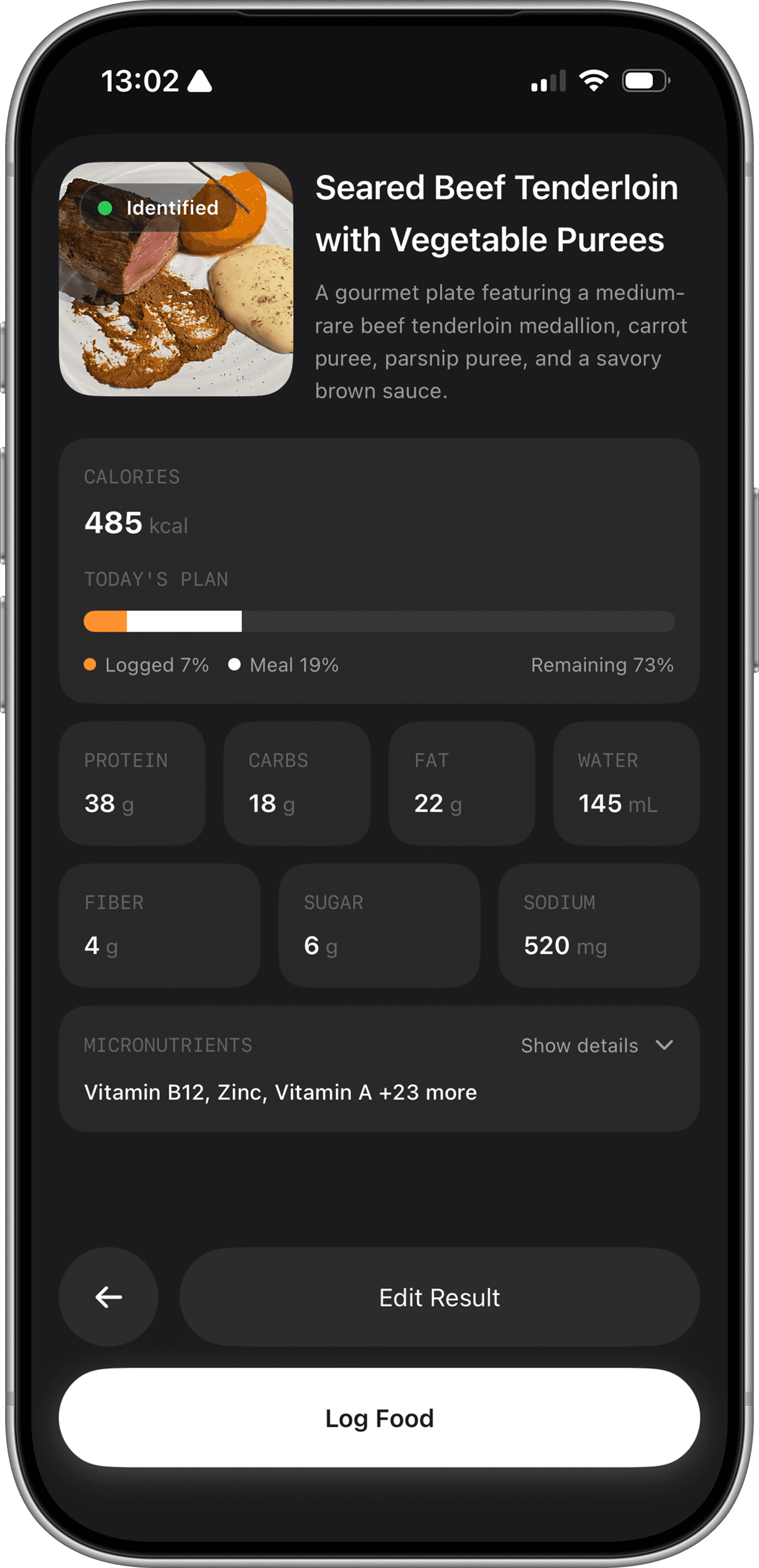
Conversational AI food logging that stays editable. Fuel’s workflow is built around fast capture plus fast correction. After food scanning or typing, you can tell the app what it missed and keep moving. That matters because the hardest calories to log are not the obvious ones. They are the oil in the pan, the extra scoop of rice, and the “small” handful of nuts that was not small.
Adaptive targets that update with your week. Fuel’s plan recalculates based on actual intake, activity, and weigh-ins. It is designed to keep your timeline honest, which is what most people need when motivation fades. A static target can feel like failure when life happens. An adaptive target turns it into feedback.
Daily feedback plus weekly review. Fuel's AI coaching gives you a simple daily review signal for how you are tracking against your plan, then a weekly check-in that summarizes what happened and what to focus on next. This is the bridge between tracking and behavior change.
Recipes that fit your macros. Fuel includes a recipe library designed around macro tracking targets, with scaling that matches your plan. That reduces decision fatigue and makes it easier to act on your data.
Pros include a correction-first AI workflow, an adaptive plan that adjusts with real inputs, and coaching-style feedback that makes the data actionable. Cons include that the most advanced features are part of Premium, and it is built for people who actually want to track consistently. The tradeoff is that Fuel works best when you actually want to engage with the data. If you are looking for something that runs in the background and does not require weekly check-ins, a lighter app may suit your habits better.
Pricing: Limited free use; Pro unlocks the full coaching and planning workflow. Check the current allowance in the app.
Cal AI
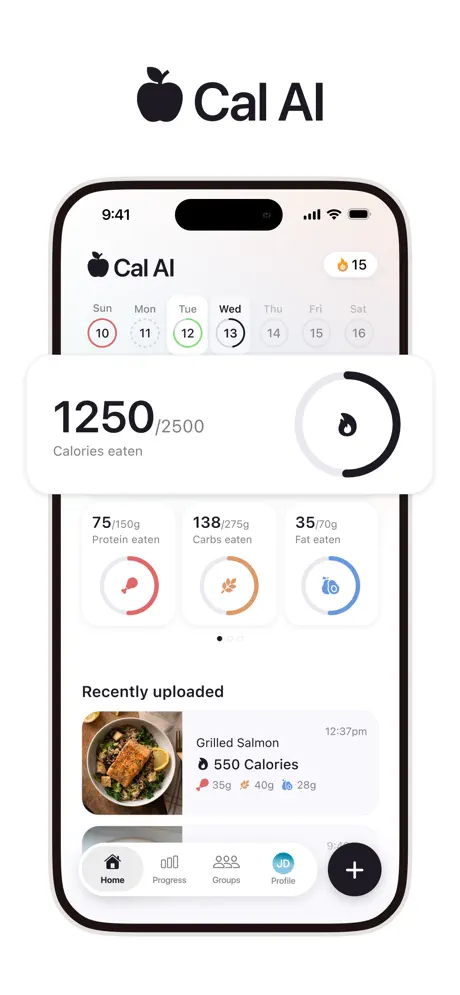
Cal AI emphasizes getting from a meal photo to a food log quickly. Its official site also documents barcode input, meal descriptions, and custom foods and recipes. Those options matter when a photo misses an ingredient. The site advertises a trial, but the purchase screen is the place to confirm eligibility, the full charge, billing period, and renewal date.
Evaluate the corrected entry, including hidden oil and the portion you actually ate. A product feature list does not establish an accuracy percentage.
Lifesum
Best for: People who want flexible meal logging and lifestyle-style meal planning inside one app.
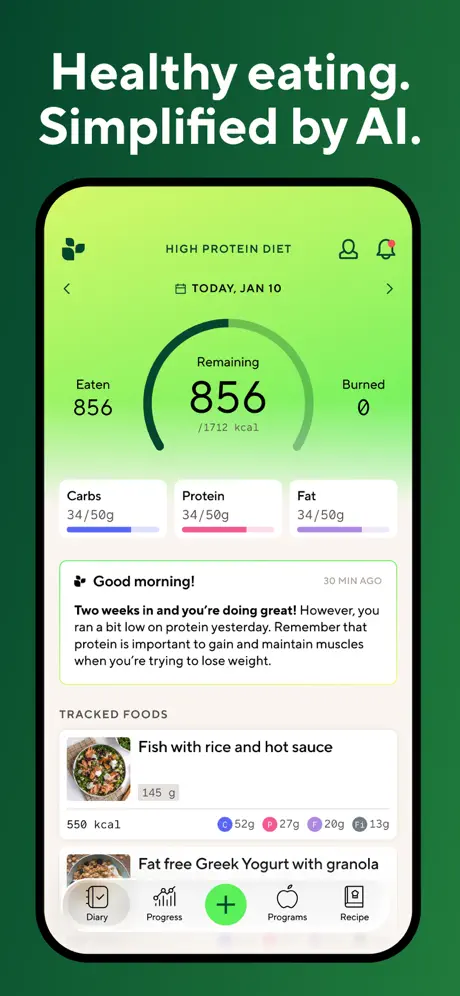
Lifesum has leaned into multimodal logging. In early 2025, Lifesum announced an AI-powered “Multimodal Tracker” that lets users log meals via photo, voice, text, or barcode in its multimodal tracker announcement. The App Store listing mirrors that framing, emphasizing logging by photo, voice, text, or barcode on the Lifesum App Store page.
In practice, Lifesum focuses on helping people stay oriented around healthier defaults. It fits best when you want structure, recipes, and planning prompts that reduce decision fatigue.
Pros include flexible input methods, a polished experience, and strong meal plan and recipe support for people who want guidance. Cons include that Premium pricing is high for some users, and it can be easy to drift into a program mindset that does not match performance goals.
Pricing: Free tier with Premium subscriptions. The App Store listing shows in-app purchase options including annual pricing that can vary by offer on the Lifesum App Store page.
Read our full Lifesum review.
MyFitnessPal
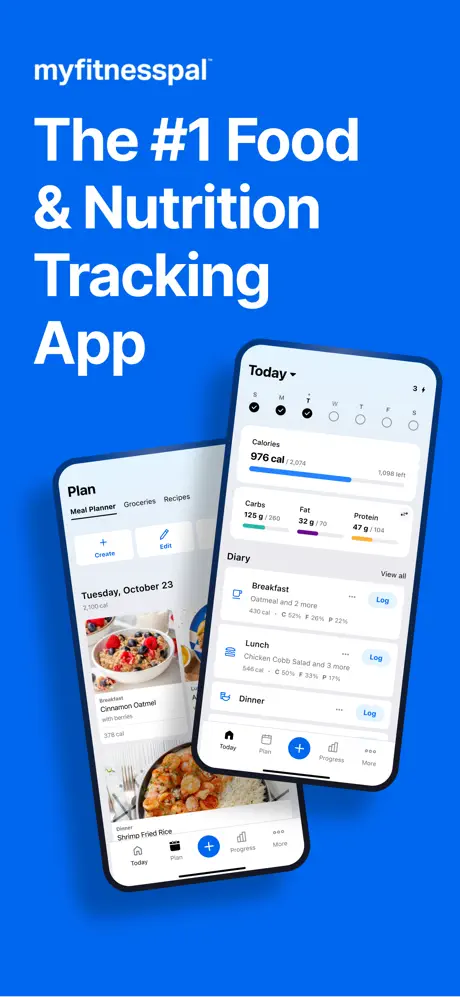
MyFitnessPal offers a broad food diary and connected-service ecosystem. Premium includes barcode scanning, Meal Scan, voice logging, and fasting; Premium+ adds Meal Planner. Nutrition Coach is available on supported paid iOS plans. A feature being documented does not mean it is available in every language or on every device.
Evaluate the corrected entry, including hidden oil and the portion you actually ate. A product feature list does not establish an accuracy percentage.
Lose It!
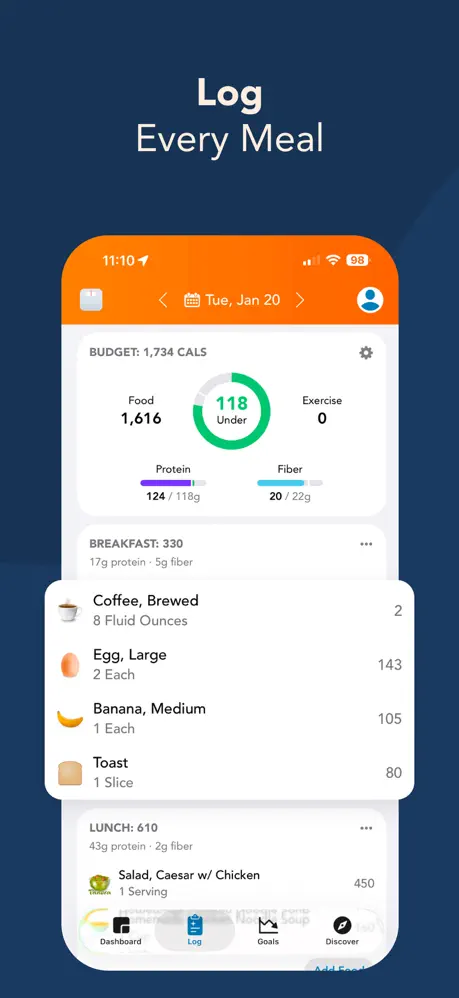
Lose It! centers the day on a calorie budget. Its current US listing places barcode scanning, photo/voice logging, fasting, and advanced tracking in Premium. The pricing guide lists a standard annual price with separate promotions and membership options. Do not assume a new account receives the same free features as an older account.
Evaluate the corrected entry, including hidden oil and the portion you actually ate. A product feature list does not establish an accuracy percentage.
SnapCalorie
Best for: People who want a photo diary workflow with macros plus micronutrients.
SnapCalorie is one of the clearest examples of a photo-first app that tries to go deeper than calories. The App Store description positions it as a photo calorie counter with the ability to log by photo or voice note, and it highlights macros plus micronutrients on the SnapCalorie App Store page. Its in-app purchases show multiple price points, including a monthly option listed at $19.99 and a range of other offers that vary, as shown in the in-app purchases section of that listing.
SnapCalorie fits best when you like the “log by photo first” style but still want richer nutrition totals. It is still subject to the same truth about photo logging. The photo is a draft. Your edits are where accuracy comes from.
Pros include fast photo capture, voice-note support, and broader nutrition totals than many photo-first apps. Cons include pricing variability and the general limits of photo-based estimation for mixed meals.
Pricing: Free download with Premium offers that vary widely by region and promotion, as shown on the SnapCalorie App Store page.
04Other AI nutrition apps worth a look
Foodvisor is built around the idea of a “nutritionist in your pocket,” pairing photo recognition with a more guided plan. Its App Store listing emphasizes an instant food recognition camera plus personalized nutrition plans and recipes, and it shows an annual in-app purchase option at $83.99 in the US App Store view (offers vary) on the Foodvisor App Store page.

Noom is primarily a behavior change program with coaching. Noom’s own cost page lists Noom Weight at $17.42 per month with a 12-month plan, and it frames the program around psychology-based lessons and habit tracking in its cost overview. Noom’s site also describes access to coaching plus “AI support” on the Noom homepage.
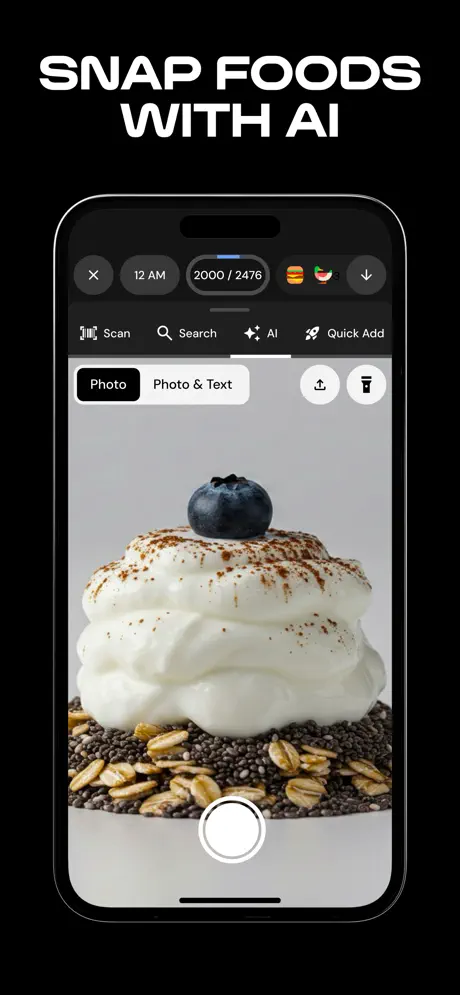
MacroFactor is a premium-first tracker that focuses on adaptive energy expenditure estimation and coached targets. Its site frames it as premium-only and lists pricing at $71.99 per year, positioned against MyFitnessPal Premium pricing on the MacroFactor pricing page. If you want numbers that adapt to your trend data, it is one of the strongest options.
Read our full Noom review. Read our full MacroFactor review.
05Match an AI app to your logging style
Some people want AI to remove typing. Others want AI to help them decide what to eat. Those are different products. If your main problem is logging friction, photo and voice features matter most. If your main problem is decision fatigue, planning and recipe tools matter most. If your main problem is inconsistency, the best feature is a weekly review that tells you what to change next.
Pick your accuracy baseline
For performance goals, you will care about grams of protein and consistent calorie totals. (If you are new to tracking, our guide to understanding macros covers the basics.) For general wellness goals, close enough most days can still work if the habit is stable.
The more aggressive the goal, the more your app needs strong correction tools and a trustworthy database. AI gets you speed. Your workflow gets you accuracy.
Run a seven-day reality test
Do not evaluate AI nutrition apps in the first five minutes. Evaluate them across a week of normal life.
| Trial-week question | What it tells you |
|---|---|
| Can you log a normal breakfast in under 30 seconds | Whether the app will survive busy mornings |
| When the AI is wrong, can you fix it in a few taps | Whether “fast” stays fast |
| Can you log a restaurant meal without giving up | Whether the app works outside your kitchen |
| Do you trust the database entries you see most often | Whether you will build quiet errors over time |
| Does the app tell you what to do at dinner time | Whether it drives behavior change |
Match the app to your personality
If you love data, choose an app that respects detail and gives you trend tools. If you hate data, choose an app that makes the next action obvious. If you travel, choose an app with a database and fast logging modes. If you cook, choose an app with weight-based controls and recipe tools.
06Habits that make AI logging accurate
Treat the photo as a draft
If you want accuracy, never accept a photo log without a quick check. Look at portion size, oils, toppings, and add-ons. The goal is not perfection. The goal is to avoid being consistently wrong in the same direction.
Build your personal library fast
In week one, every time you log a meal you eat more than once, save it with a specific name you will recognize later. "Oats, banana, almond butter, morning bowl" beats "oatmeal." A good saved library means the AI only has to work hard on genuinely new meals, and your common meals log in seconds.
Review weekly
Daily tracking is for behavior. Weekly review is for strategy. Look at weekly averages for calories and protein, then decide on one change for next week.
Use AI to lower friction, then lock in a routine
AI makes the first step easier. A routine keeps you going. If you can build a two-minute daily logging habit, most goals become simpler.
07Next shifts in AI nutrition logging
The trend is moving from one-shot recognition toward editable, conversational workflows. The winners will be the apps that help you correct quickly and then translate your data into a plan you can follow.
Meal planning is also becoming a larger part of AI nutrition. MyFitnessPal’s Premium+ is a signal of this shift, positioning meal planning and grocery workflows as a premium feature set on top of tracking, as described in its Premium+ overview. Lifesum is pushing in a similar direction with its multimodal logging and broader wellness positioning, highlighted in its multimodal tracker announcement.
The next step is integration. Food logging, activity, weight trends, and meal suggestions are starting to live in one loop. When that loop works, nutrition stops feeling like willpower and starts feeling like a system.
08Pick one AI app and run a 30-day trial
If you want AI nutrition to be more than a gimmick, pick the app that makes correction easy and makes the next action obvious.
If you want a photo-first AI tracker and are comfortable treating the result as a draft that needs checking, Cal AI and SnapCalorie are the closest fit, but that convenience comes with more estimation risk and less trust when meals get messy.
If you want broader wellness positioning, flexible input modes, and meal-plan framing around lifestyle goals, Lifesum can appeal to you, but it is a weaker fit if accurate correction and stable logging workflows matter most.
If you want the largest ecosystem plus scan and voice tools layered onto a familiar tracker, MyFitnessPal still has the broadest reach, but many of the time-saving features are paywalled and the underlying database still requires skepticism.
Fuel Nutrition is for people who want AI logging to lead to better decisions. If you want editable AI, adaptive targets, and a coaching loop that helps you review, adjust, and stay consistent week to week, Fuel is the clearest fit. The best AI nutrition app is the one you still use in week six. Pick the one that makes the hard days easy. For a broader comparison, see our guide to the best nutrition apps.
For more on fast workflows, read Easy Ways to Log Food and Track Macros with AI. For the bigger picture, The Role of AI in Personalized Nutrition and The Science of AI Nutrition Recommendations go deeper. For how AI turns tracking into a performance system, see Performance Nutrition Intelligence.
If the Fuel workflow fits your needs, try Fuel on iPhone and use the free allowance to check your own meals before upgrading. The current US Pro reference price is $24.99 monthly or $149.99 annually; regional offers are shown in the store.
