
Most nutrition apps technically do the same thing. They ask you to log food, they add up numbers, and they show you a chart.
In practice, they feel wildly different.
One app turns dinner into a two minute check in that you can actually stick with. Another app turns it into a scavenger hunt through duplicate database entries, unclear portions, and an interface that seems designed to punish you for eating anything with more than three ingredients.
The best nutrition app is the one you can use when you are tired, hungry, and in a hurry. That is the real test.
Nutrition apps in 2026 span the full market, not just macro trackers. Some are calorie counters with great UX. Some are micronutrient labs in your pocket. Some are behavior change programs that happen to include food logging. What matters in daily life is logging speed, data quality, coaching and planning depth, integrations, privacy tradeoffs, and what you actually get for the subscription.
How to read these recommendations. Fuel publishes this guide and is one of the products compared. “Editor's Choice” means our editorial pick for the stated use case, not an independent award. The September 8, 2026 update checks official feature and subscription documentation. We prioritize the task each app solves, what the free tier actually permits, and how easily a reader can verify an entry. We have not run a new controlled, same-device benchmark across every app; reported feature availability is separate from measured speed or accuracy.
01Nutrition apps compared for 2026
| App | Platform | Free baseline | Upgrade decision |
|---|---|---|---|
| Fuel | iPhone and Apple Watch | Limited AI logging and coaching previews | Pro for the full coaching and planning workflow |
| MyFitnessPal | iOS, Android, web | Basic diary | Premium for barcode, Meal Scan, voice, and fasting; Premium+ for Meal Planner |
| Cronometer | iOS, Android, web | Diary and barcode scanning | Gold for photo/voice logging, fasting, and Crono Coach |
| MacroFactor | iOS and Android | Seven-day trial; no ongoing free tier | Paid expenditure-based calorie and macro plan |
| Lose It! | iOS and Android | Basic calorie-budget diary | Premium for barcode, photo/voice, and advanced tracking |
| Noom | iOS and Android | Check the program's trial terms | Lessons and behavior-change support; clinical programs are separate |
Prices and billing terms checked September 8, 2026
These are US reference offers, not a promise of the price every account receives. Annual charges are paid for the full term; regional taxes, promotions, and trial eligibility can differ.
| App and plan | Monthly billing | Annual billing | Source |
|---|---|---|---|
| Fuel Pro | $24.99 | $149.99 | US App Store |
| MyFitnessPal Premium | $19.99 reference offer | $79.99 reference offer | US App Store lists multiple offers; Premium+ is separate |
| Cronometer Gold | $10.99 | $59.99 | US App Store |
| MacroFactor | $11.99 | $71.99 | Official pricing; seven-day trial |
| Lose It! Premium | Check account offer | $79.99 standard annual price | Official tiers |
Confirm the renewal charge and the features that remain when a trial ends. A free download alone does not establish a usable free tier.
02Features that separate nutrition apps
A nutrition app is not one product category. It is three overlapping ones: a tracker, a planner, and a coach. The right choice depends on which problem you are solving.
If your problem is accuracy, you need a trustworthy database and robust nutrient analysis. If your problem is consistency, you need logging that is fast and forgiving. If your problem is decision making, you need planning and feedback that tells you what to do next.

Logging friction
Every extra tap is a tax you pay three times a day.
Look for fast paths that match real behavior: barcode scan for packaged foods, photo or voice input when your hands are busy, saved meals for repeat breakfasts, and copy from yesterday for routine eaters. For mixed meals, the most useful systems let you correct an entry quickly without rebuilding it from scratch.
If you are evaluating an app, do a simple trial. Try to log your usual breakfast, your usual lunch, and a messy dinner with multiple ingredients. Then ask yourself one question. Did this feel like a small habit or like paperwork.
Database trust
A nutrition database can be large and still be unreliable. Two entries can have the same name and wildly different calories. The apps that feel effortless are the ones that quietly do database hygiene for you.
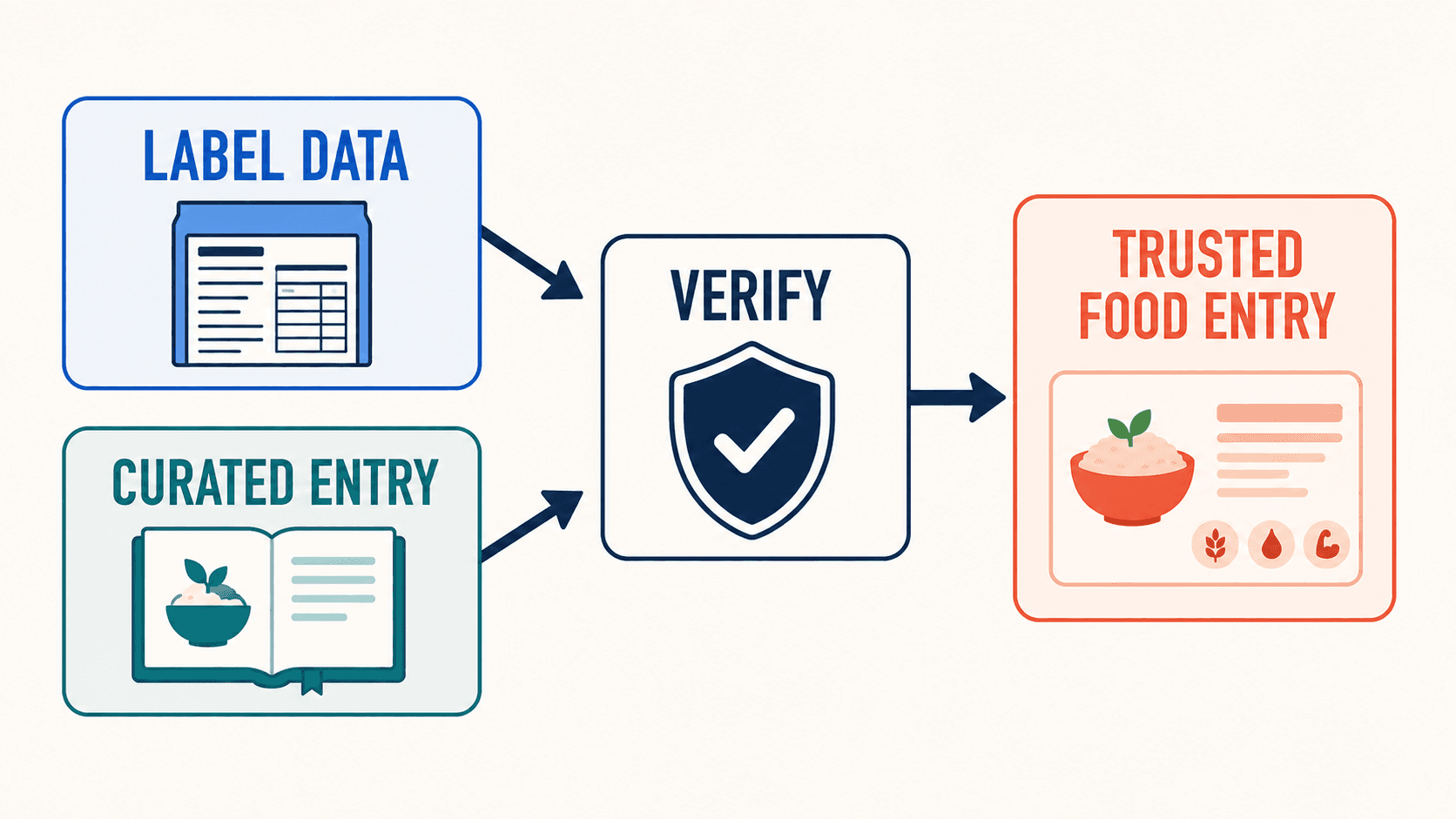
A practical way to test database quality is to search for five foods you eat every week and one restaurant item you order often. If you cannot find them quickly and confidently, your adherence will collapse later, even if the app has every feature in the world.
Macro depth and micronutrient depth
Many people start with calories, then realize they need one level deeper.
Macros matter when you are trying to change body composition, manage appetite, or support training. Micronutrients matter when you are trying to improve diet quality, address deficiencies, or monitor a medical nutrition plan with professional guidance.
The right app depends on how much depth you want in the daily interface. Some apps surface a simple remaining budget. Others expose a full nutrient panel and custom targets. Both can be correct. The question is which one you will keep using.
Feedback that turns data into action
Charts are not feedback. Feedback is what tells you what to adjust tomorrow.
At the simplest end, feedback is a clear daily budget and a weekly trend view. At the stronger end, feedback includes an adaptive target that updates with weigh ins and activity, plus structured weekly reviews that translate your last seven days into a plan for the next seven.
If you have ever stared at a calorie chart and still felt unsure what to do, you are asking for a coaching loop, not a prettier graph.
Planning and recipes
Planning is the bridge between intention and execution.
If you eat similar meals, you need saved meals, meal templates, and grocery support. If you are trying to change your diet pattern, you need recipes that map to your goals without you doing math at the stove. Some apps treat recipes as community content. Others treat them as part of the program, with portion scaling and clear macro targets.
Integrations that reduce double work
Integrations are only helpful if they reduce work.
The baseline is Apple Health and Google Fit. If you use a watch, a scale, or a training app, confirm what actually syncs and whether it is one way or two way. Weight sync is often more valuable than workout calorie sync, because weight trends are the anchor for adaptive planning.
Privacy and data ownership
You are building a dataset about your body.
Before you commit to an app long term, check whether it is ad supported, whether you can export your data, and whether you can move your history if you switch platforms. Many apps market privacy. Few make data portability easy.
03Top nutrition apps (2026)
Fuel Nutrition (Editor’s Choice)
Best for: People who want tracking that feels like guidance, not bookkeeping.
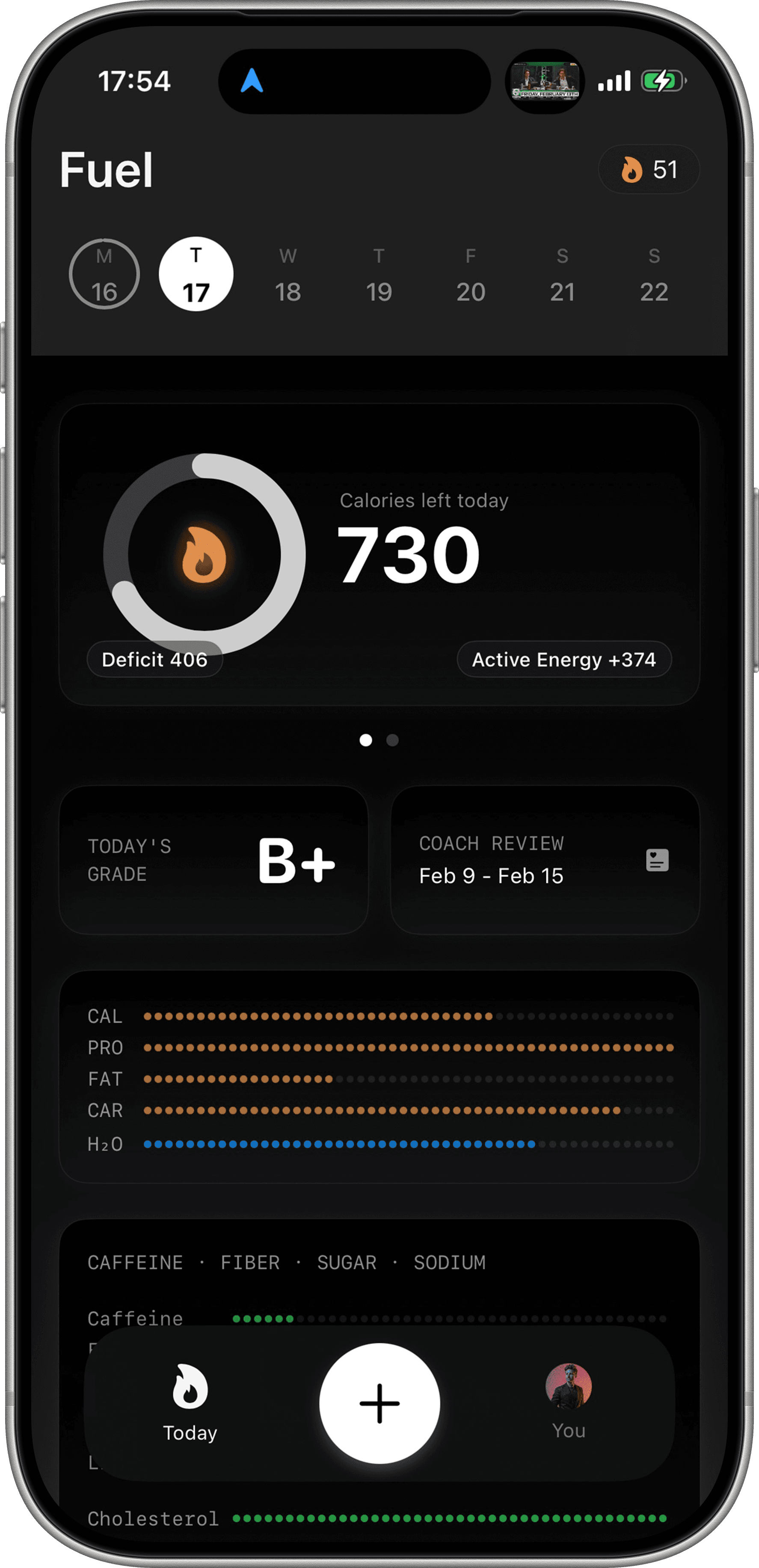
Fuel is built around a simple idea. The hardest part of nutrition is not knowing what to do. The hardest part is doing it every day. Fuel treats logging as the entry point, then wraps a planning and coaching loop around what you actually did.
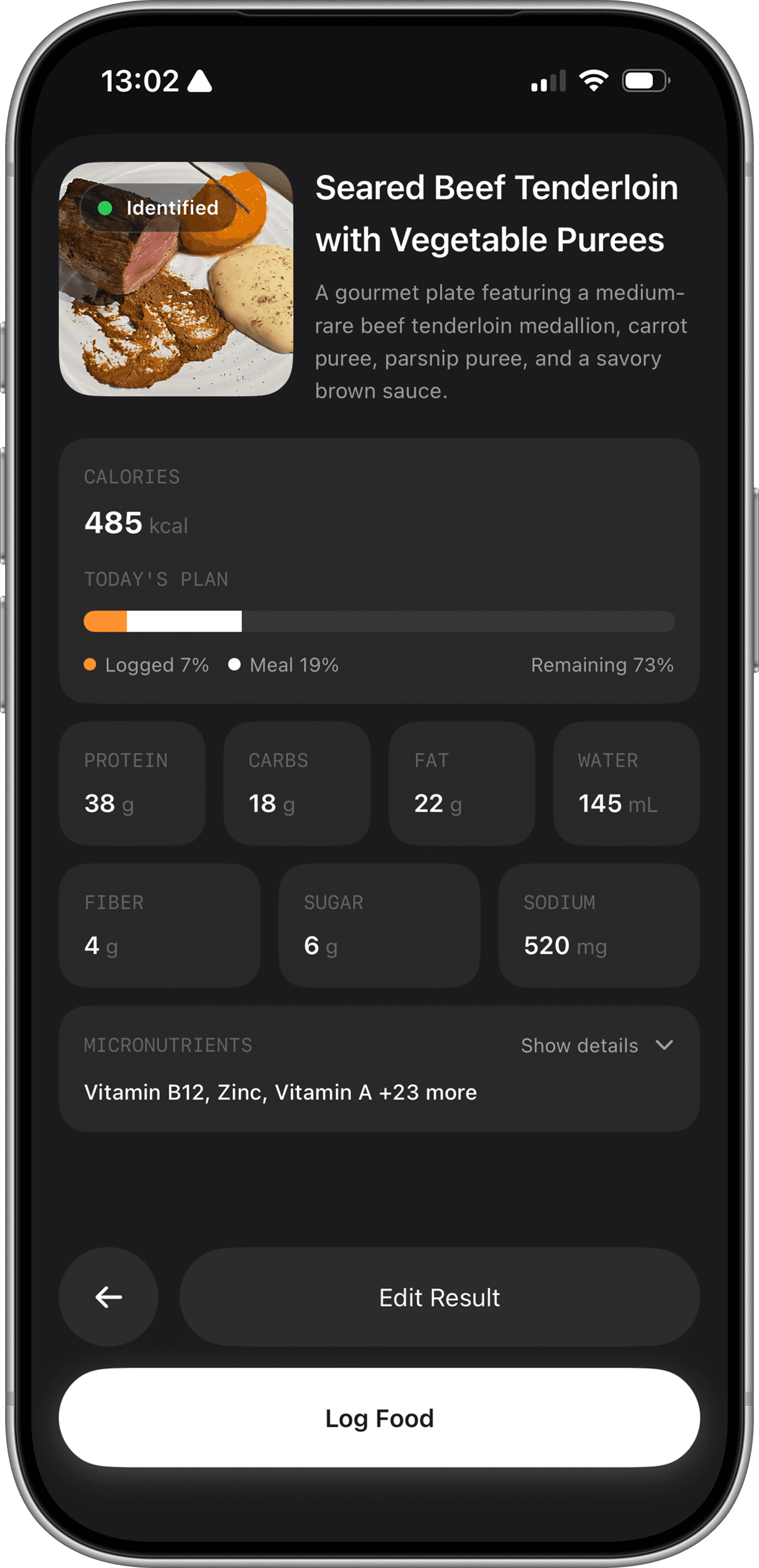
Conversational AI logging that you can correct. A photo or a barcode is never the full story. Portions change, sauces exist, and a camera cannot see what you ate after the photo. Fuel’s workflow is designed for correction. You can scan or type, then tell the AI what it missed and adjust portions in plain language. That keeps logging fast without turning accuracy into a manual editing job. You can see this workflow described on the Fuel Nutrition site and in the App Store listing.
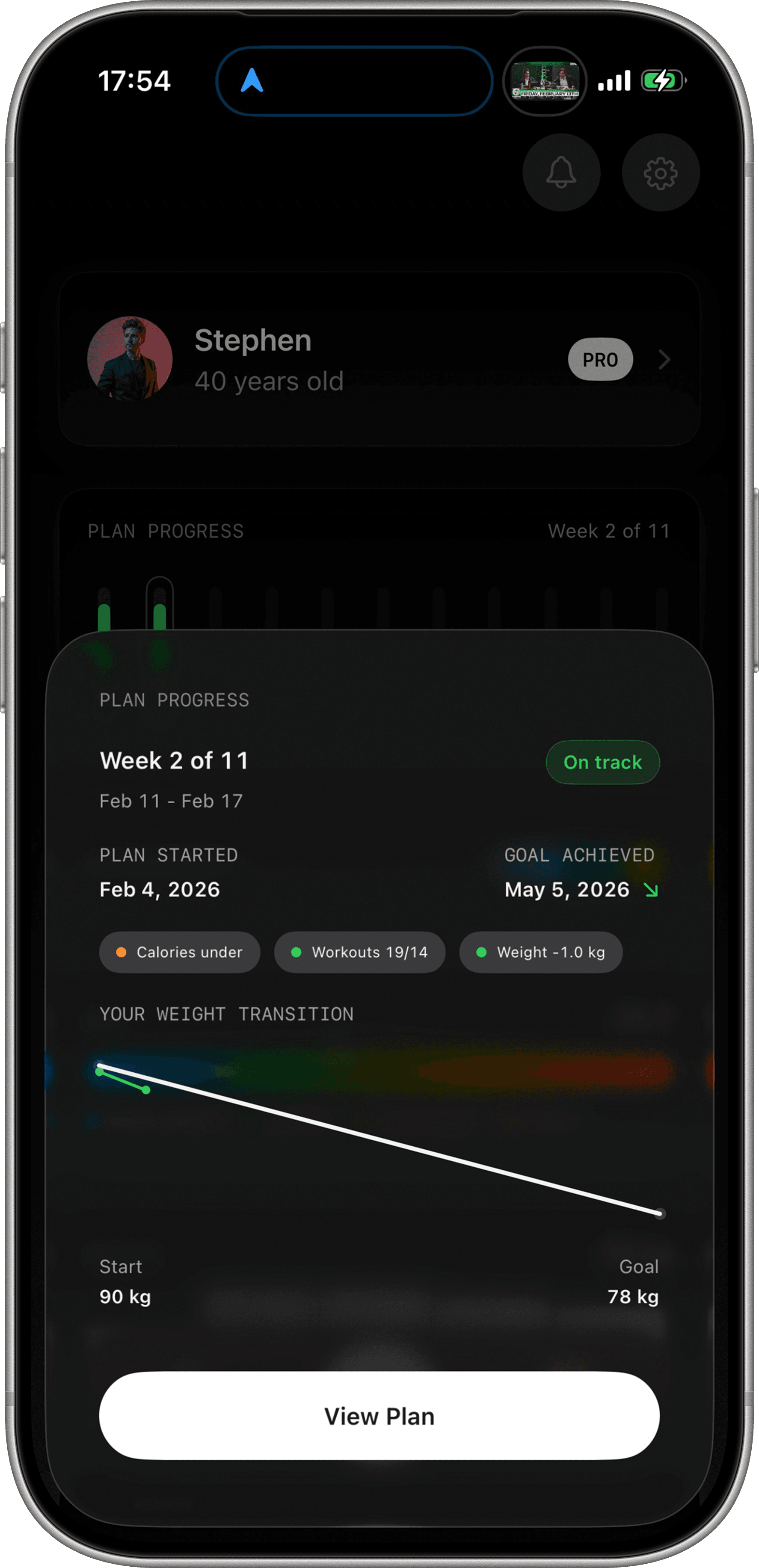
Adaptive targets that move with your week. Many apps set a target once during onboarding and then treat your life as a rounding error. Fuel treats your week as the input. Weigh ins, activity, and logging patterns shift your plan so your targets reflect where you are now, not where you were at signup.
Daily scoring and weekly review. Fuel adds an interpretation layer. A daily score makes it obvious where you stand in the day, and a weekly review turns your recent pattern into a short list of adjustments. That is the difference between tracking and improving.
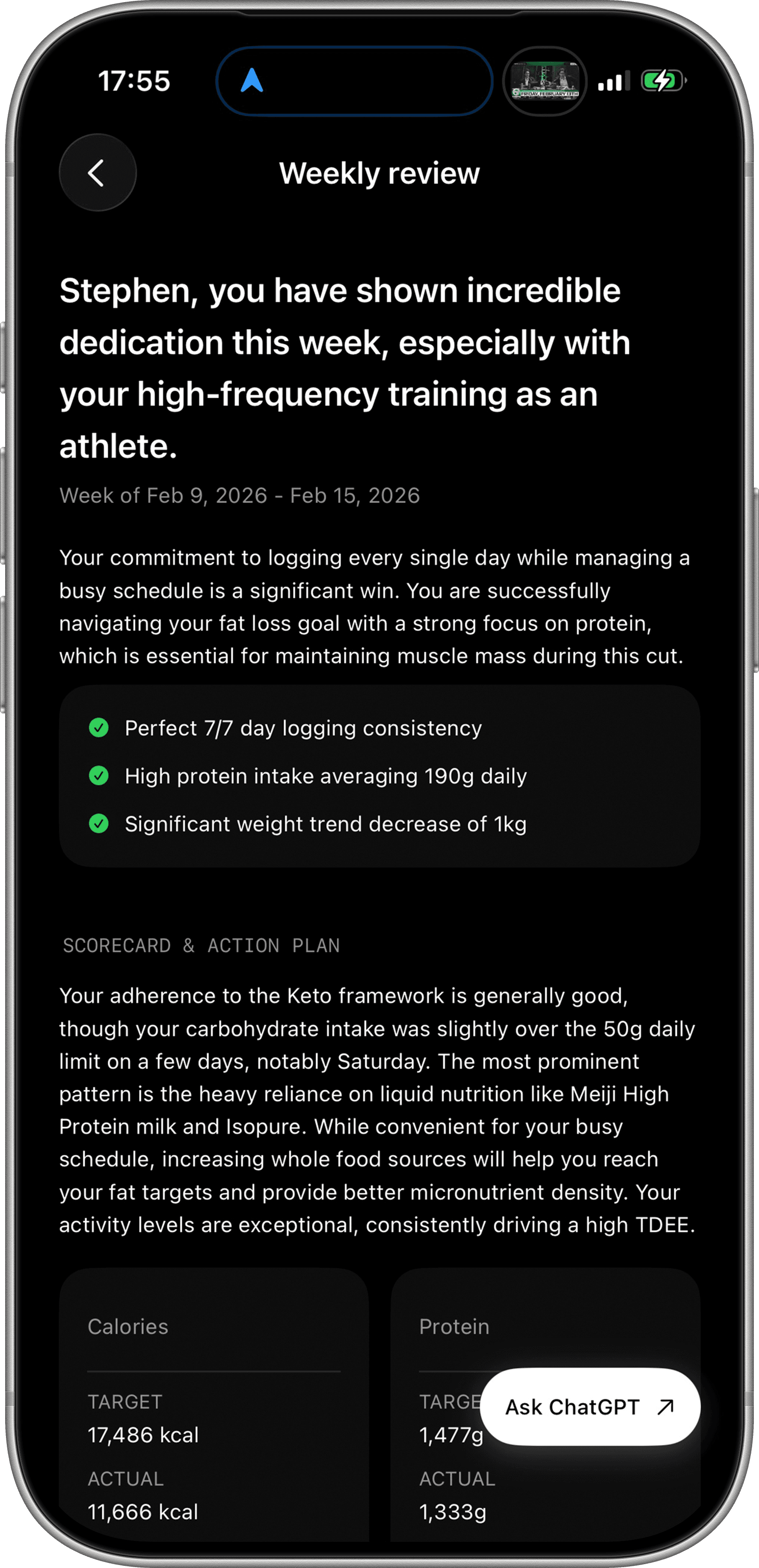
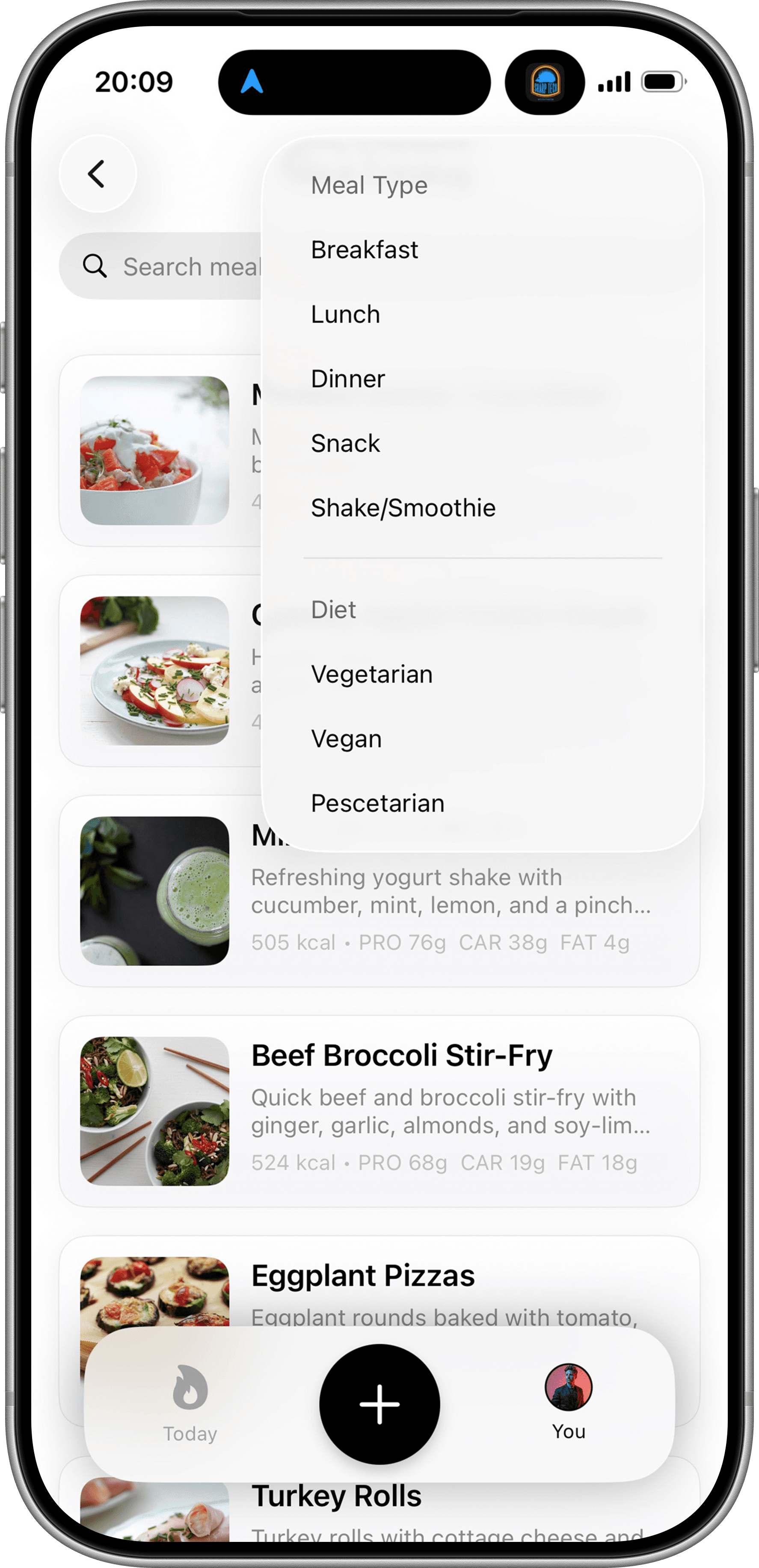
Recipes that connect to your targets. Fuel includes nutritionist built recipes and portion scaling, which matters if your biggest friction is decision fatigue. Planning becomes selecting a recipe and cooking, not guessing macros and doing conversions.
Fuel Pro is offered as a subscription with monthly and annual options, and pricing is shown in the App Store as in app purchases that vary by region in the Fuel App Store listing.
If you want the shortest path from logging to results, start here.
MyFitnessPal
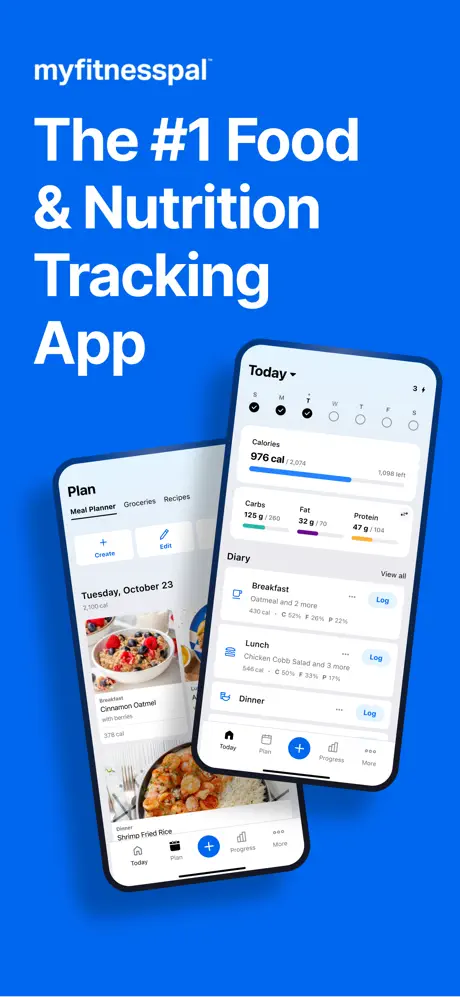
MyFitnessPal offers a broad food diary and connected-service ecosystem. Premium includes barcode scanning, Meal Scan, voice logging, and fasting; Premium+ adds Meal Planner. Nutrition Coach is available on supported paid iOS plans. A feature being documented does not mean it is available in every language or on every device.
Best fit: an established food diary, connected services, and paid logging tools. Read the full review for a closer look at its workflow.
Cronometer
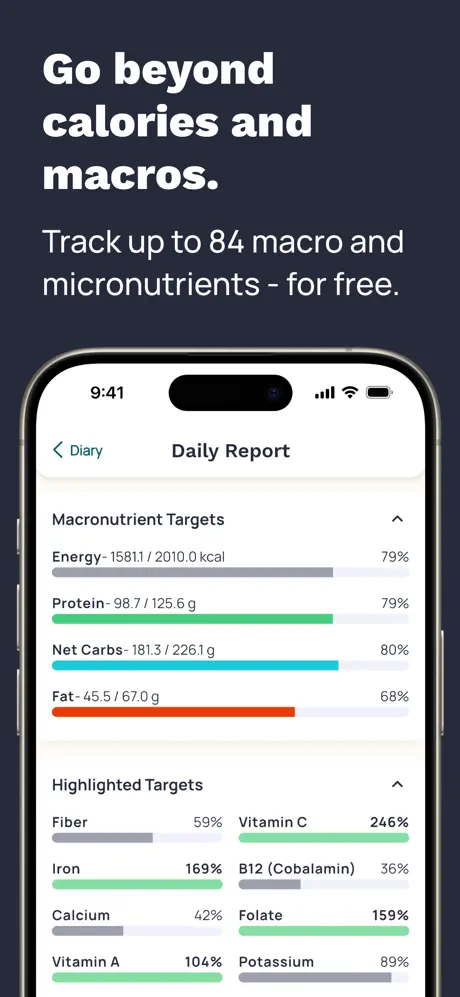
Cronometer is the stronger starting point when you want to inspect vitamins, minerals, and the source behind a food entry. Its current listing documents free barcode scanning, an Apple Watch app, and Gold features including photo/voice logging, fasting, and Crono Coach. A branded label entry can still lack nutrients that were never measured or supplied; a long nutrient panel is not a guarantee that every field is known.
Best fit: nutrient detail and inspectable food sources. Read the full review for a closer look at its workflow.
MacroFactor
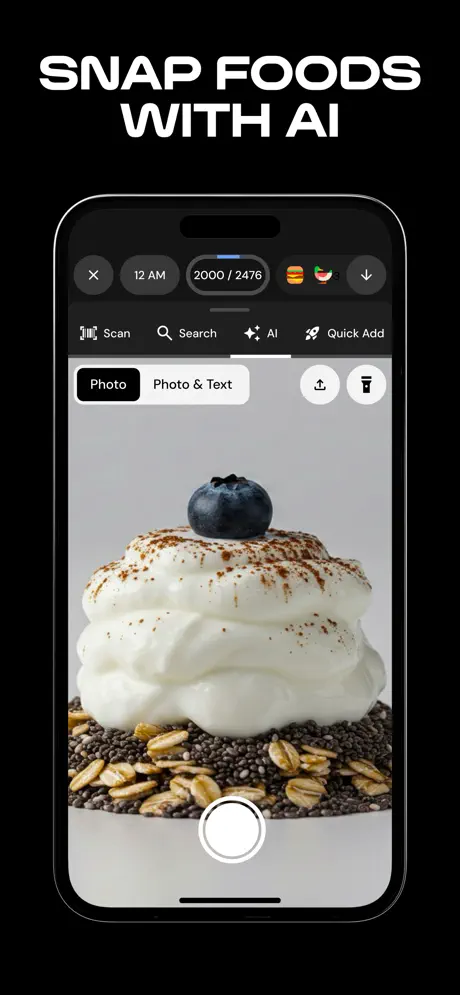
MacroFactor is built around estimating expenditure from logged intake and weight trends. Its AI logging workflow also supports a photo or photo plus description, followed by editable food results. The official terms list a seven-day trial and no continuing free tier. It is no longer accurate to describe the choice as AI logging versus manual logging.
Best fit: calorie and macro adjustments based on intake and weight trends. Read the full review for a closer look at its workflow.
Noom
Best for: People who want a structured behavior change program more than a nutrition dashboard.
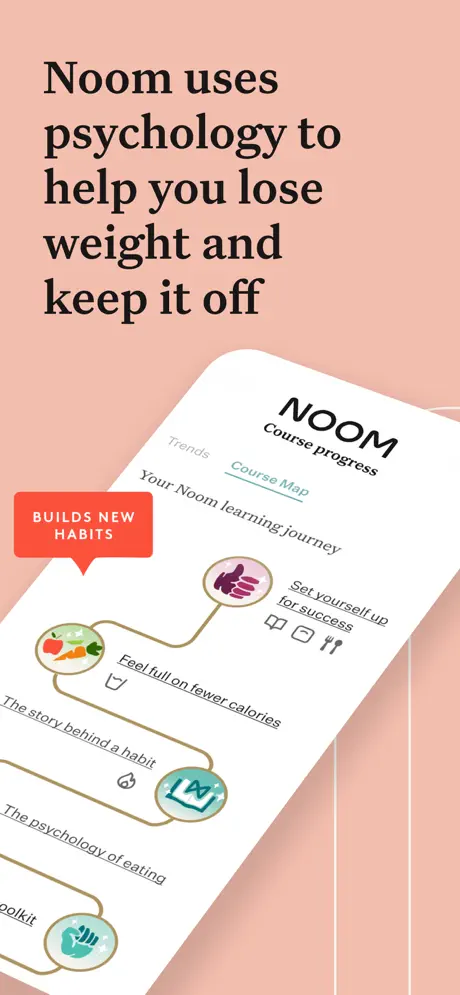
Noom is not a tracker first app. It is a program. Food logging exists inside a broader framework of education, habit work, and coaching orientation. If your problem is not knowing what to eat, but repeating the same pattern when stress hits, Noom’s curriculum based approach can be a better fit than another chart.
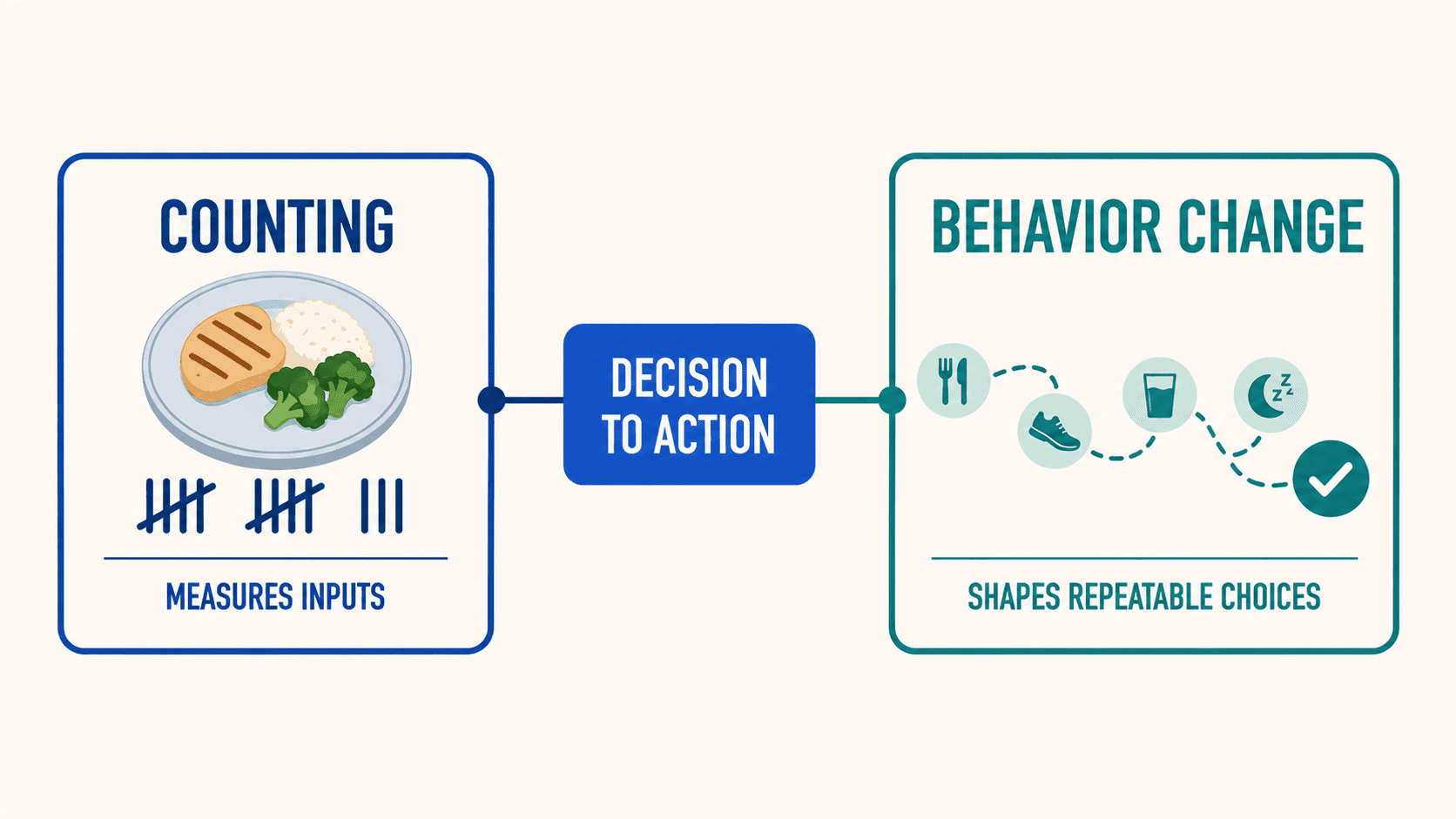
Noom publishes a general price table for its Weight plan options, and it explicitly notes that pricing can vary based on promotions and signup method on its plan pricing overview.
Pricing: Subscription plans with different lengths and prices, as outlined in Noom’s plan pricing overview.
Read our full Noom review.
Lose It!
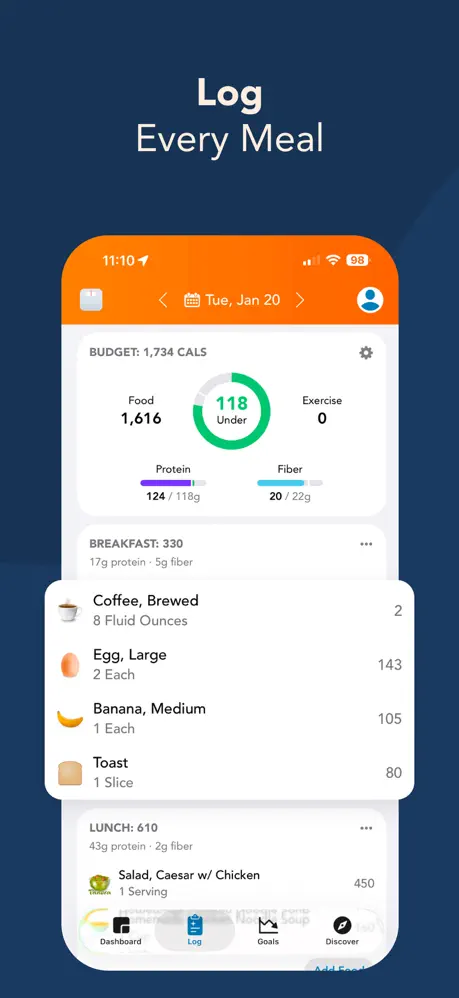
Lose It! centers the day on a calorie budget. Its current US listing places barcode scanning, photo/voice logging, fasting, and advanced tracking in Premium. The pricing guide lists a standard annual price with separate promotions and membership options. Do not assume a new account receives the same free features as an older account.
Best fit: a calorie-budget routine with optional paid logging shortcuts. Read the full review for a closer look at its workflow.
04Other nutrition apps worth a look
If your needs are specific, these apps can be the right answer.
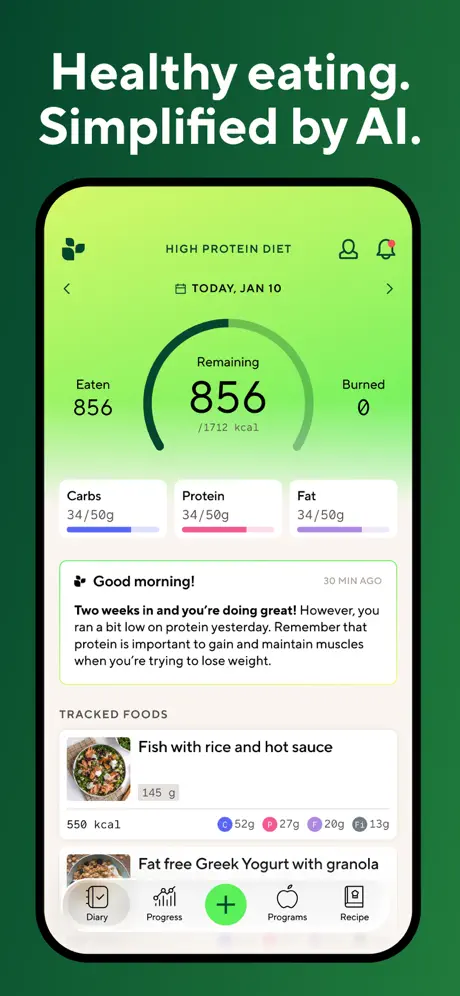
Lifesum is a design forward nutrition coach style app with meal planning and habit tools, and its App Store listing shows multiple subscription options and prices that vary by region (see the Lifesum App Store listing). Read our Lifesum review.
MyNetDiary is a long running tracker with deep nutrient tooling, strong planning features, and a Premium plan that the company frames as a $60 annual membership on its upgrade page (see MyNetDiary Premium). Read our MyNetDiary review.
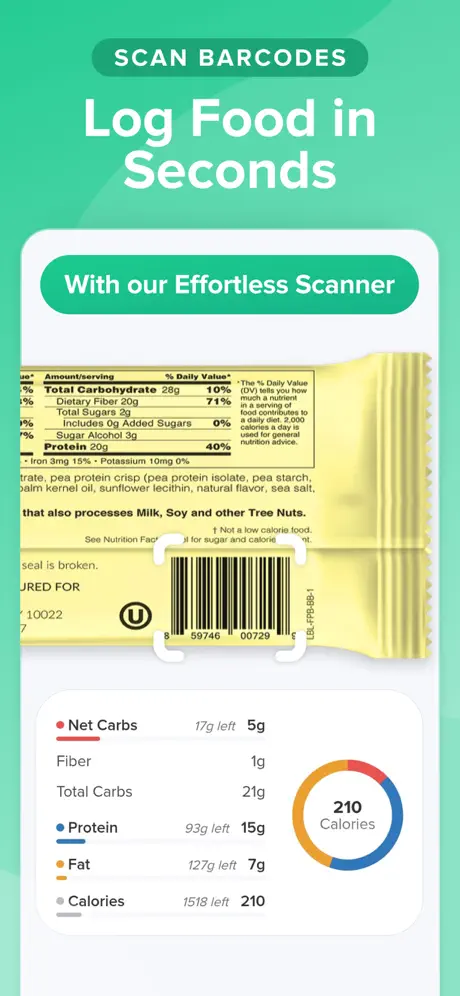
Carb Manager is purpose built for low carb and keto users, and its Premium page lists a plan priced at $3.33 per month when billed annually (see Carb Manager Premium). Read our Carb Manager review.
fatsecret is a popular free first tracker, and the company states that its core features include calorie and macro tracking, weight logging, and the barcode scanner for free. It also offers Premium as an in app upgrade with pricing that varies by region (see fatsecret and fatsecret Premium). Read our fatsecret review.
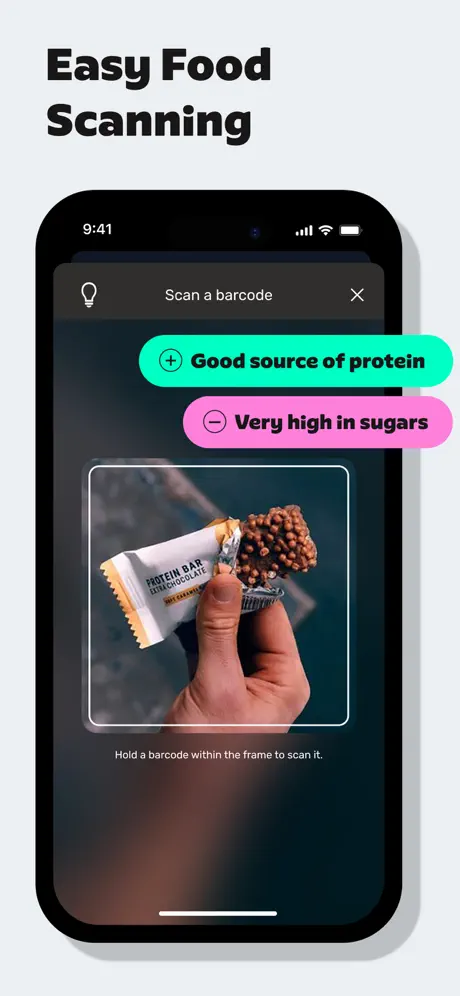
YAZIO is a calorie tracker with intermittent fasting and a polished UX. Its App Store page shows multiple in app purchase price points depending on term length and offer (see the YAZIO App Store listing). Read our YAZIO review.
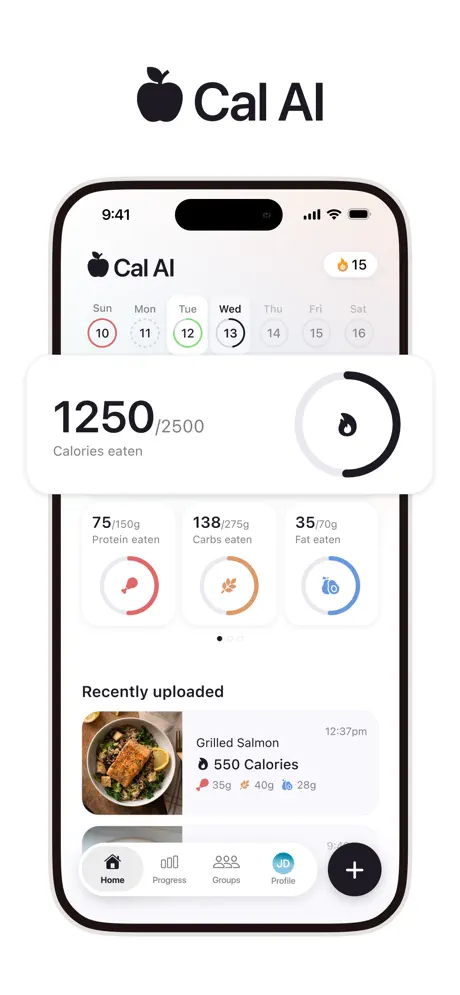
Cal AI emphasizes photo logging and also documents barcode and description input. Its official site advertises a trial; check the full billed amount, term, and renewal price in your local offer. Read our Cal AI review.
05Match a nutrition app to your goal
If you want one decision rule, use this. Pick the app that makes your main constraint easier.
If your constraint is speed, choose a fast logger like Fuel or Lose It.
If your constraint is nutrient depth, choose Cronometer.
If your constraint is database coverage, choose MyFitnessPal.
If your constraint is target accuracy over time, choose MacroFactor.
If your constraint is behavior change, choose Noom.
A second rule is just as important. Choose the app you will still open when you have an imperfect day. That is where results come from.
067-day test for any nutrition app
Do not evaluate features in a vacuum. Evaluate friction.
For seven days, commit to logging in one app. Aim for consistency, not perfection. Then review three things:
| Question | What it tells you |
|---|---|
| Did I log most meals without resentment | Whether the workflow is realistic |
| Did I trust the entries I used | Whether the database is safe enough to rely on |
| Did the app tell me what to do next week | Whether you are buying insight or just data |
If the answer to the first question is no, the app is wrong for you, even if it is the most advanced option in the market.
07Habits that improve app tracking results
The app is not the intervention. Your weekly pattern is.
These tactics work across platforms.
Start with your normal diet for three days. You are building a baseline, not trying to win the week.
Save your staples. Your top twenty foods and top five meals are the foundation of speed. Once they are saved, tracking gets easier every week.
Track weekly averages. One perfect day does not matter. Seven days of averages do.
Use planning when you are calm. Decide breakfast and lunch in advance. Save willpower for dinner.
If you want a deeper workflow, read Macro tracking tips. If you want faster logging, read Easy Ways to Log Food and Track Macros with AI.
08Next shifts in nutrition tracking apps
The market is moving in a clear direction.
AI is shifting from novelty to interface. The useful version is not a magic photo that guesses your meal. The useful version is a system that lets you correct quickly and keeps the log accurate without slowing you down.
Planning is becoming the differentiator. Food diaries are table stakes. The apps that win long term will turn data into decisions by connecting targets, recipes, grocery support, and feedback loops.
Integration will get more personal. As wearables, smart scales, and continuous glucose monitoring become more common, nutrition apps will increasingly act as the hub that ties behavior to outcomes.
If you want a focused view on this trend, read The Role of AI in Personalized Nutrition. For how AI turns nutrition data into a coaching loop, see Performance Nutrition Intelligence.
09Pick one app and run a 30-day trial
If you want the most familiar mainstream option with broad device support and a huge database, MyFitnessPal is still the default many people start with, but the tradeoff is more ads, more paywalls, and more trust required around data quality and sync behavior.
If you care more about nutrient accuracy, verified entries, and micronutrient depth than speed or polish, Cronometer is the better fit, but it works best for people who can tolerate a more clinical interface and less coaching help.
If you want calorie targets that adapt based on real-world progress instead of static formulas, MacroFactor is one of the strongest options, but it asks for more buy-in, has a steeper learning curve, and can be a rougher experience if barcode coverage is weak where you live.
If you want psychology, habit change, and a guided program more than a pure nutrition tracker, Noom can still appeal to that kind of user, but it is a different category and comes with much weaker food logging and more reliability frustration than dedicated tracking apps.
If you want something simpler and easier to learn than the more data-heavy apps, Lose It can work for low-friction daily tracking, but it comes with frequent upsells and a food database that still needs supervision.
Fuel is for people who do not just want to log food, but want help turning the log into a plan. If you want fast tracking, adaptive targets, and a coaching loop that tells you what to adjust next, Fuel is the right fit. It is especially strong for people who want to stay consistent, review progress weekly, and use nutrition data to make better day-to-day decisions rather than just collect numbers.
If the Fuel workflow fits your needs, try Fuel on iPhone and use the free allowance to check your own meals before upgrading. The current US Pro reference price is $24.99 monthly or $149.99 annually; regional offers are shown in the store.
