
Plan Progress shows where you are on your weight goal timeline, how the current week is behaving, and whether the projected goal date still fits the evidence Fuel has.
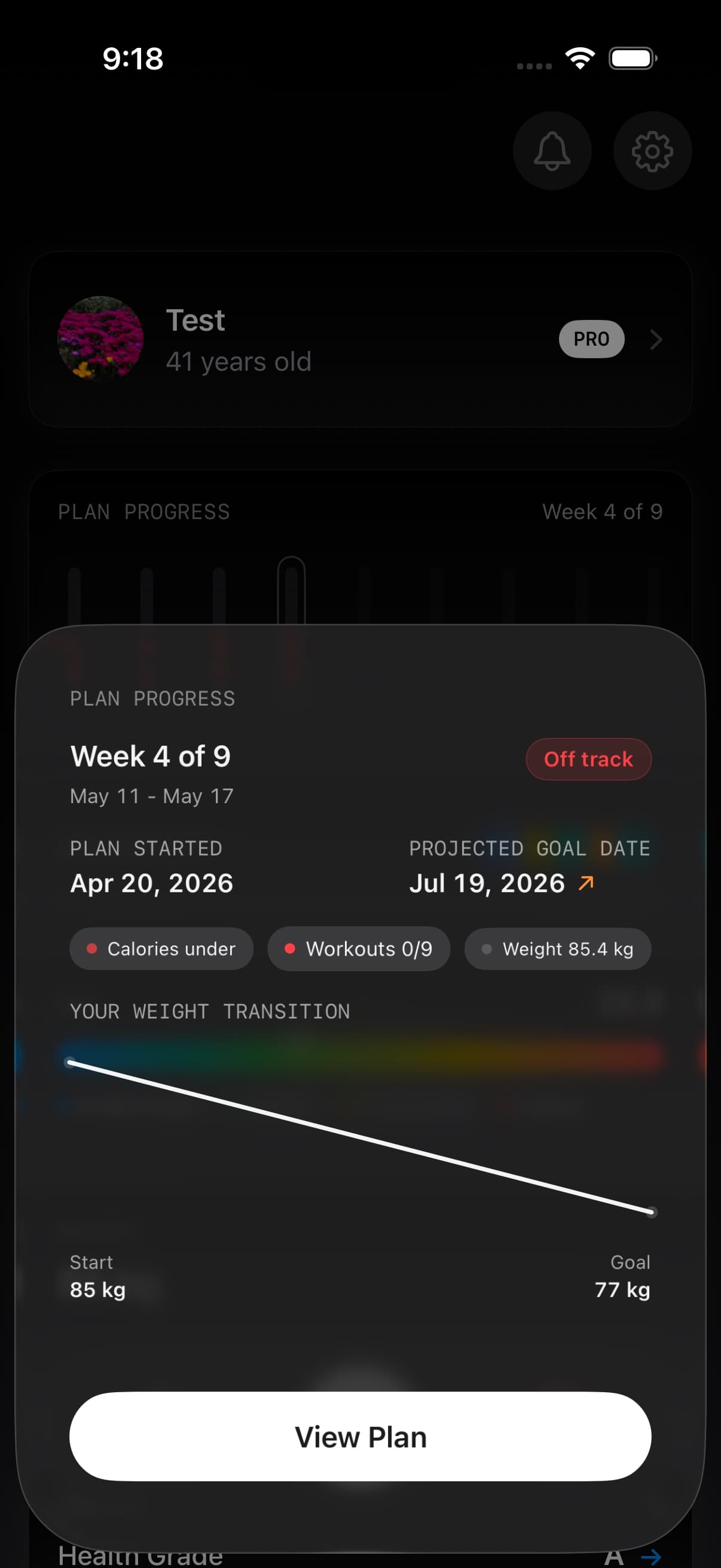
01Projected weight timeline and goal date
Open You > Plan progress to see the current week. Tap View Plan inside that view for the broader plan timeline. Your plan settings are available separately under You > Personal Details > Coaching Plan > Your Plan.
The compact You-tab card shows the current plan week, status, and a horizontal week strip. Opening it gives you the week-level detail behind the badge.
Your weight transition places observed weight points alongside the projected path toward a weight goal. Fuel uses median weight readings for the observed points and your plan’s calorie adjustment and maintenance estimate for the projection. The estimated completion date can change as your plan and evidence change.
A Maintain plan may show Timeline unavailable because it has no weight-loss or weight-gain finish date. For an event goal, see Prepare for Event for the date and phase shown in Your Plan.
02What drives projections
The projection uses your daily calorie target, your estimated maintenance calories (TDEE), and a standard conversion factor to translate energy balance into expected weight change per week.
Three inputs matter most:
- Plan calories vs maintenance. The gap between what you eat and what you burn defines the weekly rate of change.
- Weigh-ins. Regular weigh-ins anchor the projection to your actual progress rather than a theoretical curve.
- Plan changes. A revised calorie adjustment or maintenance estimate can change the expected pace. The projection is a longer-term plan estimate; today’s Dynamic Calories allowance is a separate daily calculation.
03Plan status labels from on track to thin data
The status helps you distinguish a scored week from one that is still taking shape.
| Status | What it means |
|---|---|
| Goal reached | Fuel has a matching completed-goal record for the plan |
| New week | The current week has started without enough logged evidence to assess it yet |
| Getting started | You are in the first plan week with one to three logged days. Log four eligible days to unlock scoring |
| On track, Close, or Off track | The available calorie, activity, and weight evidence has been scored against the plan |
| Not enough data | Fuel cannot give the week a supported score yet |
Missing factors are left out of the score rather than counted as failures. Open the week to see the evidence behind its status.
The same status feeds into Weekly Review and Reports, so coaching and report rows can reference the same calorie, activity, and weight signal.
04Cached Plan Progress while Fuel refreshes
Plan Progress can show your last known display-ready state quickly when you reopen Fuel, then refresh with the latest logs, workouts, weigh-ins, and plan metadata in the background. If the cached state is not good enough to display, Fuel falls back to a loading strip rather than showing weak or misleading week bars.
Use Fuel Energy Model when you want to understand how daily targets, burn baseline, Dynamic TDEE, weigh-ins, and data quality feed the progress signal.
05When a goal is complete
When Fuel confirms a weight goal, the completed date takes the place of the projected date. The recap appears in You > Achievements > Completed Goals, where you can review the result and choose your next chapter. See Completed Goals for confirmation, sharing, and the transition to maintenance.
06When projections shift
Projections are estimates. They can shift when maintenance calories change, when you adjust plan targets, when the week has more complete food or activity data, or when your weigh-in trend diverges from the projected curve.
If the projected date keeps moving further out, the usual cause is inconsistent adherence, sparse data, or a target that no longer fits the week you are actually living. Use Weekly Review to evaluate whether plan speed, logging coverage, or targets need adjustment.
If GLP-1 Support is enabled, appetite and hydration context can inform coaching, but Plan Progress still reads the same plan, food, activity, and weight evidence.
07Plan Progress is Pro only
Plan Progress is available to Fuel Pro subscribers. See Free and Pro for details.
