Fuel Score shows how consistently your recent days have matched your nutrition and training plan. It brings the last 28 completed days into one number from 0 to 1000, with a breakdown you can use to choose what to work on next.
The score on You runs through yesterday. A meal you log this afternoon belongs to the next day's score, so the number can stay the same even as today's calories and Health Grade change.
01Turn on Fuel Score
Open You, tap the gear to open App Preferences, and find Fuel Score in the Coaching section. Turn it on, then return to You and tap the Fuel Score tile.
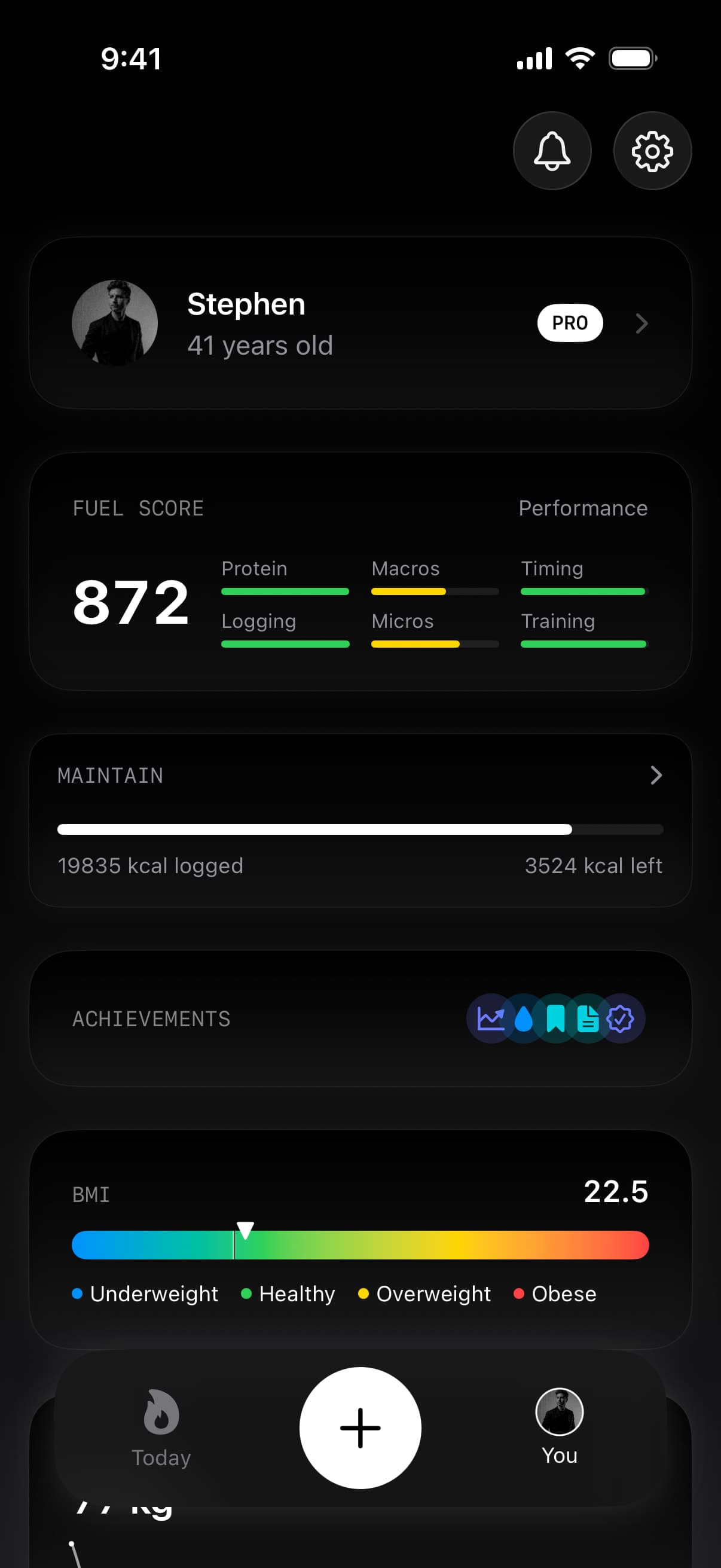
Fuel Score is off by default. The preference is available on Free, but opening the score requires Pro. A locked tile opens the upgrade screen. You can turn the preference off again if you prefer a quieter You tab.
02Read the contributors before chasing the number
Protein precision carries the largest individual weight. The other contributors explain whether your calorie and macro targets, meal timing, logging, food quality, and available training context are supporting that consistency.
Tap the contributor breakdown to see the points earned and possible for each part.
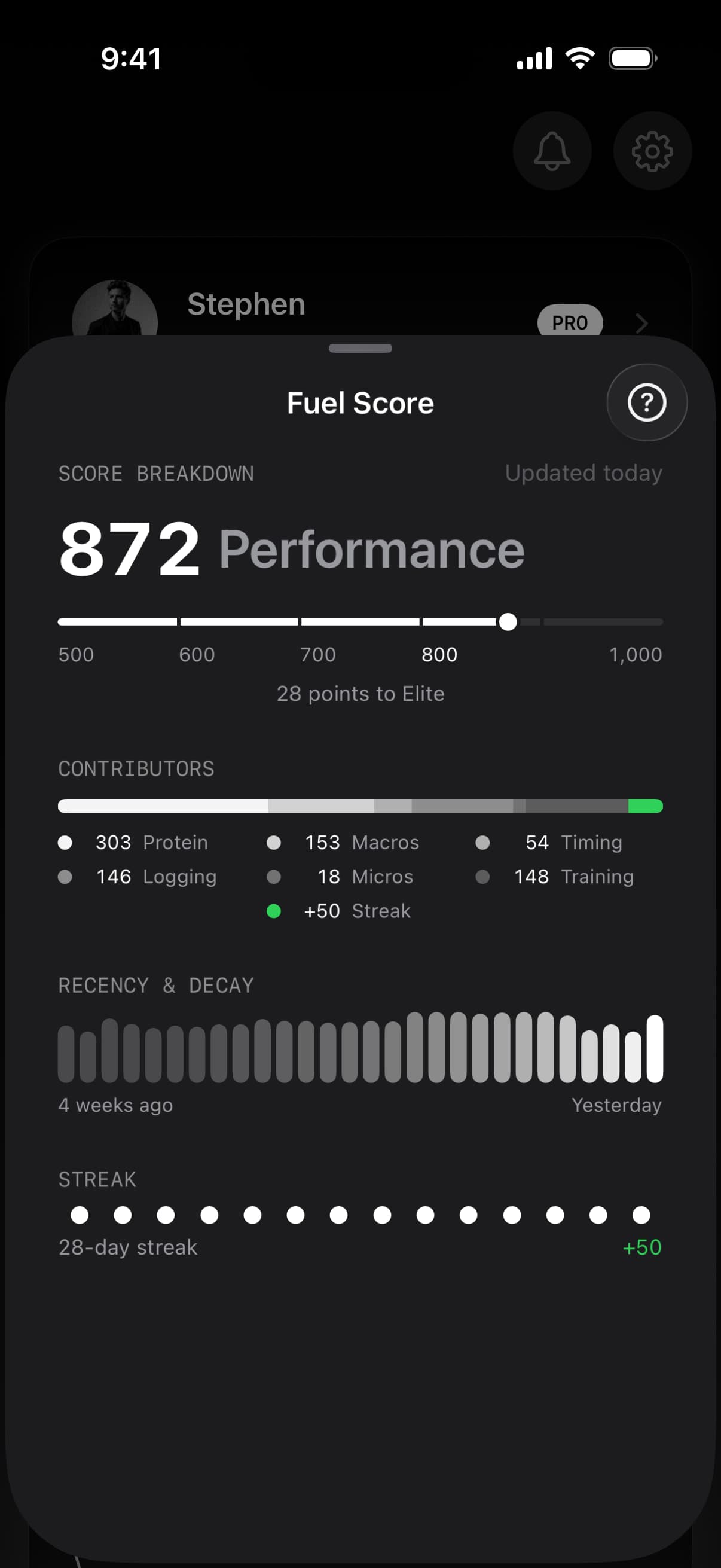
This populated example shows the score alongside its contributors and recent-day evidence. The inactivity penalty can reduce the total to zero even when individual contributors have earned points.
| Contributor | What it checks |
|---|---|
| Protein precision | How closely logged protein matches your plan target |
| Macro adherence | How closely calories, carbohydrates, and fat match the plan |
| Fueling windows | Food timing around recorded workouts, or meal spacing on days without workouts |
| Logging completeness | Whether the day contains enough food entries to represent how you ate |
| Micronutrient coverage | Available evidence for fiber and key nutrients |
| Training & recovery | Recorded training and available heart-rate, sleep, and recovery signals |
An Insufficient data label means Fuel cannot assess that contributor from the available record. Missing micronutrient or wearable evidence is left out of the day's possible points. You do not need an Apple Watch to use Fuel Score.
If the record looks incomplete, check the meal log and Apple Health permissions before changing your routine to influence the score.
03Understand the tiers
The tier describes where your current score sits on Fuel's scale. Tap the score track to see the tier names and the next threshold.
| Score | Tier |
|---|---|
| 0–499 | Inactive |
| 500–599 | Developing |
| 600–699 | Building |
| 700–799 | On track |
| 800–899 | Performance |
| 900–1000 | Elite |
These are Fuel's consistency labels. A low score can reflect a sparse food record, and the Inactive tier does not establish how physically active or healthy you are. Read the contributors alongside the tier.
04Why recent days matter more
The 28-day window gives recent days more weight. Each step backward carries 93% of the weight of the day after it, so the last two weeks influence the score more than the first two.
Touch and hold the Recency & Decay strip to inspect individual days. The strip runs from older days on the left to yesterday on the right. It helps you see whether a change came from a recent run of complete days or from stronger older days leaving the window.
Fuel also adds two points for each consecutive day with a meaningful food log, up to 50 points. A missed day resets this bonus, and a longer gap in food logging can reduce the score further. Water-only entries do not extend the food-logging bonus.
05Why today's score has not moved
Fuel Score updates once per day using completed days through yesterday. Logging lunch, completing a workout, or correcting an entry does not promise an immediate change to the score already shown for today.
Use Health Grade for the live A–D view of your day. Use Fuel Score to review the longer pattern. The two can move differently because they cover different windows and use different scoring rules.
06Choose one repeatable improvement
Start with the contributor that is both weak and supported by enough data to judge. If protein is consistently short, adjust a meal you already eat. If logging is incomplete, capture the missing meal rather than adding detail to meals you already record well.
For repeated nutrient gaps, open Nutrient Insights to see the longer food-coverage pattern. Make one change you can repeat across ordinary days, then return to Fuel Score after those days have entered the completed window.