
Key Takeaways Cronometer is the gold standard for verified micronutrient tracking with 80+ nutrients from USDA-backed sources. Lifesum pivoted to AI text-based logging that prioritizes speed over accuracy. Cronometer costs nearly half the price and delivers far more trustworthy data, while Lifesum offers faster logging with lifestyle features at the expense of reliability.
01About Cronometer
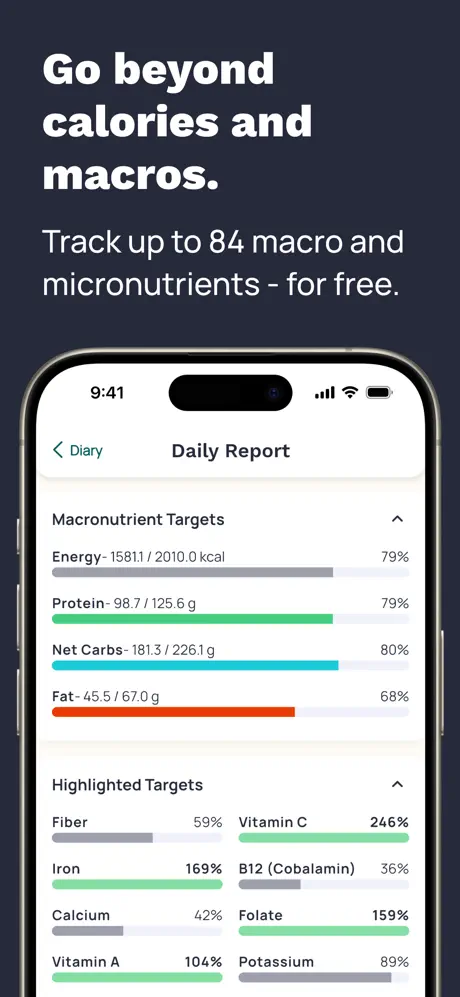
Cronometer is a nutrition tracking app built on the USDA National Nutrient Database and other verified institutional sources. Where most trackers stop at calories and macros, Cronometer tracks over 80 micronutrients, including full amino acid profiles, trace minerals like selenium and manganese, and vitamins down to individual B-vitamin subtypes. Every entry in its database has been verified against published nutritional research, which means the numbers you see are not estimates or crowd-sourced guesses.
The app offers free barcode scanning that pulls from this same verified database, a meaningful free tier, and a Gold subscription at $5.49 per month that unlocks additional reporting features. Cronometer has no ads and minimal upsell pressure. Its interface is functional rather than flashy, designed for users who want data density, not lifestyle coaching.
The trade-offs are real, though. There is no Apple Watch app. The Daily Report view scroll-resets every time you interact with it, which creates friction when reviewing your day. The app only shows consumed totals, never how much you have remaining toward a target. You do the subtraction yourself. And there is no coaching layer at all. Cronometer shows you the data and leaves interpretation entirely to you. For self-directed users with nutritional knowledge, this is fine. For users who want guidance on what their data means or what to eat next, Cronometer offers no help.
02About Lifesum
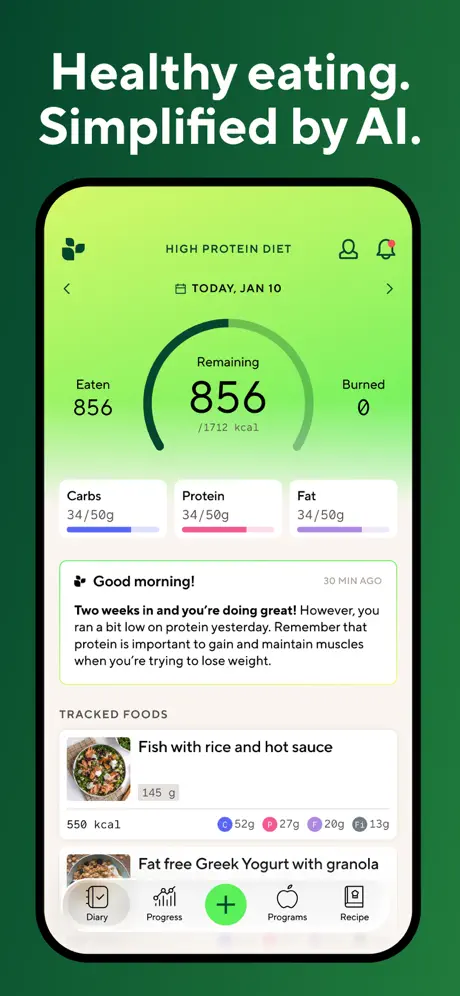
Lifesum is a nutrition and lifestyle app that recently pivoted to AI-powered text-based food logging. Instead of searching a database and selecting portions, you type a description of what you ate ("grilled chicken breast with rice and broccoli"), and the AI generates a nutritional estimate. The app also offers multiple preset diet plans, recipes, a Life Score gamification system, and lifestyle features behind its $9.99 per month Premium subscription.
The AI pivot was ambitious but introduced significant problems. The ability to correct AI-generated entries was removed in a recent update, which means if the AI guesses wrong (and users report it often does), you cannot fix the data. Structured meal slots were replaced with a flat meal list, removing the organizational framework many users relied on. And the core tracker frequently breaks after app updates, with paid subscribers reporting periods where they cannot add foods at all.
Lifesum does not offer an Apple Watch app. Its micronutrient tracking is limited to basic macros. The app focuses on the lifestyle experience (diet plans, recipes, visual scoring) rather than data accuracy. For users who want a lifestyle-oriented health app that happens to include food tracking, Lifesum's feature breadth is appealing. For users who want a food tracker first and foremost, the instability of the core logging function is a serious concern.
03Database Quality and Data Trust
Winner: Cronometer
This is the most important difference between these two apps, and it is not close. Cronometer's database is built on verified institutional sources. When you log a food in Cronometer, the nutritional data has been validated against the USDA National Nutrient Database or equivalent published sources. The 80+ micronutrients it tracks are not estimates. They are measured values from laboratory analysis.
Lifesum's AI logging generates estimates from text descriptions using language model inference. The accuracy of these estimates depends on how well the AI interprets your description, which foods it matches against, and how it handles portion sizes. Users report that calorie estimates can be significantly off, particularly for mixed dishes, restaurant meals, or culturally specific foods. The removal of the correction feature makes this a one-way problem: bad data stays bad.
For anyone tracking nutrition for health reasons (managing a deficiency, optimizing athletic performance, or monitoring a medical condition), the difference in data trust between these two apps is disqualifying for Lifesum.
It is worth noting that Cronometer's verified approach also means consistency over time. An entry you logged six months ago uses the same institutional data as one you log today. Lifesum's AI estimates may vary between identical queries as the underlying model changes, which makes trend analysis over weeks or months unreliable.
04Food Logging Speed and Convenience
Winner: Lifesum
Credit where it is due: Lifesum's AI logging is faster when it works. Typing "avocado toast with two eggs" and getting an instant estimate is genuinely quicker than searching Cronometer's database, selecting the correct entry, and specifying a portion size. For users who log three to five meals per day, those saved minutes add up.
Cronometer's logging requires more effort. You search the database, select the right verified entry, choose a serving size, and adjust the quantity. The process is precise but slow, especially for composite meals. There is no AI shortcut, no photo logging, and no voice input. The speed penalty is the cost of accuracy.
The question is whether that speed advantage matters when the underlying data cannot be trusted or corrected. Fast logging that produces unreliable numbers may be worse than slow logging that produces accurate ones. You are making decisions based on what the app shows you.
There is also the question of what happens when the AI pivot breaks. During periods when Lifesum's tracker is non-functional after updates, users have no fallback. There is no traditional database search to fall back on. Cronometer's manual logging is slower but consistently available. Speed matters less than reliability when you are trying to maintain a daily tracking habit.
05Micronutrient depth vs macros only
Winner: Cronometer
Cronometer tracks over 80 micronutrients with verified accuracy. This includes the full spectrum of vitamins (A, C, D, E, K, all B vitamins individually), minerals (calcium, iron, zinc, selenium, manganese, chromium), amino acids (all essential and many non-essential), and other biomarkers like omega-3 and omega-6 fatty acids.
Lifesum tracks basic macronutrients (calories, protein, carbohydrates, and fat) and stops there. There is no micronutrient dashboard, no vitamin or mineral tracking, and no amino acid visibility. For users who only care about macros, this may be sufficient. For anyone interested in the full nutritional picture, Lifesum does not compete.
The gap here is particularly relevant for users managing specific health goals. If you want to know whether you are getting enough B12 on a plant-based diet, whether your zinc-to-copper ratio is balanced, or how your daily amino acid intake stacks up against recommendations, Cronometer provides that visibility with verified numbers. Lifesum cannot even show you the question, let alone the answer.
06Crashes and day-to-day stability
Winner: Cronometer
Cronometer is stable in its core tracking functionality. The issues users encounter (Apple Health sync gaps where re-imported data does not backfill correctly, the Daily Report scroll-reset behavior) are annoyances rather than functional failures. You can reliably log food, review your data, and trust that what you entered yesterday is still there today.
Lifesum's AI pivot introduced a pattern of instability that undermines the core product. Users report that the tracker breaks after updates, requiring force-closes or reinstalls. Paid subscribers have found themselves unable to add foods for days. Features change or disappear without notice. The removal of entry corrections and structured meal slots are the most significant examples. When an app's primary function is food logging and that function intermittently fails, the surrounding lifestyle features lose their value.
07Lifestyle Features and Coaching
Winner: Lifesum
Lifesum offers more beyond basic tracking. Diet plans (including keto, Mediterranean, high-protein, and others) provide structured eating templates. A recipe library gives meal ideas aligned to your chosen plan. The Life Score system gamifies your overall health habits by combining nutrition, hydration, and activity data into a single number.
Cronometer offers none of this. There are no diet plans, no recipes, no gamification, and no coaching of any kind. Cronometer shows you data and expects you to interpret it. For users who want guidance alongside their numbers, Cronometer leaves a gap that Lifesum at least attempts to fill.
The caveat is that Lifesum's lifestyle features sit on top of unreliable tracking data. A Life Score calculated from inaccurate AI estimates is decorative rather than diagnostic. Diet plan adherence metrics are only meaningful if the food logs they reference are accurate.
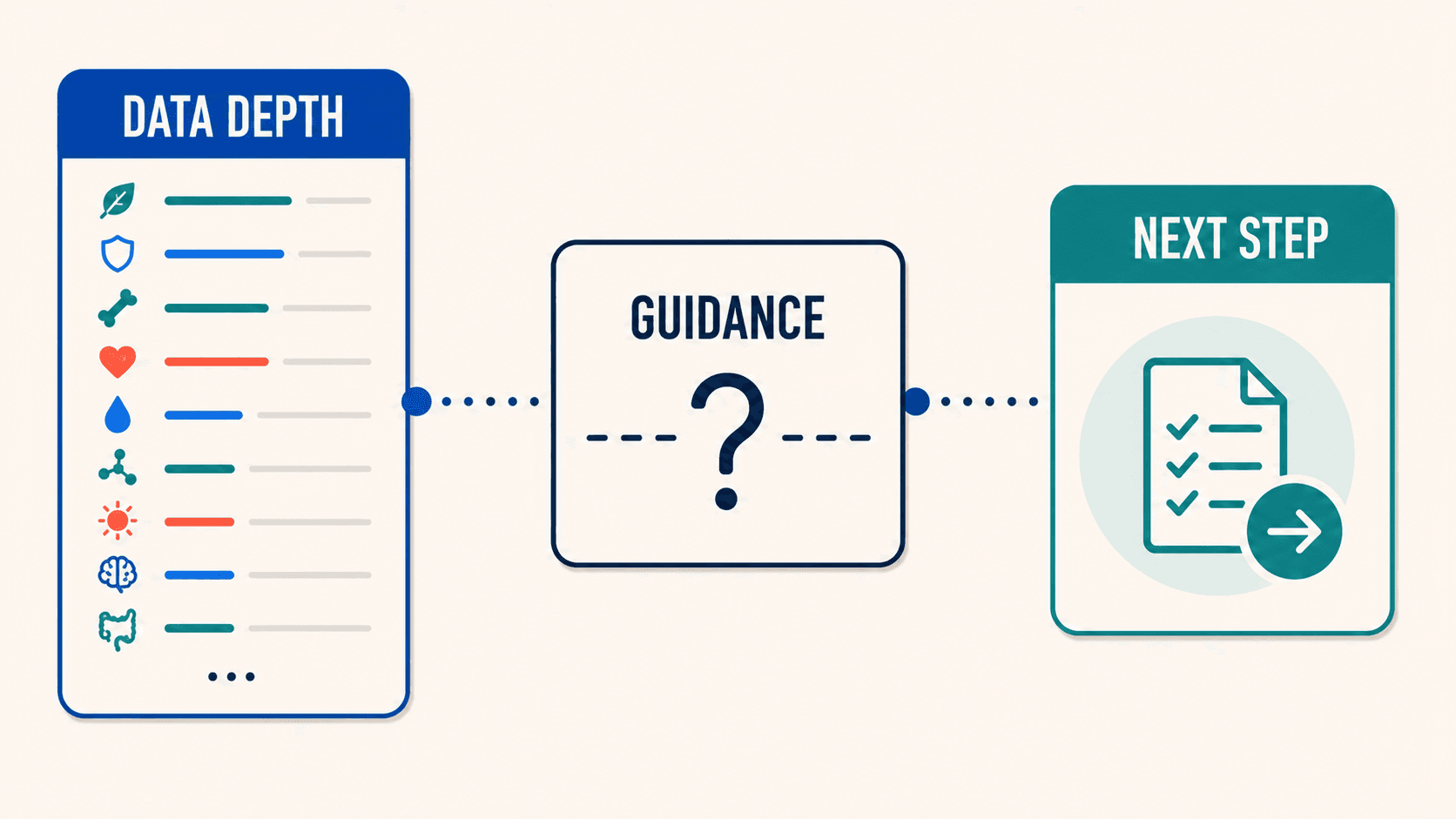
For users who want both data and guidance, neither app fully delivers. Cronometer gives you perfect data with no interpretation. Lifesum gives you interpretation built on imperfect data. The lifestyle features are genuinely appealing in concept. The execution is undermined by the foundation they are built on.
08Free tiers and paid walls
Winner: Cronometer
Cronometer Gold costs $5.49 per month and includes verified data, 80+ micronutrient tracking, free barcode scanning, and no ads. The free tier is usable for basic tracking.
Lifesum Premium costs $9.99 per month (nearly double) for AI-estimated data that cannot be corrected, basic macro tracking, and lifestyle features that depend on the accuracy of the logging they sit on top of. The free tier is limited enough to push most users toward subscribing.
Dollar for dollar, Cronometer delivers more trustworthy data at a lower price. Lifesum charges more for features that are undermined by the accuracy and stability issues in the tracking layer underneath them.
09Apple Watch logging and Health sync
Winner: Draw
Neither Cronometer nor Lifesum offers an Apple Watch app. Both lack wrist-based tracking entirely. Cronometer's Apple Health integration is partial, with documented re-import gaps where historical data does not always backfill correctly after sync disruptions. Lifesum's Health integration is similarly limited.
For users in the Apple ecosystem who value Watch-based quick logging or seamless Health data flow, neither app meets expectations. This is a shared gap that leaves both apps disconnected from the platform many health-conscious users have invested in.
10Who should pick Cronometer
Cronometer is the right choice for users who prioritize data accuracy above all else. If you are tracking micronutrients for health optimization, managing a nutritional deficiency, monitoring dietary intake for a medical condition, or simply want to know the verified truth about what you eat, Cronometer is the best tool available. It rewards users who are willing to invest time in precise logging with data they can trust completely. It is also the better value at roughly half the price of Lifesum.
11Who should pick Lifesum
Lifesum may work for casual trackers who want a fast, low-friction logging experience and are more interested in general lifestyle direction than precise nutritional data. If you value diet plan templates, recipes, and gamification (and you can tolerate the accuracy limitations and occasional instability of the AI logging system), Lifesum provides a broader feature surface. Just be aware that the data underneath those features is less reliable than what you would get from a verified database. If you find yourself regularly questioning the AI's estimates or unable to log after an update, the convenience advantage evaporates quickly.
12Final pick based on your priority
Cronometer and Lifesum solve different problems with different trade-offs. Cronometer gives you the most accurate nutrition data available in a consumer app (verified, deep, and trustworthy), but asks you to do the work of logging precisely and interpreting the data yourself. Lifesum gives you speed and lifestyle features but at the cost of data accuracy and app stability. For anyone who takes their nutrition data seriously, Cronometer is the stronger tool at a lower price. For anyone who wants fast, casual tracking with lifestyle guidance and is comfortable with approximate data, Lifesum offers a broader feature surface at a higher price point.
Neither app offers coaching that tells you what to do with your data, neither has an Apple Watch app, and both leave gaps in the daily experience. If you want verified-quality tracking combined with AI convenience, daily coaching, and Apple ecosystem support, Fuel bridges that gap. Speed and accuracy without the trade-off.